
.webp "Import Contact to WhatsApp Broadcast")



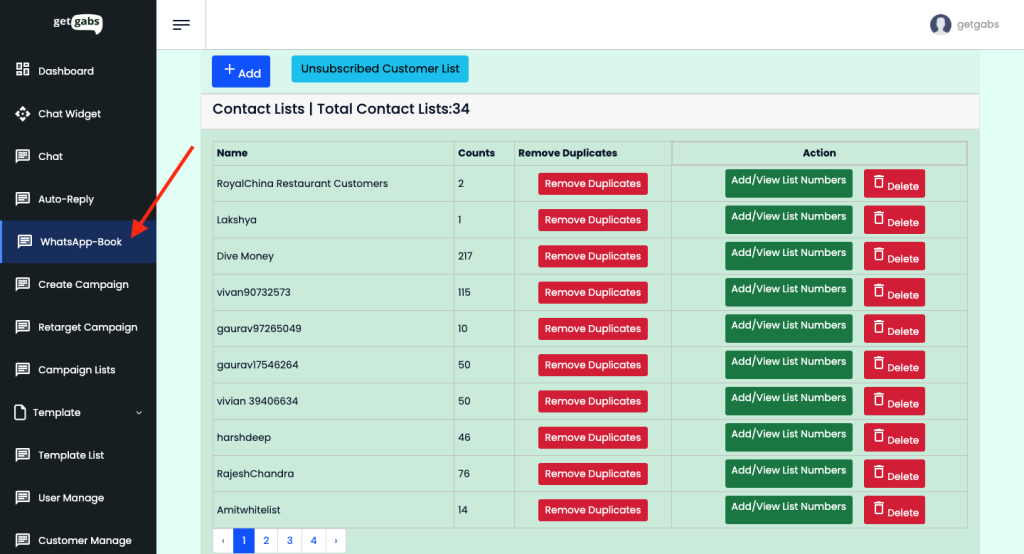
Step 1: Go to WhatsApp Book
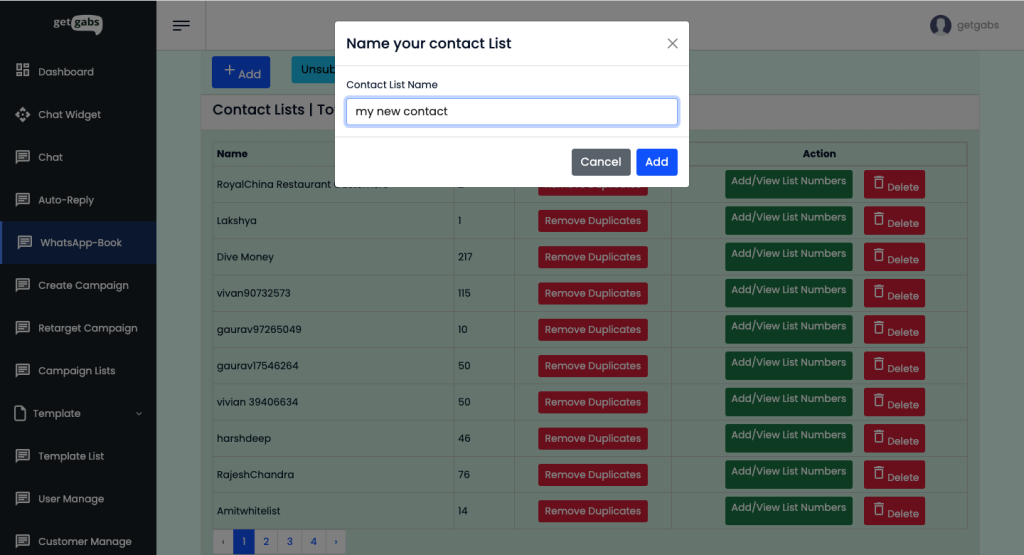
Step 2: To create a new contact list, click on +ADD and give it a name for your future references, or if you already have a contact list, go to Step 3.
Step 3 : Now, to add/import contacts, click on the ADD/VIEW LIST NUMBERS button in front of the contact list
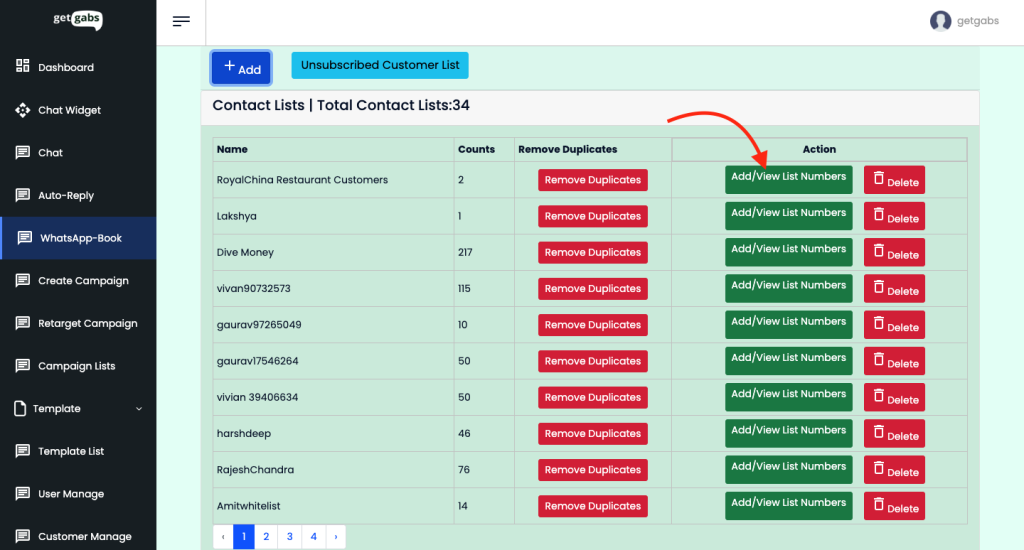
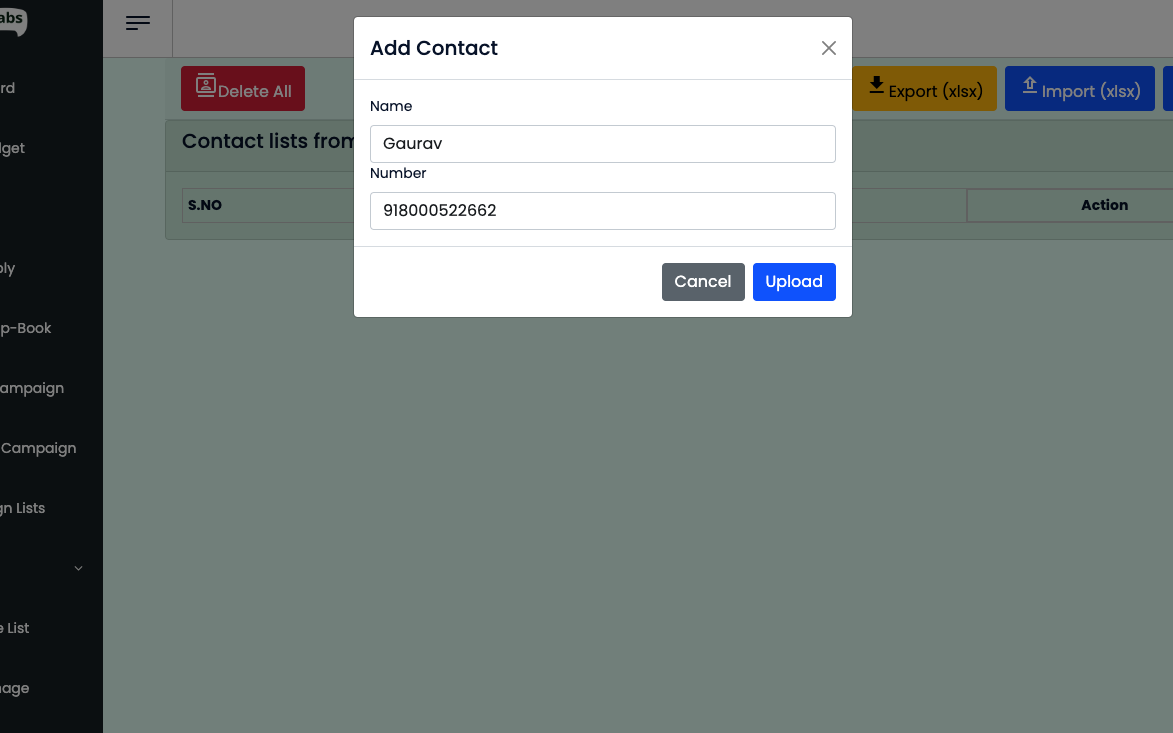
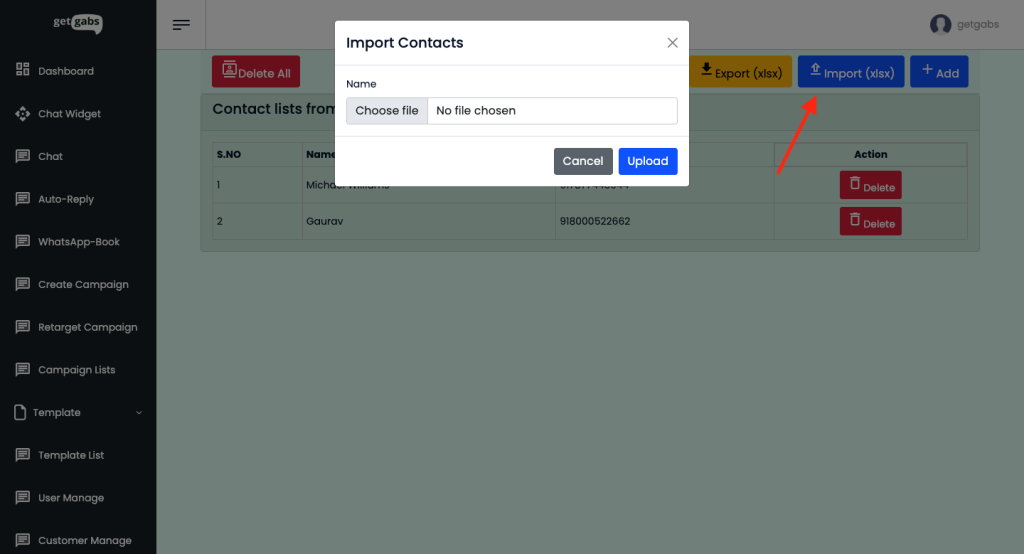
Step 4: Here, you have two options: either add a single contact or import a contact from CSV or Excel Format
Step 4.1: Adding a single contact
Step 4.2: Import Contact from CSV or XLSX Format
You can import a maximum of 1 Lakh (1,00,000) contacts in one contact list.
Download example CSV file format from here: https://app.getgabs.com/documentation/userexcel.csv
Simply add the name in the first column and the mobile number along with the country code ( i.e., 917877443544 ) in the second column.
Kudos! You have successfully added a contact list to broadcast template messages using WhatsApp Business API.