.webp "Broadcast WhatsApp Messages")



Getgabs allows you to broadcast messages to Unlimited users in one go.
Wish to send a WhatsApp Broadcast via Getgabs, but don’t know how? You’re at the right place.
In this tutorial, we’ll tell you the step-by-step process to Broadcast messages on WhatsApp via the GetGabs app.
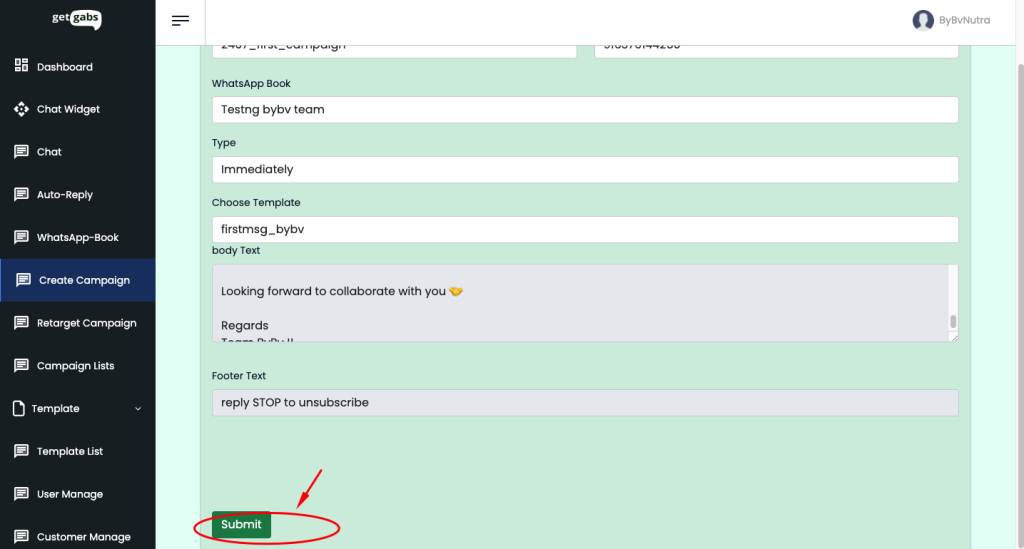
Step 1: Click on “Create Campaign”
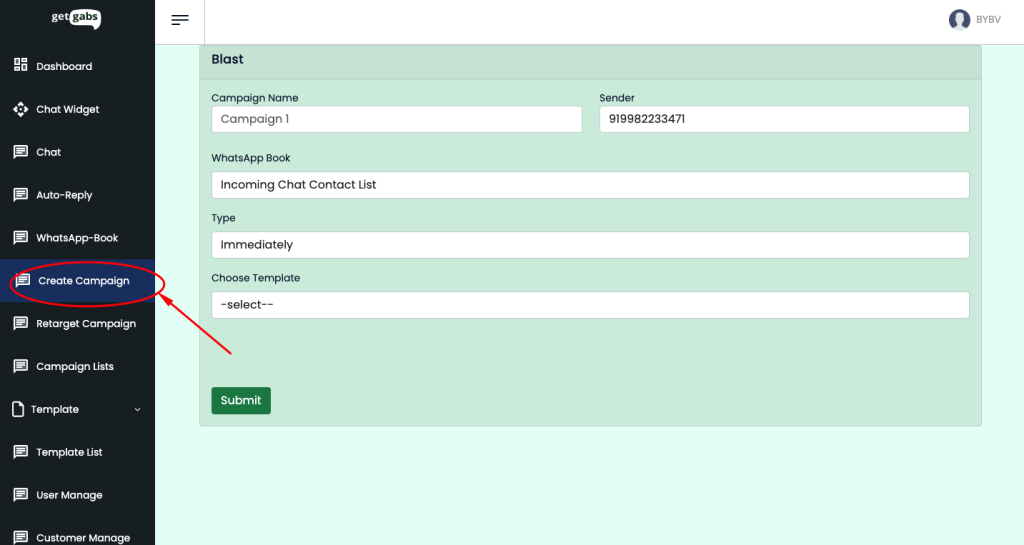
Step 2: Give any name to the campaign,l ike 2407_first_campaign
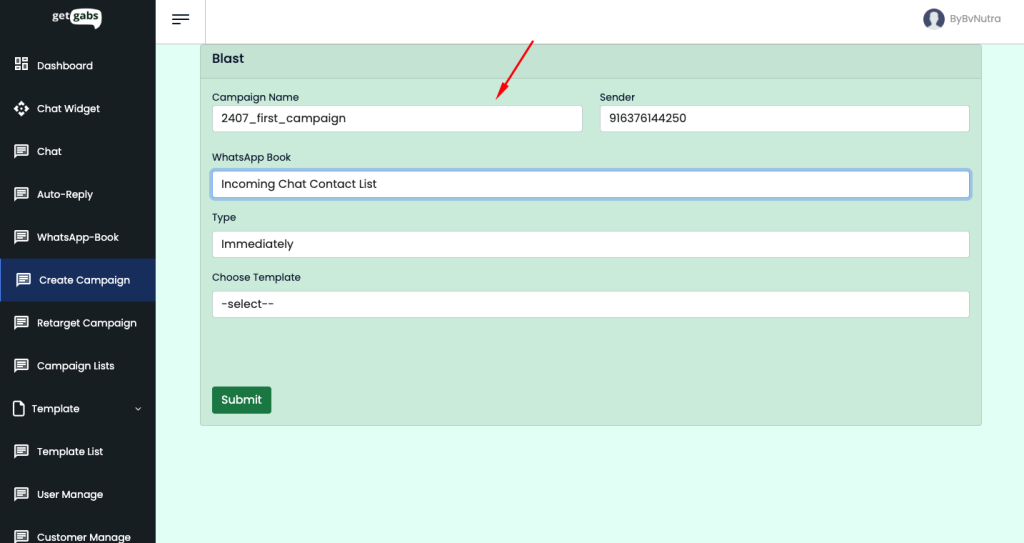
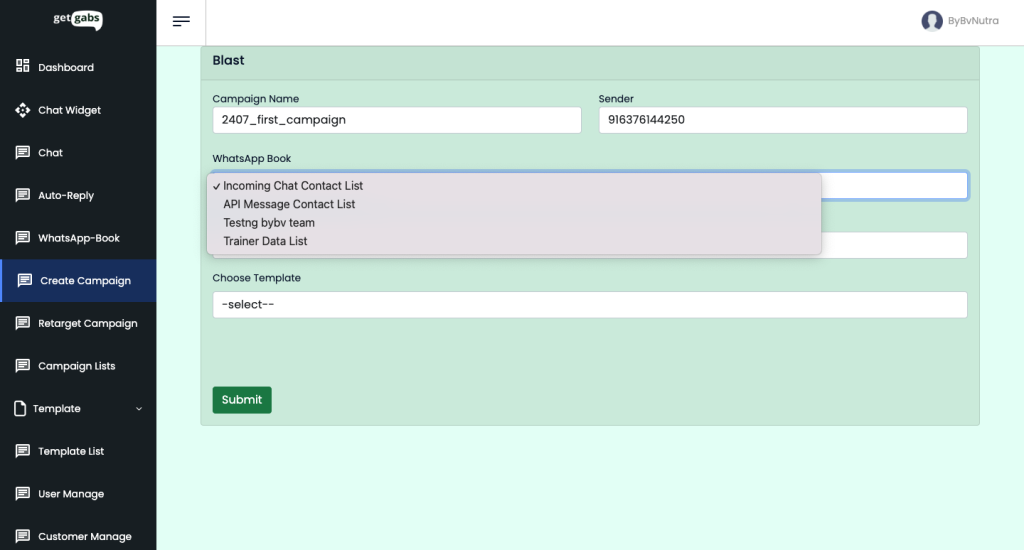
Step 3: Choose WhatsApp Book or Contact List
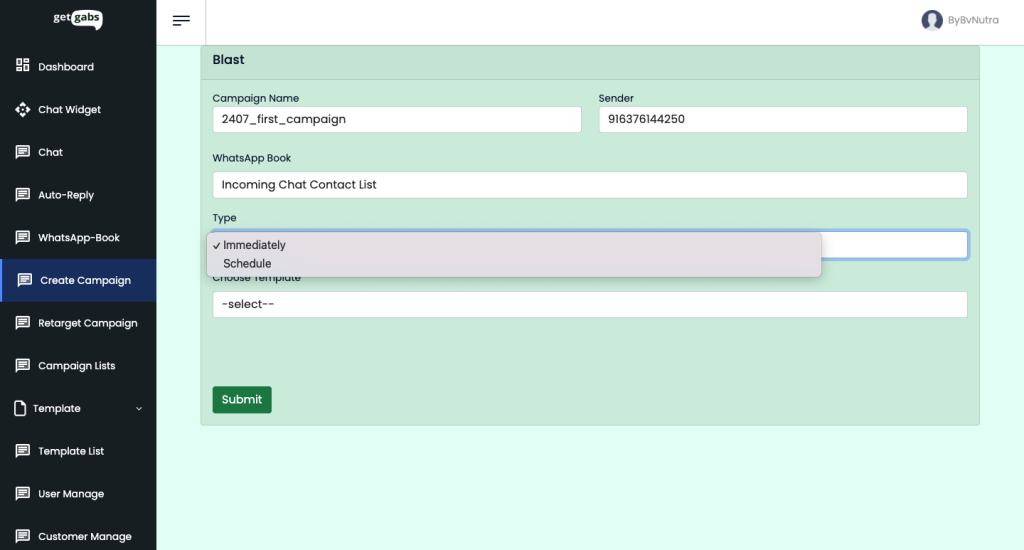
Step 4: Choose whether you would like to send the broadcast immediately or schedule the broadcast for the desired date and time.
Step 5: At last, choose the pre-approved template
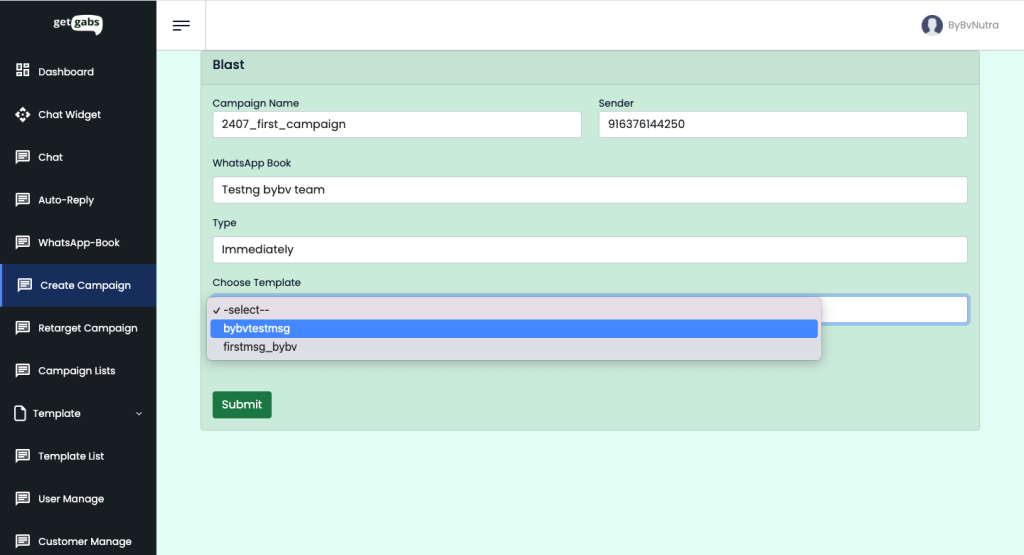
Step 6: Click on the Submit button.
Start WhatsApp broadcasting using the Getgabs software now!