


Too Long? Read This First
- To apply for WhatsApp Business API, you need to register with Meta Business Manager and then apply via a Meta WhatsApp API partner like Getgabs.
- Requirements for approvals include a Meta Business Manager account, a verified domain, a spare phone number, and business documents.
- Apply for WhatsApp API either by BSP (easier, paid, and includes support) or Meta's Cloud API (free but requires technical skills).
- With BSP or an official Meta Partner like Getgabs, you get a choice between auto-onboarding via Embedded Sign Up and manual onboarding via creating a Facebook App to get approval in 1-3 days.
- Choosing Getgabs as your WhatsApp Business partner offers you direct access to the API with 0% markup or setup fees, instant approval, and a feature-rich dashboard.
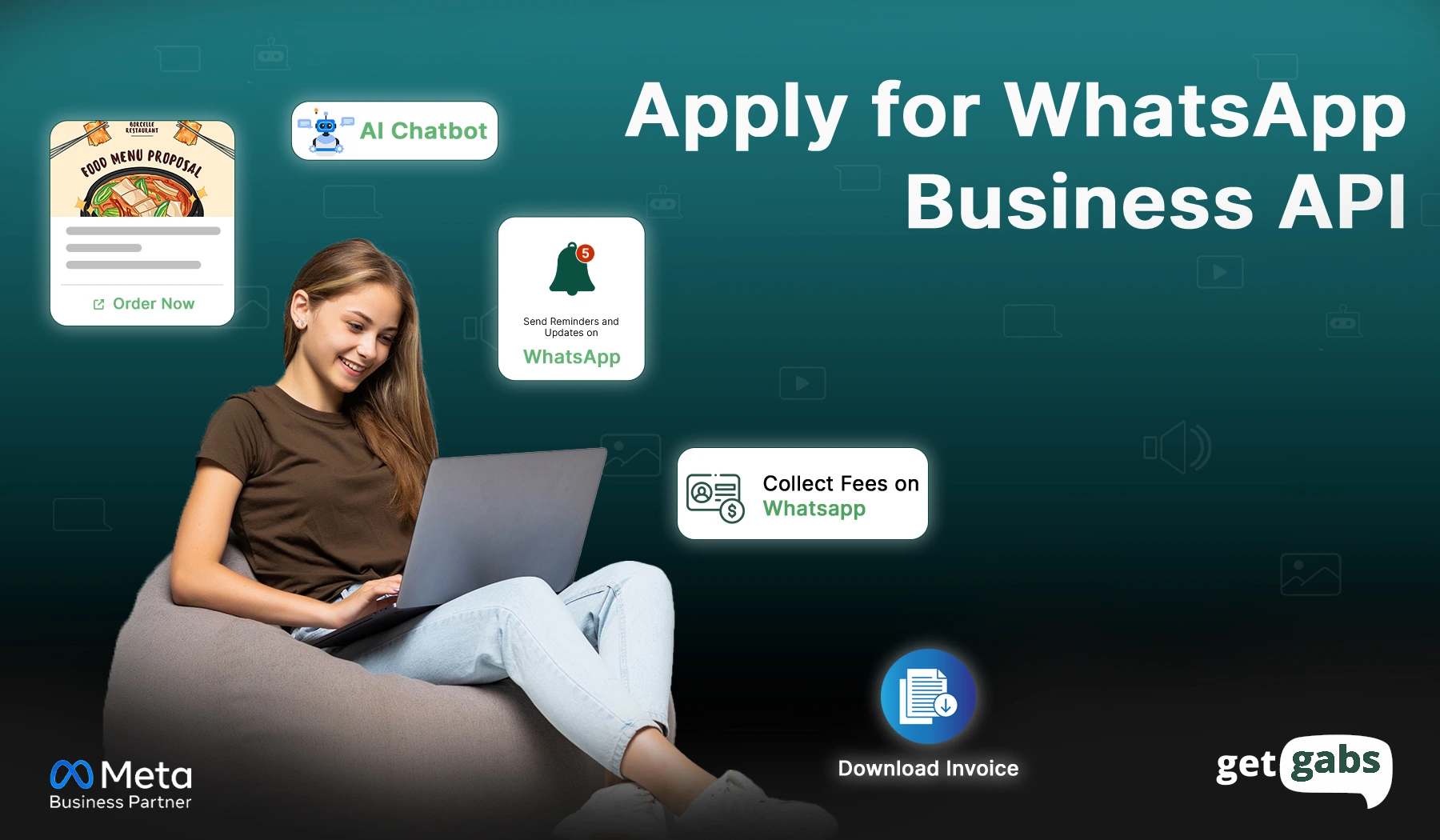
Are you looking to apply for a WhatsApp Business API Account? You are at the right place. WhatsApp Business API helps all types of businesses take customer communication to the next level. Do we have to register for WhatsApp Business API? Yes, to use the WhatsApp Business API, you need to register your business and phone number with Meta Business Manager and then apply for API access through a WhatsApp Business API Provider like Getgabs.
What is WhatsApp Business API?
The WhatsApp Business API is an official tool by Meta (formerly Facebook) that allows all types of businesses to communicate with their customers securely and efficiently. With the help of this tool, businesses can automate messages, send notifications, manage multiple agents, and integrate WhatsApp with CRMs or support tools.
Key Features of Official WhatsApp Business
Official WhatsApp is a powerful tool for medium and large businesses to increase their customer conversion. It offers the following features:
- AI-Powered Chatbot: Use an AI chatbot to automate communication, manage queries, and offer customer service anytime.
- Forms & Flow: Collect users’ data with easy-to-fill no-code WhatsApp forms.
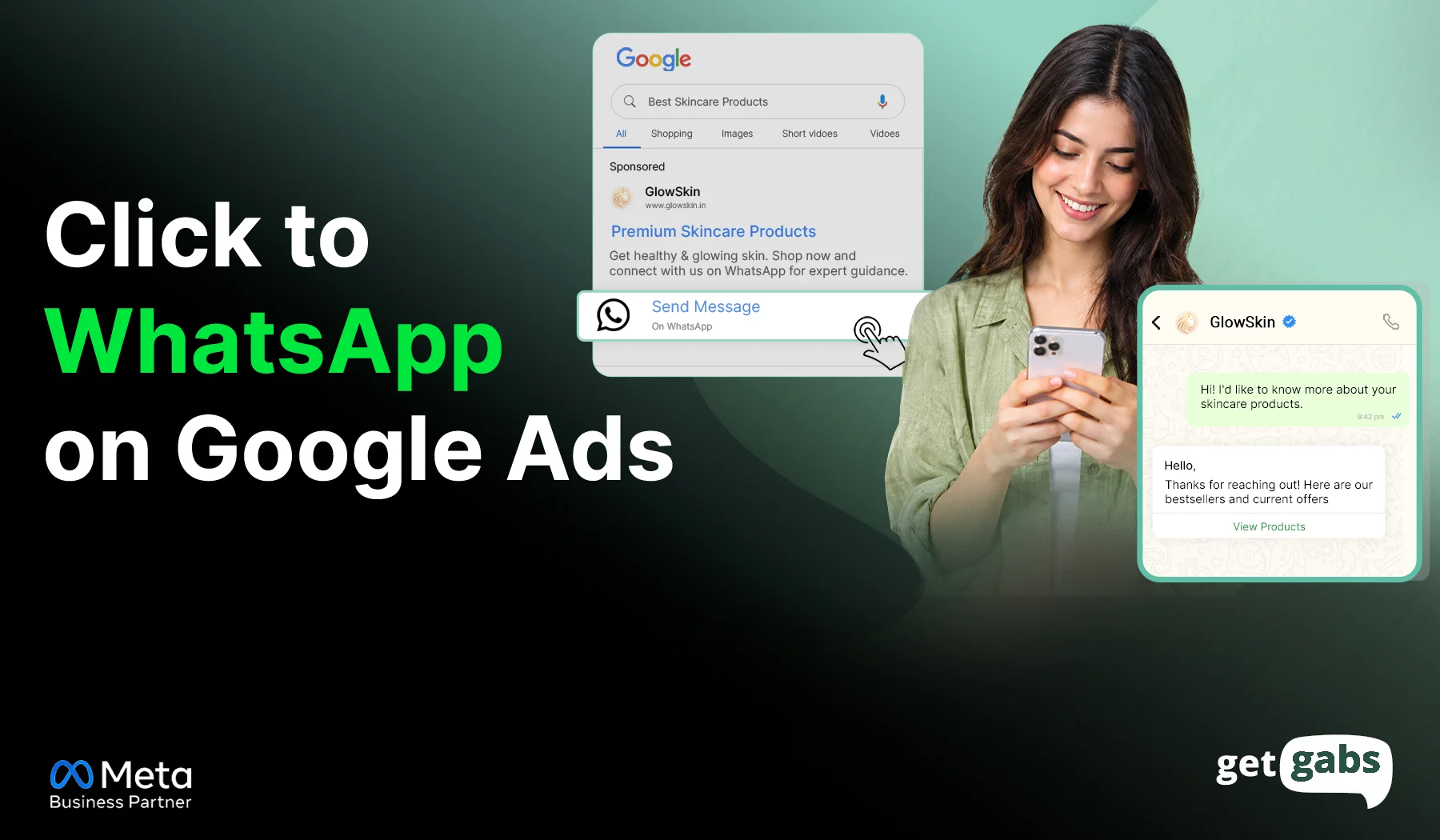
- CTWA Ads: Increase lead generation using ads that click to chat on WhatsApp.
- Team Inbox: Let your team manage customer queries with a shared inbox to simplify communication.
- Blue Tick: Verify your business with a blue-tick badge to enhance customer satisfaction, credibility, and trust.
- Catalog: Skip visiting the website to buy; let users explore and buy products from the catalog directly in WhatsApp chat with the business.
- Payments: Simplify shopping for users to buy, pay, and check out without leaving the page with a secure WhatsApp interface.
- Drip Campaign: Pre-schedule WhatsApp sequence messages to send to clients on time to nurture leads.
- Broadcasting: Using broadcasting, send a single message to thousands of customers at once without letting others know.
- CRM: Integrate WhatsApp API with a CRM to handle client conversations from a single, centralized dashboard without switching devices.
Who is Eligible for the WhatsApp Business API?
The two important factors that influence the eligibility of businesses to use the API:
1. Business size: WhatsApp Business API registration is crucial, mainly for medium and large businesses. Hence, it is called WhatsApp Enterprise. Small businesses can use the WhatsApp Business app.
2. Industries: Meta prevents government-run or political firms, and the API doesn’t completely support independent solution partners, real cash industries like gaming & gambling (allowed only in select countries like India, Australia, Japan, Colombia, Mexico, and Peru with a valid gambling license or documents), adult content and entertainment, alcohol & tobacco, and along with supplements or medical drugs. While these industries are enabled to use the official API:
- Real estate
- Financial services
- Ecommerce
- Retail
- Travel & hospitality
- Education
- Telecommunications
- Healthcare
- Food Businesses
- Spas-Salons
- Automotive
- Events
Need to be Ready with Below Things:
| Requirement | What you need to prepare |
|---|---|
| Meta Business Manager | A Facebook Account to verify the Facebook Business Manager |
| Verified Domain | Proof that you own your business website. |
| Phone Number | A new number or any non-WhatsApp phone number. |
| Legal Documents | A registered business with GST or any Corporate document like a partnership deed or MSME certificate. |
Comparison: BSP or Direct Cloud API
You have two main ways to apply. Choose which is right for your business.
| Feature | Via Business Solution Provider (BSP) | Direct via Meta Cloud API |
|---|---|---|
| Ease of Use | High (Includes dashboard, chatbot builders) | Low (Requires technical/coding skills) |
| Support | Dedicated customer support | Community/Technical docs only |
| Cost | Platform fee + Meta conversation costs | Only Meta conversation costs |
| Best For | Marketing teams & SMBs | Developers & Large Enterprises |
Apply for WhatsApp API Using Getgabs – Easy Steps
There are two methods to apply for the WhatsApp Business API via Getgabs:
- Auto Onboarding via Embedded Sign Up
- Manual Onboarding via Creating a Facebook App
1. Auto Onboarding via Embedded Sign Up
Step 1: Log in or register to get a Getgabs account
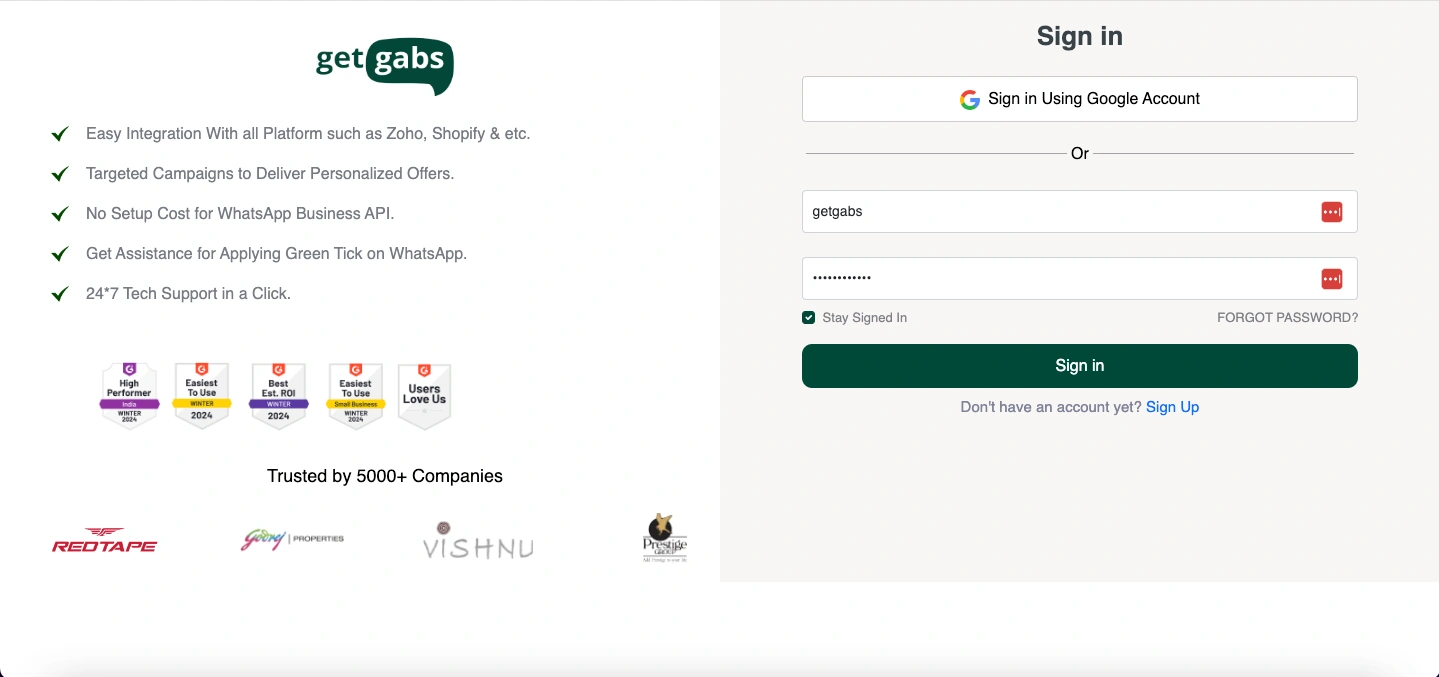
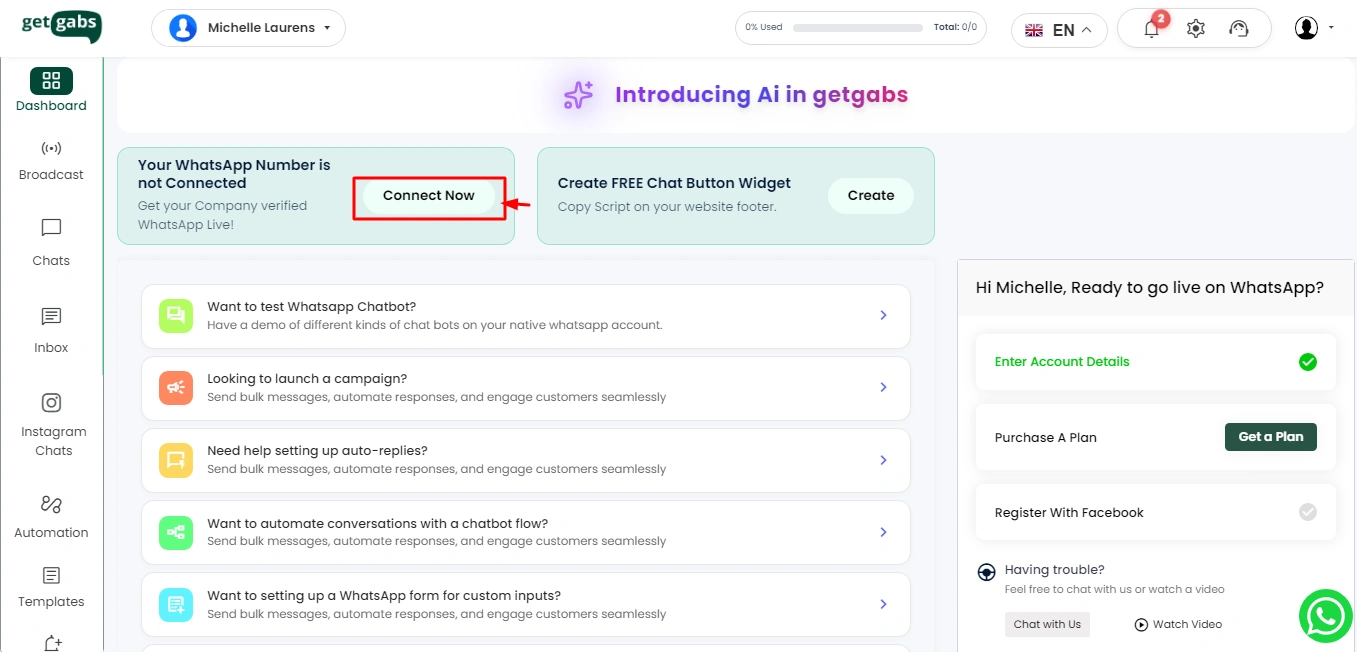
Step 2: Go to the Dashboard and click on the “Connect Now” button.
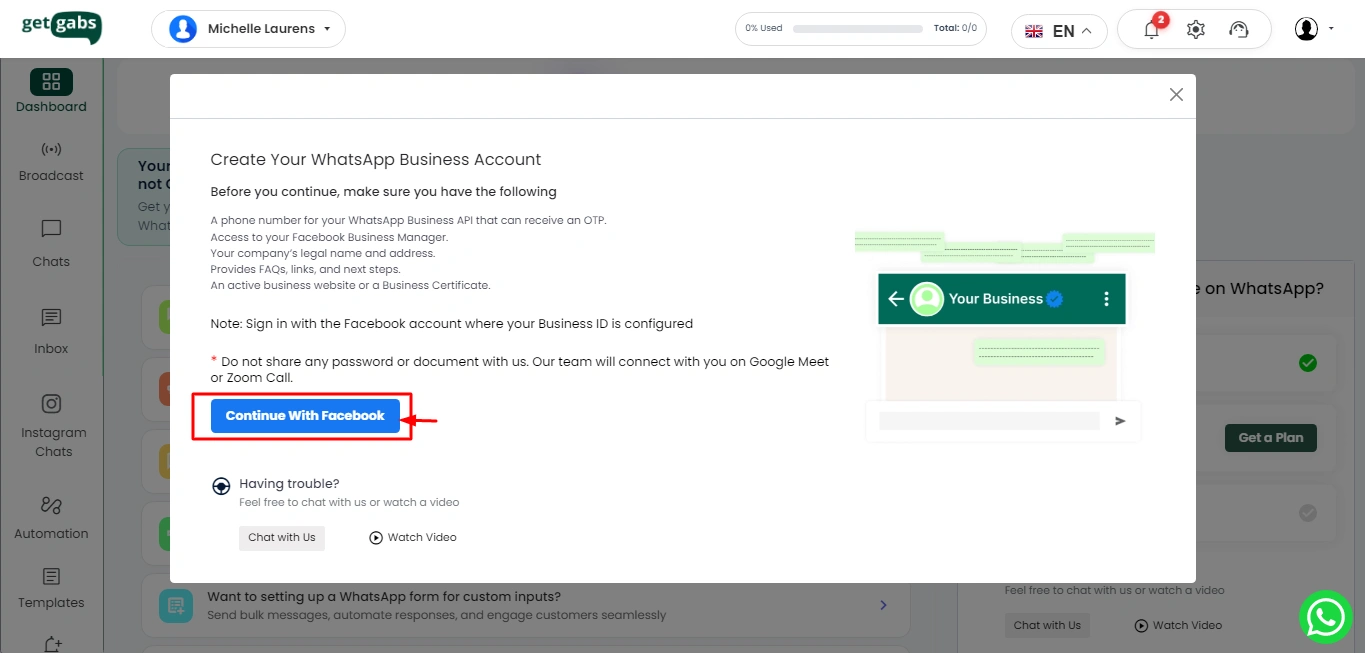
Step 3: Now, Click on “Continue with Facebook.”
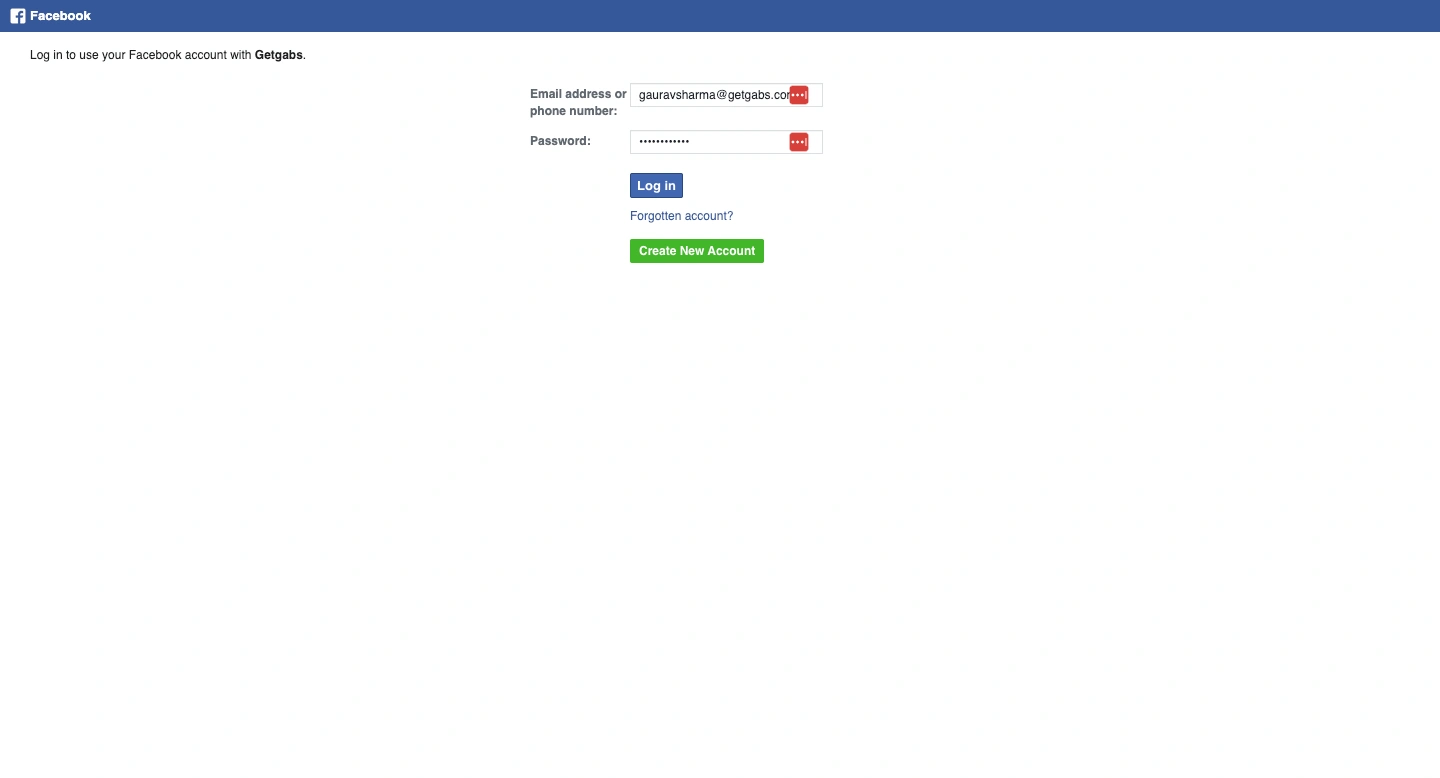
Step 4: Log in to your Facebook Account
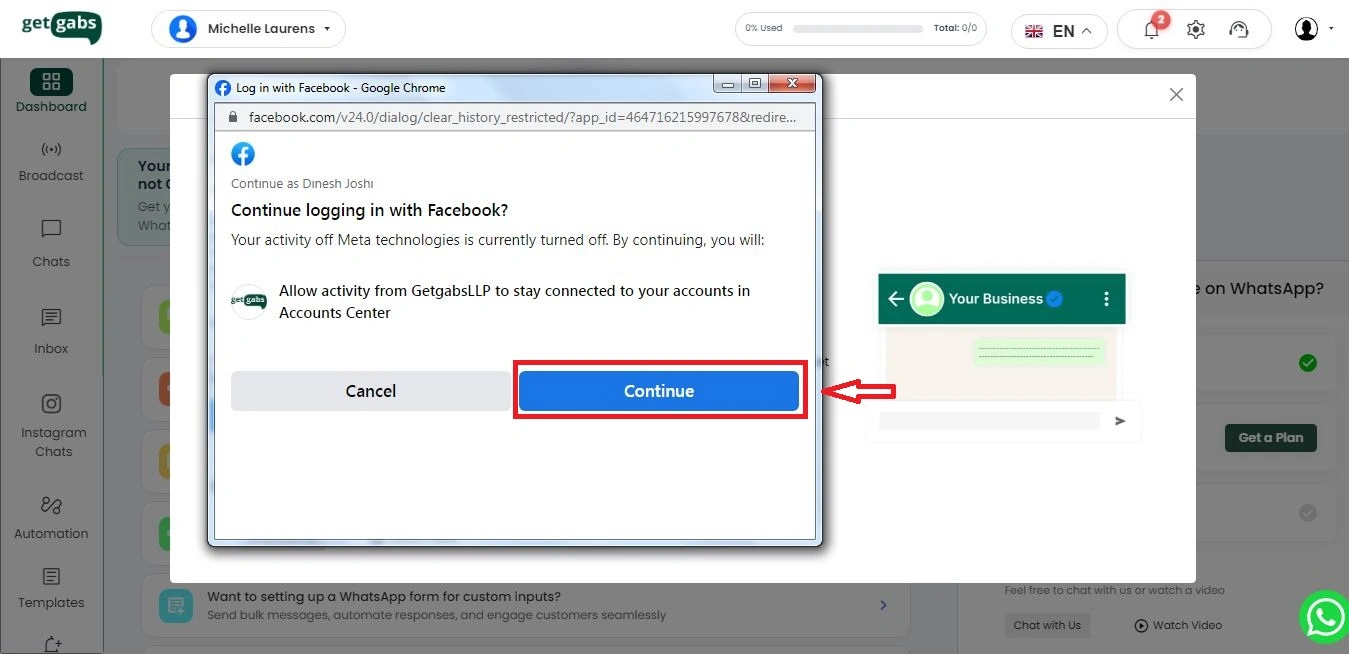
Step 5: Click on “Continue” to confirm your account with Getgabs
Step 6: Now you can check the permissions and click on “Get Started.”
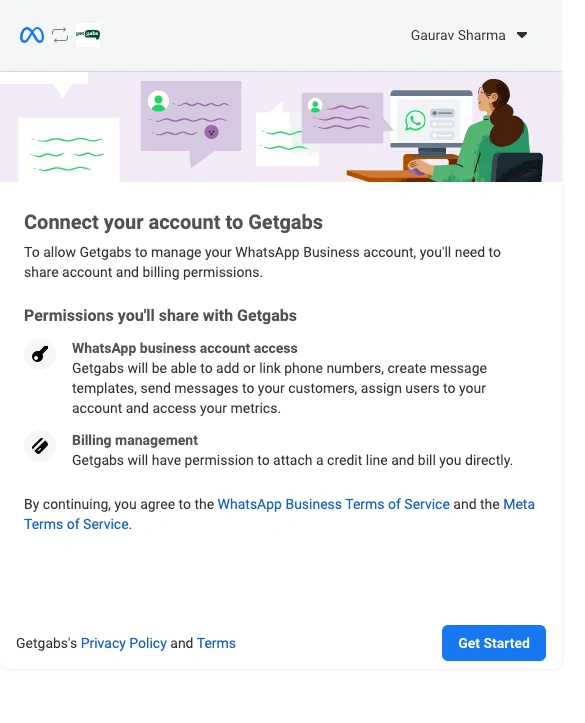
Step 7: Fill in your business details to create a business portfolio, or choose from the dropdown if a business account is already created
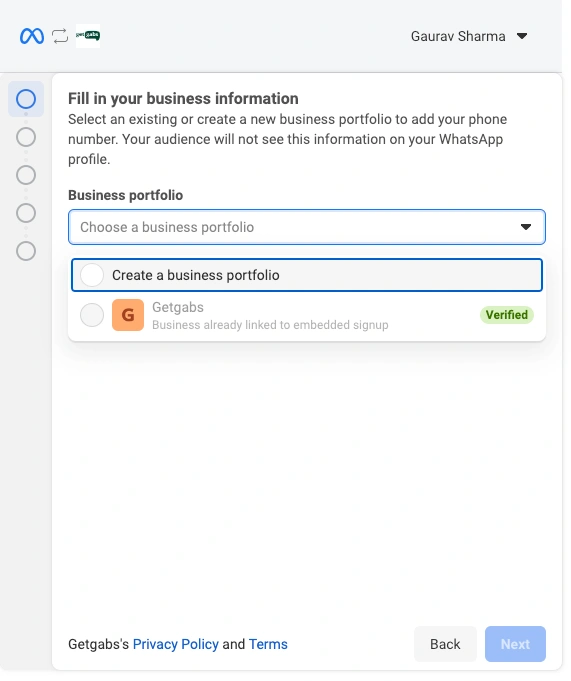
Step 8: To create a new business portfolio or manager account, fill in the details according to your business documentation, like a GST certificate or an Incorporation Certificate
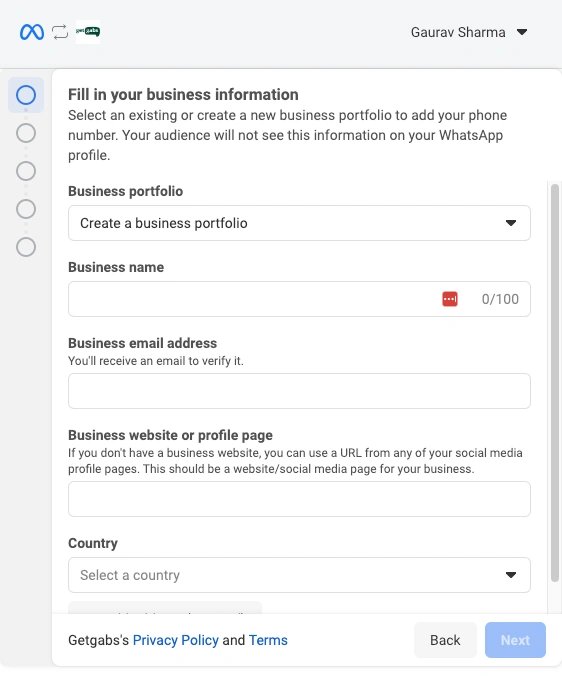
Step 9: Business Verification will be sent for approval. Meta will send an email regarding the approval.
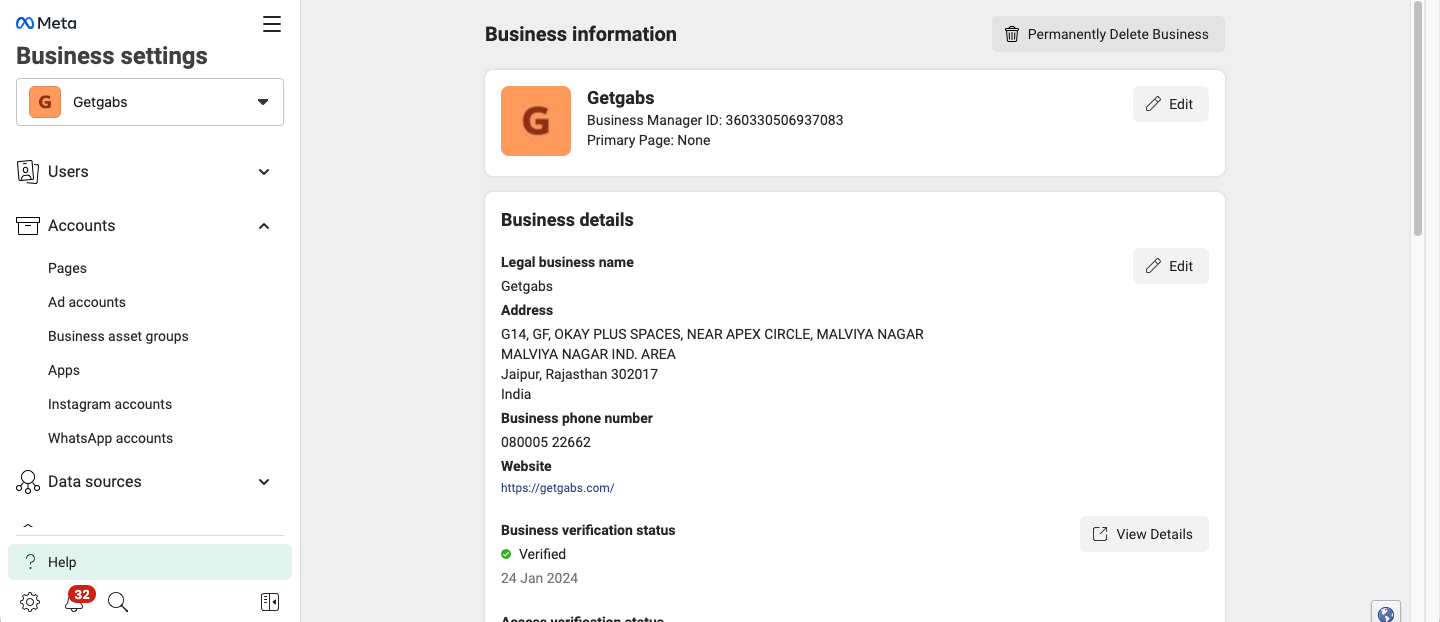
Step 10: Your Number will be approved for WhatsApp Business API
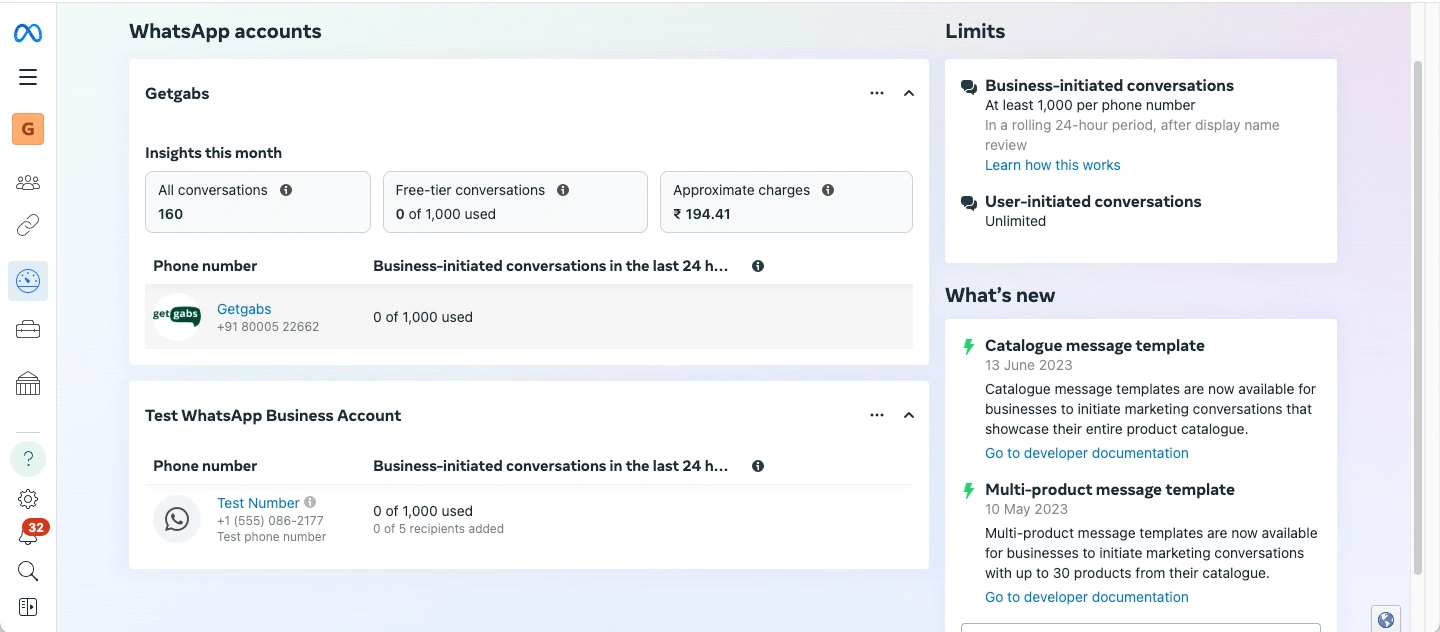
Step 11: Congratulations! You are ready to broadcast messages, support chat, and automate your business through WhatsApp.
Book a Demo with us to start using the magic of WhatsApp Business API to boost your business.
2. Manual Onboarding via Creating a Facebook App
Step 1: Log in or Sign up with Getgabs
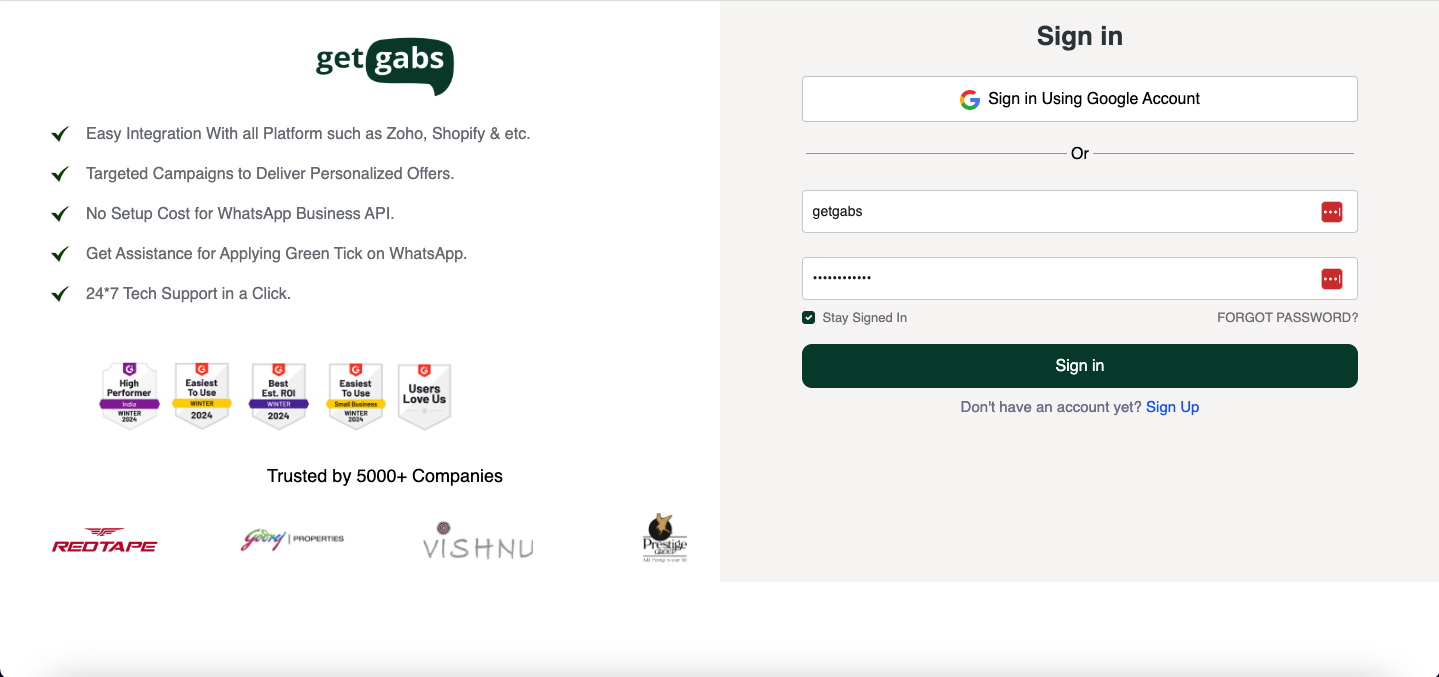
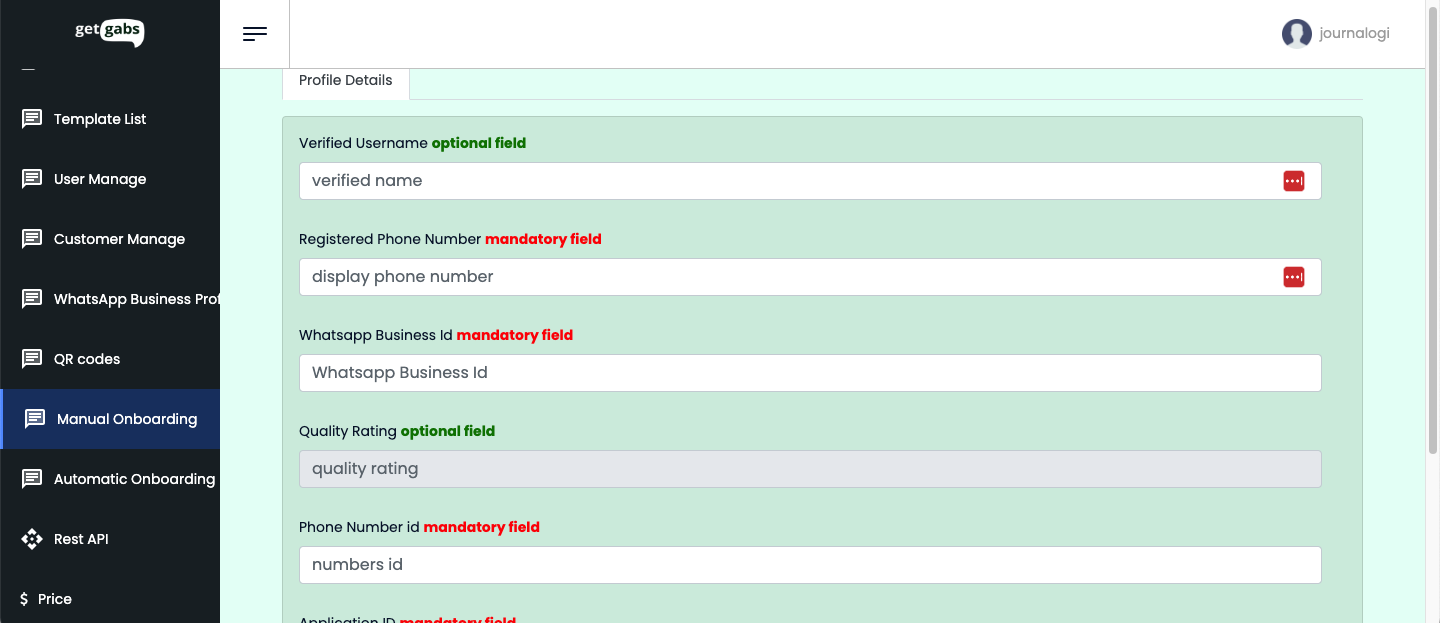
Step 2: Go to Manual Onboarding from the left side panel
Step 3: Now go to the Facebook Developers Account to create an App
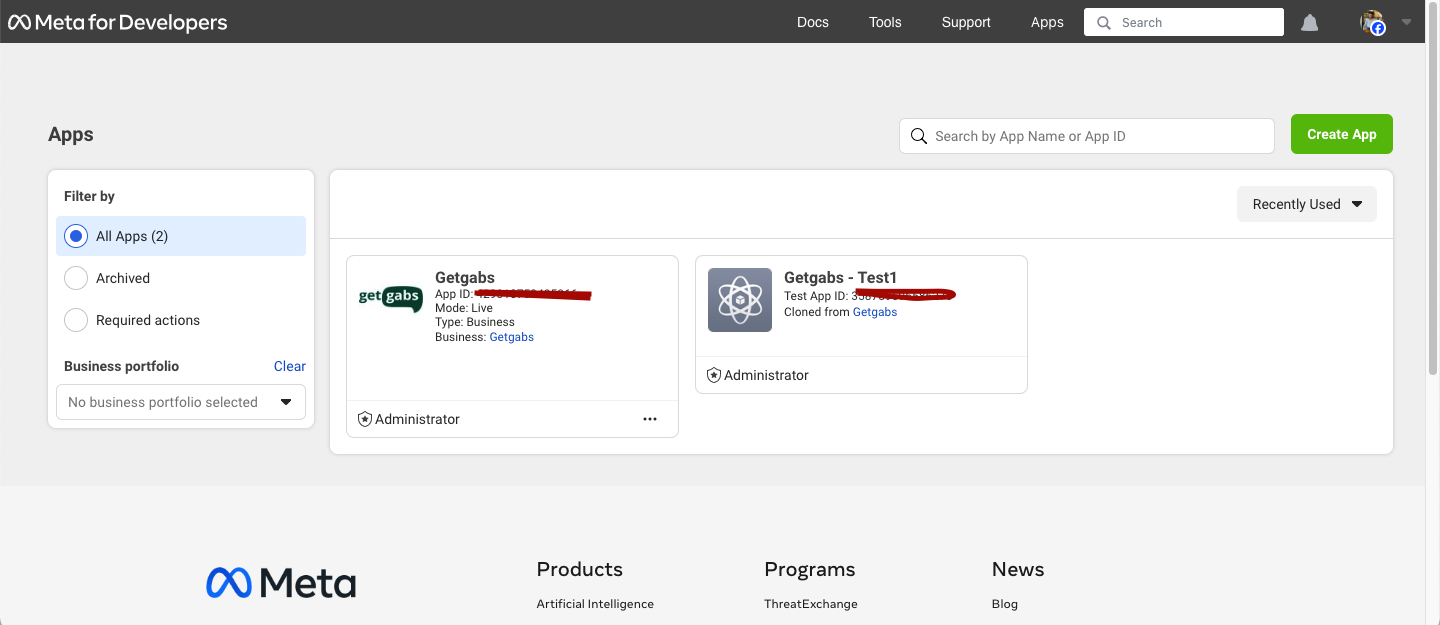
Step 4: Add your new number or any non-WhatsApp number to the API Setup under WhatsApp

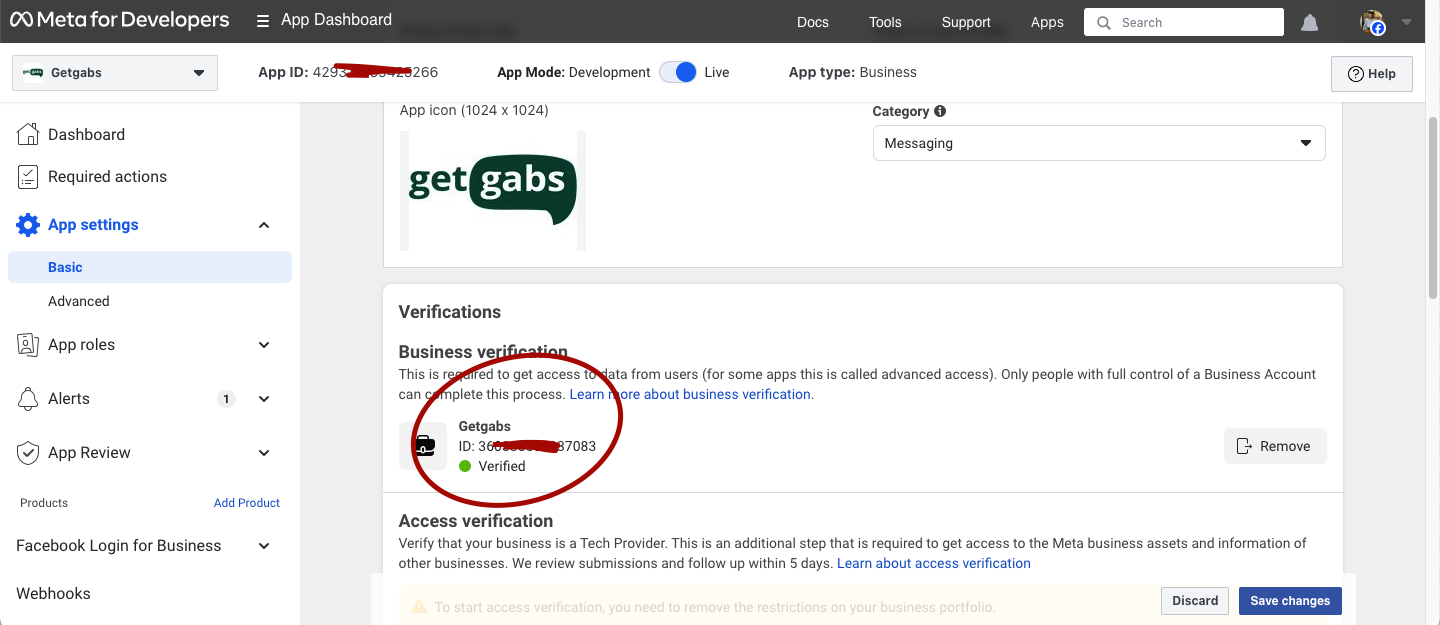
Step 5: It’s time to verify your business on Meta by uploading the required documents like GST, MSME, etc., and you also need to verify your number to be used for WhatsApp Business API.
Step 6: Go to the Getgabs app and simply copy & paste the required details like APP ID, PHONE NUMBER ID, Display, etc. Once your details are added on Getgabs, it will show Account Status as GREEN.
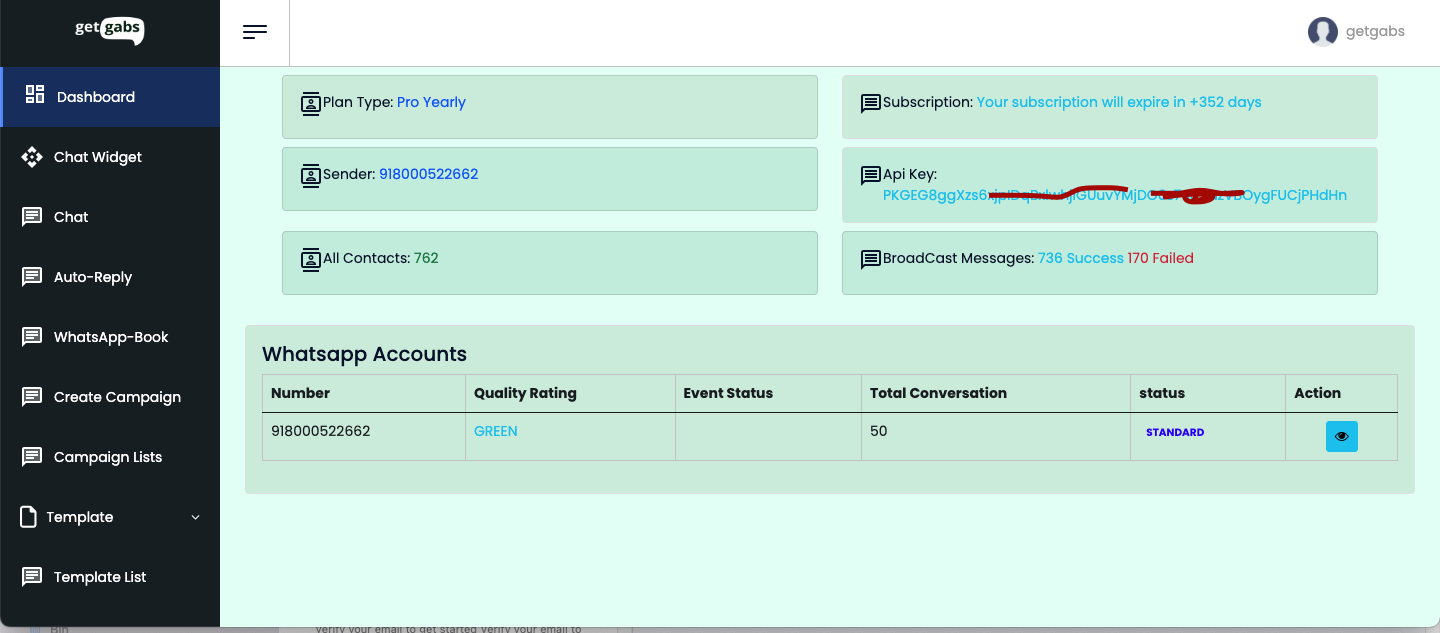
Hurray! Your WhatsApp number is ready to broadcast messages, auto chat, and create templates.
Still, it seems like a lengthy process; feel free to schedule a call with us for Onboarding. Our experts are ready to help you.
Why Choose Getgabs as your WhatsApp Business Partner?
Choosing the right WhatsApp Business solution can impact the way you engage with your customers. Getgabs is an AI-powered WhatsApp automation platform that offers a powerful feature to use the WhatsApp Business API. Below are the reasons why to pick Getgabs:
- No markup charges
- No set-up charges
- Easy onboarding
- Direct WhatsApp API access
- Instant approval & quick onboarding
- Competitive pricing
- Secure & scalable
- Custom integrations
- 24/7 assistance
Conclusion
Applying for WhatsApp Business API is now easier than ever with the right Business Solution Provider or official Meta Partner like Getgabs. Whether you choose Auto or Manual Onboarding, platforms like Getgabs make the entire process instant, seamless, and hassle-free. So take the next step today to get the WhatsApp Business API to transform the way you communicate with your customers! Apply now to get a WhatsApp Business API account or book a free demo.
Frequently Asked Questions
WhatsApp Business API approval typically takes 1–3 business days when using a Meta Business Partner like Getgabs.