


Too Long? Read This First
- The Feature: Run the WhatsApp Business App and API on the same number at the same time.
- The Benefit: Maintain chat history and contacts while scaling with AI chatbots, bulk broadcasts, and CRMs.
- The Upgrade: Sync 6 months of chat history without losing data or deleting the account to switch to API.
If you’re also someone who uses the WhatsApp Business App and is thinking of switching to WhatsApp Business API, you might already know it’s not that easy. Until now, this switch means losing your existing number and chat history, as the API requires a disconnect from this app.
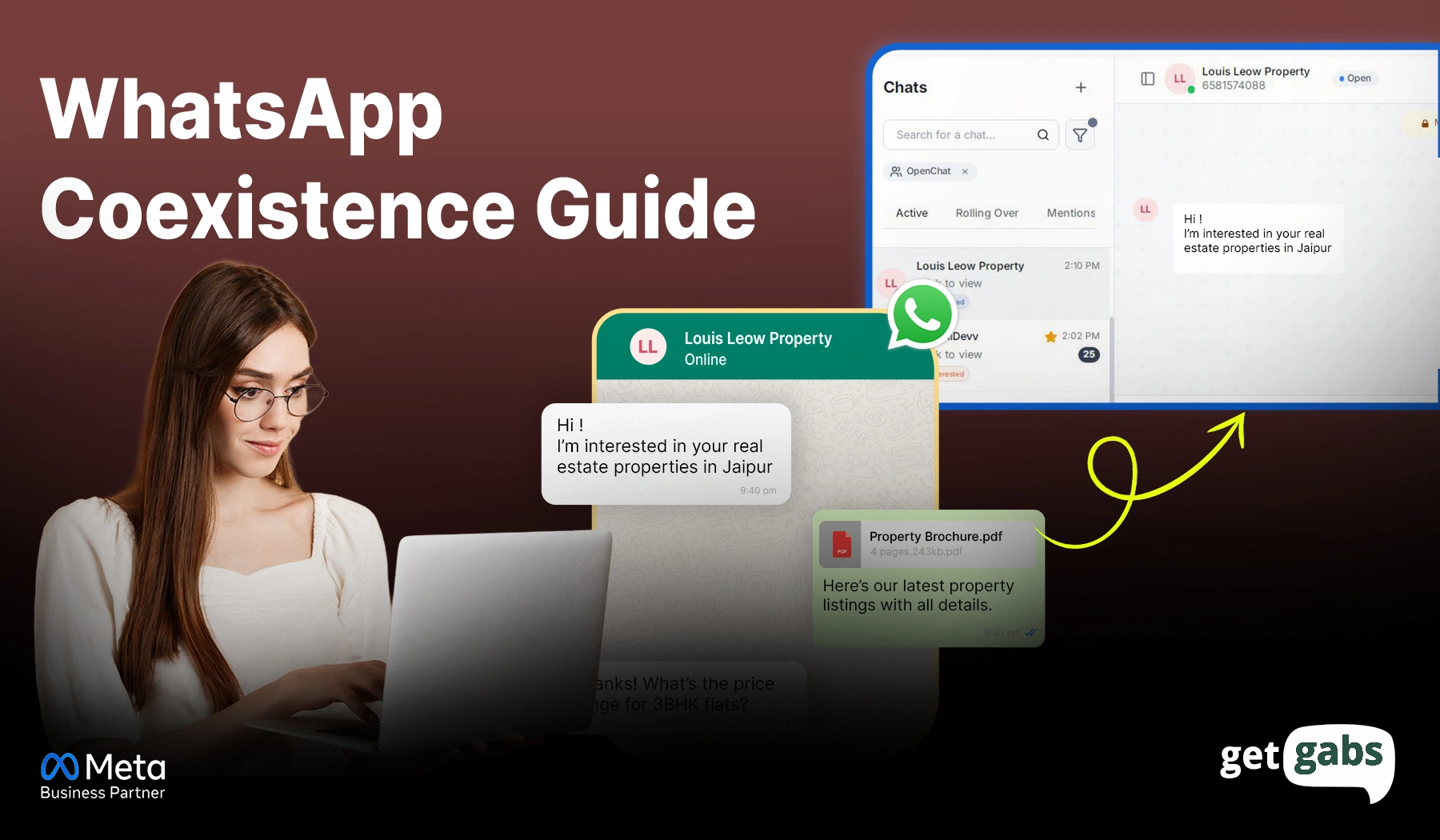
But no longer. In February 2025, Meta announced a new feature – WhatsApp Coexistence. It allows users to use the WhatsApp Business App and WhatsApp Business API with the same number. It breaks the limitation of having only one account and provides WhatsApp users with full freedom to manage all aspects in a single location.
Whether you’re a small business, marketer, or support team, WhatsApp Business Coexistence brings in more convenience and flexibility to connect with customers. Let’s dive deeper into the article to learn about this game-changing WhatsApp Coexistence feature.
Meta has officially removed the barriers to using the WhatsApp Business App and the API using the same number in 2025. Now businesses no longer need to choose between a mobile app and automation.
Introduction to WhatsApp Coexistence
WhatsApp Coexistence is a new feature introduced by Meta in 2025. It helps businesses to utilize the WhatsApp Business App and the WhatsApp Business API with the same phone number.
Before this, businesses were faced with options between manual chat and automated workflow, which was somewhat complex. You are now able to control personal conversations and business automation simultaneously without even having to change accounts.
Here’s what you can do with WhatsApp Coexistence:
- Use the same business number simultaneously on both the WhatsApp Business App and the API.
- Can handle both manual and automated chat together.
- Sync up to 6 months of chats across both applications.
- Balance both automation and personalization under a single system.
- Provide consistent customer support without any disturbance or switching the number.
In short, this single update by Meta has simplified the way businesses use WhatsApp for communication by blending scalability and efficiency.
How Does the WhatsApp Coexistence Setup Actually Work?
The latest WhatsApp Coexistence setup is mainly run on the process called Embedded Signup. It makes it easier for companies to connect their existing WhatsApp Business account and phone number with the Meta API. You no longer have to delete the account and re-verify the number.
Here’s how it works for your businesses:
- At the time of the Embedded Signup flow, users get an option to link their current WhatsApp Business account with the API.
- Once selected, and after entering the registration phone number, you obtain a QR code.
- Scan the QR code below to sync up chat history and contacts between both platforms automatically.
Once connected, businesses can:
- Continue using the Business App for one-on-one conversations with clients.
- Use the API to send messages, automate replies, and achieve seamless integration.
- Enjoy the synchronized chats and contacts across both apps.
Why WhatsApp Coexistence is a Game-Changer for Businesses?
Switching from the simple WhatsApp Business App to the API is pretty complicated for businesses. Plus, it often leads to loss of old chats and contacts. No longer. Here’s how WhatsApp Coexistence helps companies grow:
1. Connect Without Disconnecting
Firms can now use the WhatsApp API without removing the number from the WhatsApp Business App. All your chats, media, and even contacts remain safe and secure.
2. One Number, Multiple Uses
From marketing campaigns and customer support to order updates, handle everything using a single number. It helps you keep things more organized and professional.
3. Scale Without Complexity
As your company expands, you can even add multiple team members, integrate CRM and other tools, and run broadcast campaigns with the same WhatsApp business app familiarity.
4. Deliver a Consistent Chat Experience
It enables team members to handle ongoing interaction across both the app and API. With this, customers can never feel disconnected or receive duplicate messages.
5. Drive Higher Engagement & Conversions
With a user base of 3 billion and a 98% open rate, WhatsApp provides you with 45- 60% better conversions than email. Plus, WhatsApp Coexistence enables you to reach out instantly and effortlessly.
6. Manage Chats Flexibly
WhatsApp coexistence allows brands to manage one-on-one conversations along with campaign management and automation with WhatsApp Business API integration.
7. Access to Advanced Features
With coexistence, you can easily avail of features such as broadcasting, WhatsApp chatbots, multi-agent support, and more on your existing WhatsApp number.
Before and After WhatsApp Coexistence: What’s New for Businesses
Wonder how precisely it changes as you activate the WhatsApp Coexistence rather than connecting a number to the WhatsApp API? The following table presents its features, workflow, and cost differences:
| Features | Before WhatsApp Coexistence | After WhatsApp Coexistence |
| Number Usage | A business can link a number either with the WhatsApp Business app or the API | The same number can be linked with both the business app and the API |
| Business Continuity | Shifting from a business app to an API can result in loss of data and disruption. | Companies can now expand to the API without losing chat history |
| Chat Records | Chat history often gets lost while switching to the API | Up to 6 months of chat history can be synced and backed up across both apps |
| Managing Multiple Numbers | Businesses need a separate number to manage both | A single number can be used across both versions |
| Customer Interaction | Many customers often get disconnected or receive duplicated replies due to the shift | More consistent customer response from a consistent number |
| Scalability & Integration | Adding new users or CRM integration requires manual setup | Can add users, automate workflow, and connect with CRM without any trouble |
| Cost | Each API message is charged per message | API message remains billable, and the 1:1 message remains free |
With WhatsApp coexistence, you not only get convenience but also the way specific features used to work in the WhatsApp Business App. Most of the features remain the same, while others are no longer available.
What Features Get Changes Inside the WhatsApp Business App After Enabling Coexistence?
The moment you activate WhatsApp Coexistence, your WhatsApp Business App remains the same, but with a little change in functionality. You can still connect with your clients, manage contacts, and use tools, but certain message features are limited.
We are going to run rapidly through what remains, what changes, and what is suspended:
- One-on-One Chats: It is still possible to message customers, but no longer allows editing or revoking.
- Broadcast Lists: No longer available. The current list is still present, but cannot be edited or utilized.
- Messaging Tools: Features like quick reply, away messages, or labels still work on the app, but are not synced with the API.
- Group Chat: There are no such changes in this feature. However, they are not synced with the API.
- Channels: All the channels are still supported on the app, but not synced with the API workflow.
- Voice & Video Calls: You can make calls within the app, but not extend to the API.
- Business Profile: Name, address, and website can be edited in the app, but are not supported on the API.
- Disappearing, View Once & Live Location: Such privacy-based chats are disabled for individual chats.
App Only, Coexistence, or API Only — Which One Do You Need?
| Feature | App only | Coexistence | API only |
| Team size | Solo or 1–2 people | 2–10 agents | 10+ agents across teams |
| Daily chat volume | Low — under 100 | Medium — 100 to 1,000 | High — 1,000+ |
| How you operate | 100% from your phone | Phone + shared team inbox | 100% shared team inbox |
| Automation level | Basic quick replies only | Templates + simple rules | Full routing, bots, complex flows |
| Broadcast campaigns | App broadcast lists | Via API (app lists disabled) | Via API at full scale |
| App features | All features available | Some disabled (broadcast, view-once, edit/delete) | App not used |
| Tech stack | App + WhatsApp Web | App + Cloud API | 100% Cloud API |
| Setup effort | Near zero | Medium (Embedded Signup required) | High (full technical project) |
| Main risk | Chaos as you grow | Must open the app every 14 days | Needs discipline, compliance, support |
| Best for | Just starting out, low volume | Want to scale without dropping the app | Already operating at volume, need full control |
Things You Should Know About Linked Devices After Enabling Coexistence
If you also use the WhatsApp Business App on multiple devices, then here are the changes that you can expect once you enable WhatsApp Coexistence. With this update, users can still get access to the four companion devices, including phones, tablets, or web browsers. However, WhatsApp for Windows and WearOS are currently not supported by coexistence.
Plus, once you get your number linked to the WhatsApp API, Meta will automatically sign out all your existing devices for safety purposes. But you don’t have to worry about it. Once your onboarding process is completed, you can reconnect your devices and continue using the Business App seamlessly across all.
To be precise, WhatsApp coexistence brings flexibility while adding an extra layer of security during the setup process.
Smart Tips to Set Up and Optimize WhatsApp Coexistence
Leveraging WhatsApp Coexistence can do wonders in your business, but only when the whole transition is managed accurately. So if you are also moving your business App to API or looking to combine both, it is essential to know a few things ahead.
For seamless migration and to get the best out of this update, follow these steps:
1. Plan Your Migration Strategically
You need to scan through your regular WhatsApp settings, such as automation, broadcast groups, and ongoing conversations, before enabling coexistence. Make a backup of your information and chats before the shift to make sure that the information is safe during the shift.
2. Integrate Smartly with Your CRM or Tools
Make the best of the API’s functionality with WhatsApp CRM integration, automation tools, and AI-powered chatbots. Doing so makes it easier to handle chats, centralize leads, and track campaign performance.
3. Use Embedded Signup for a Hassle-Free Setup
To get access to WhatsApp coexistence, the embedded signup flow is the verified and safest method. It seamlessly links your existing WhatsApp business account to the API with the same number without losing the history.
4. Monitor Performance & Optimize
Once you get started with coexistence, monitor the key metrics such as response time, message delivery rate, and conversion rate. It helps you know what’s working for you and optimize accordingly.
5. Define Chat Ownership and Roles
After the coexistence activation, define the roles of your team members:
- Use the Business App for a personalized one-on-one conversation
- Go with the API for automation and large-scale messaging
6. Stay Compliant with WhatsApp Policies
Following Meta’s business messaging guidance is a must. Always use approved templates and get customer opt-in for sending promotional messages.
How to Activate WhatsApp Coexistence – Step-By-Step Guide
1. Establish Your Baseline
- If you’re using a fresh number, use the WhatsApp Business App for several days to chat, reply, and show activity.
- Log in to your Meta Business Manager. Make sure your company is verified, and the domain is correct.
- Pre-write your API message templates for approval.
2. Select a Provider (BSP) or Meta Partner
Not all Business Solution Providers offer Coexistence support. So simply ask your provider, “Does your platform support the Coexistence feature by Meta for a single phone number.
3. Embedded Signup Process
From your chosen Meta API provider, initiate the Embedded Signup with your Meta account.
- Choose the right company.
- Use the same number that you already use for your WhatsApp Business app.
- Grant a necessary permission and complete the WhatsApp Business API registration.
4. Make Sure the app is still alive
Open your WhatsApp Business app on your phone at least once every week. It helps prevent deactivation.
If the app prompts for re-authentication, do it instantly.
5. Final Configuration & Testing
In your CRM/BSP, make sure your business name and time zone are right.
The Test: Send one manual text from the app and one automated template from the API to make sure both channels are working smoothly.
Common WhatsApp Coexistence Issues & How to Fix Them
Setting up WhatsApp Coexistence is simple, but sometimes things don’t go as planned. Here are the most common issues businesses face and how to fix them:
Issue 1: “Your Phone Number Isn’t Eligible”
Why does this happen? This error generally means your number was previously connected to the WhatsApp Business API by another provider. Meta doesn’t enable immediate reuse of such numbers.
How to fix it:
- Delete the old WABA (WhatsApp Business Account) from your previous provider’s platform.
- Begin using the number actively on the WhatsApp Business App for at least 7 days.
- Wait for a 1 to 2-month period before trying to enable Coexistence again.
- Don’t delete and re-register the number during this time. Meta might treat it as a new business number and can restart the waiting period.
Issue 2: Chats Are Not Syncing After Setup
Why this happens: Chat sync doesn’t happen instantly. It runs in the background and can take time based on how much history you have. Many users get panicked and think something went wrong.
How to fix it:
- Wait up to 24 hours for your chat history and contacts to fully sync.
- During the sync, keep your WhatsApp Business App open and active on your phone.
- Avoid force-stopping or closing the app while syncing is in progress.
- Once the sync is complete. Relink any companion devices you were using before.
Note: Only the 6-month chat history will be synced.
Issue 3: Messages Are Missing from Your API Dashboard
Why does this happen? Not all devices are supported under Coexistence. If your team members send a message from an unsupported device like WhatsApp for Windows or WearOS, the message will not trigger a webhook.
Supported devices:
- WhatsApp Web (browser)
- WhatsApp for Mac
- Your primary phone (WhatsApp Business App)
How to fix it:
- Stop sending messages from WhatsApp for Windows or WearOS.
- Switch to WhatsApp Web or WhatsApp for Mac for desktop use.
- Re-link supported companion devices after your Coexistence setup is complete.
Note: Messages sent via an unsupported device will show up in your Business App. But they won’t sync to your API dashboard.
Issue 4: “Your Country or Region Is Not Supported”
Why does this happen? Coexistence is not available in every country. Meta checks your phone number’s country code to check your eligibility. As of 2026, Nigeria (+234) and South Africa (+27) are the only two countries without support.
Many articles list the EU, Australia, and Japan as unsupported. But in November 2025, Meta lifted those restrictions.
How to fix it:
- Check with your Meta partner, like Getgabs, for updates as Meta is still expanding.
- Ensure you use a valid number from a supported country.
- If nothing works, continue using the Business App until Meta adds support for your region.
Conclusion
WhatsApp Coexistence is an excellent update by Meta in 2025 for businesses to communicate with their clients instantly. It brings both the world of automation and personalized conversation together.
With this functionality, businesses no longer have to choose between convenience and scalability and can enjoy both using a single number. For many companies, this balance is much needed.
But in case you are looking for complete automation, multi-agent support, or deeper integration, coexistence might not be the best option. In that case, you can go all-in with WhatsApp Business API.
Still, this new update by Meta is a big step for companies to connect with customers at scale and offers a smoother customer experience. And, if you are ready to get started with WhatsApp Coexistence and want to receive help setting it up, you can connect with Getgabs for a seamless process. It is a perfect time to test out this feature for your business and grow faster than ever.
Frequently Asked Questions
For enabling WhatsApp coexistence, all you need is an active WhatsApp business account and phone number with a country code. And, if you already have one, apply for the API with your existing number only.