

Too Long? Read This First
- Bulk WhatsApp messaging is completely legal when done via an official tool built on WhatsApp Business API with proper opt-in consent.
- There are three ways to send bulk messages, including WhatsApp Business App (limited to up to 256 contacts), a third-party tool (high risk of ban), and the official Business API tool (safest and most scalable).
- To avoid bans, always collect opt-ins, segment your audience, and include an easy opt-out in each campaign.
- Official Bulk WhatsApp sender software like Getagbs simplifies the entire process by offering pre-approved WhatsApp message templates, automation, and analytics under one roof.
In the era of digitalization, WhatsApp is no longer your regular chatting app. And in case you think you are familiar with everything about your favourite messaging app, then think! Do you also want to send bulk messages on WhatsApp without getting blocked? Make your wish come true.
WhatsApp is one of the most effective business communication platforms for marketing, sales, and support. With over 3 billion active users and 100+ billion messages sent daily, the outreach it offers is unimaginable.
In 2024 alone, WhatsApp blocked over 8.4 million accounts in India due to a breach of policy. It is a huge business risk. However, the good news is that bulk messaging is completely legal as long as it is done properly. Businesses can now send bulk broadcasts on WhatsApp using the Official Business API. In this article, we will discuss how to send bulk messages on WhatsApp without being banned. Let’s get started.
What we’ll cover in this guide:
- 3 secure methods to send bulk WhatsApp messages
- Why WhatsApp bans accounts and the exact triggers you need to avoid.
- How to collect opt-ins and stay compliant with WhatsApp’s policies.
- How to create and get a WhatsApp message template approved.
- How to choose the right platform for bulk WhatsApp messaging?
- A compliance checklist to run before every bulk campaign.
- How to recover your account if your WhatsApp number gets banned.
What is WhatsApp Bulk Messaging?
WhatsApp Bulk messaging is a method to send the same message to multiple recipients at the same time via WhatsApp. It’s widely utilized by marketing professionals and enterprises who want to reach thousands of customers without typing it out for each person individually.
Businesses can use WhatsApp mass messages for:
- Flash sale announcements and promotional offers.
- Order confirmation and shipping updates
- Appointment reminders and event alerts.
- Emergency alert and real-time notifications
- Customer re-engagement and follow-ups
Unlike group chat, bulk messages keep every conversation private and personal. They never knew you sent the same message to anyone else. The most significant advantage of this messaging is that you can attach unlimited characters, images, and interactive call-to-action (CTA) buttons to your message.
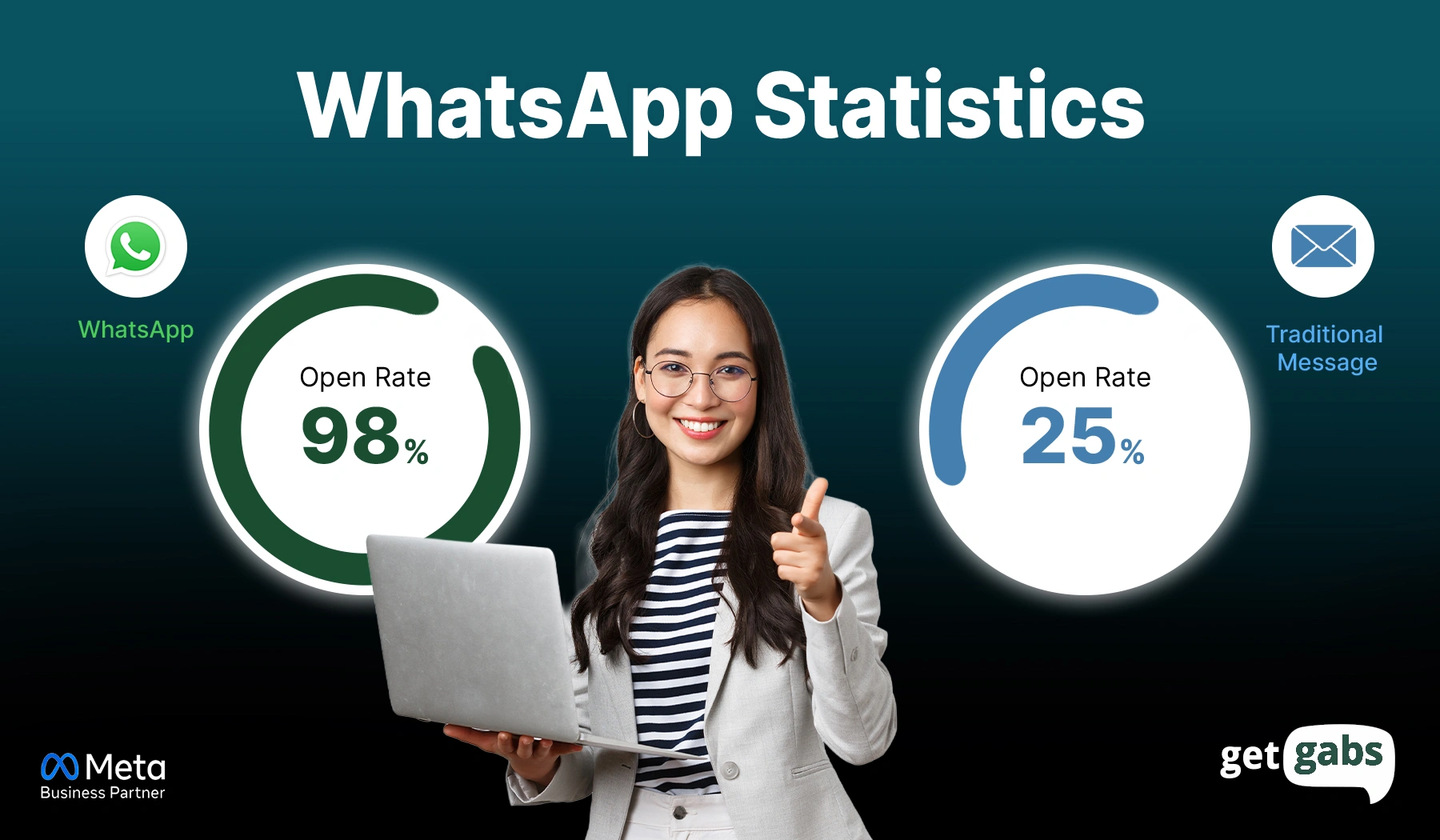
That is why it works so well. It combines the scale of email marketing with the personal feel of a direct message and a 98% open rate that neither email nor SMS can match.
Which Mass Messaging Method Is Right for You?
Now that you are aware of all three methods, the question is – which one fits your business best? It depends on your audience size, how often you send messages, and the risk you are willing to take.
Here’s a side-by-side comparison to make your choice easier:
| Feature | WhatsApp Business App | Third-Party Tools | WhatsApp Business API |
| Cost | Free | Low to medium | Per-message pricing |
| Scale | Up to 256 per broadcast | 1,000+ (risky) | Thousands to millions |
| Automation | Not available | Partial | Full campaign automation |
| Message Templates | Not required | Not required | Required for outbound |
| CRM Integration | Not available | Limited | Full integration support |
| Multi-Agent Inbox | Single device only | Not available | Multi-agent with routing |
| Analytics | Basic delivery status | Basic | Delivery, clicks, conversions |
| Rich Messages | Limited | Limited | Buttons, catalogs, flows |
| Compliance Controls | Minimal | None | Template approval, consent management |
| Opt-In Required | No | No | Yes |
| Ban Risk | Low | Very high | Very low |
| Best For | Small businesses | Not recommended | Growing & large businesses |
The WhatsApp Business App is a great starting point as it is easy to set up and works well for small businesses with limited audiences. But it comes with limitations of up to 256 contacts at once and no automation. If you have a bigger targeted audience and bulk messaging as a core marketing strategy, the WhatsApp business API is a more suitable option for you.
3 Ways to Send WhatsApp Bulk Messages
You can not send bulk messages directly through your regular WhatsApp app. Even if you try to send messages manually to hundreds of individuals through WhatsApp, there is a high chance of getting blocked.
There are three excellent ways that you can send 1000 messages on WhatsApp:
1. With the WhatsApp Business App
The WhatsApp Business App is the first and free solution for sending mass messages to customers. It is an ideal option for small-scale businesses. While the app does not support official bulk messaging, it provides you with an option to use broadcast list features.
Here are some steps that you need to follow:
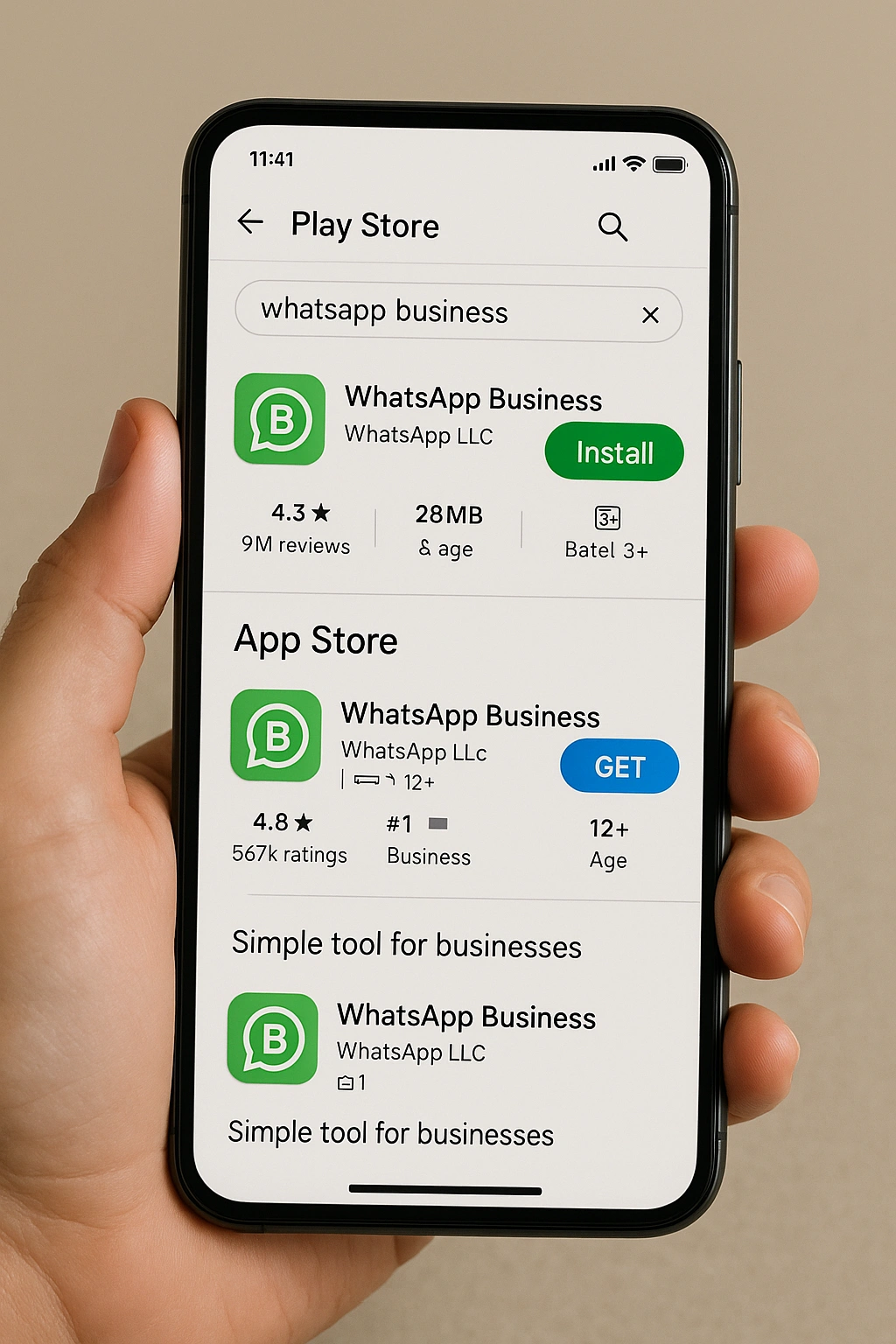
Step 1: Go to the Play Store or App Store and download the WhatsApp Business App.
Step 2: Add the numbers in your phonebook to whom you wish to send messages.
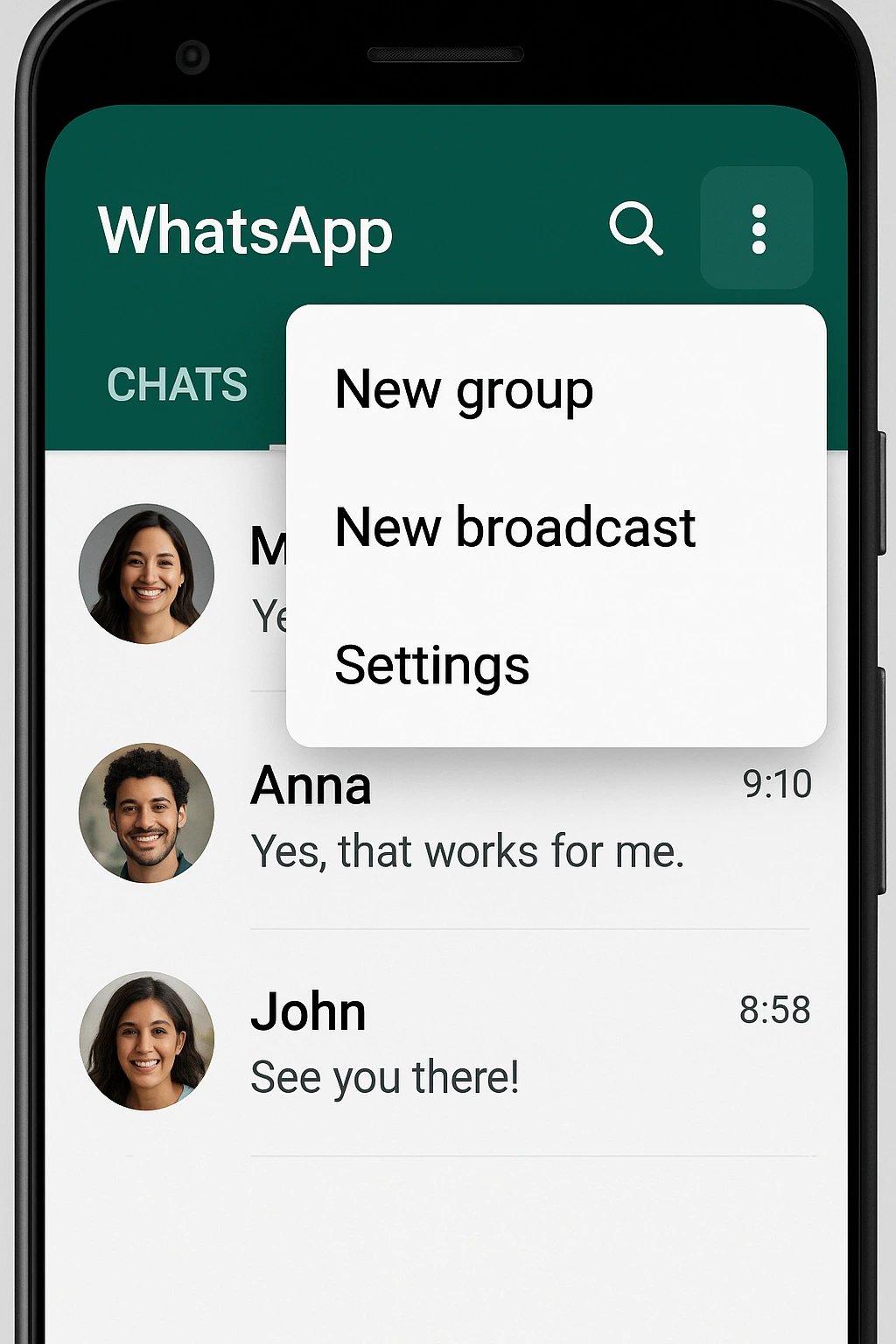
Step 3: Open WhatsApp and tap on the three dots at the top right side of the screen.
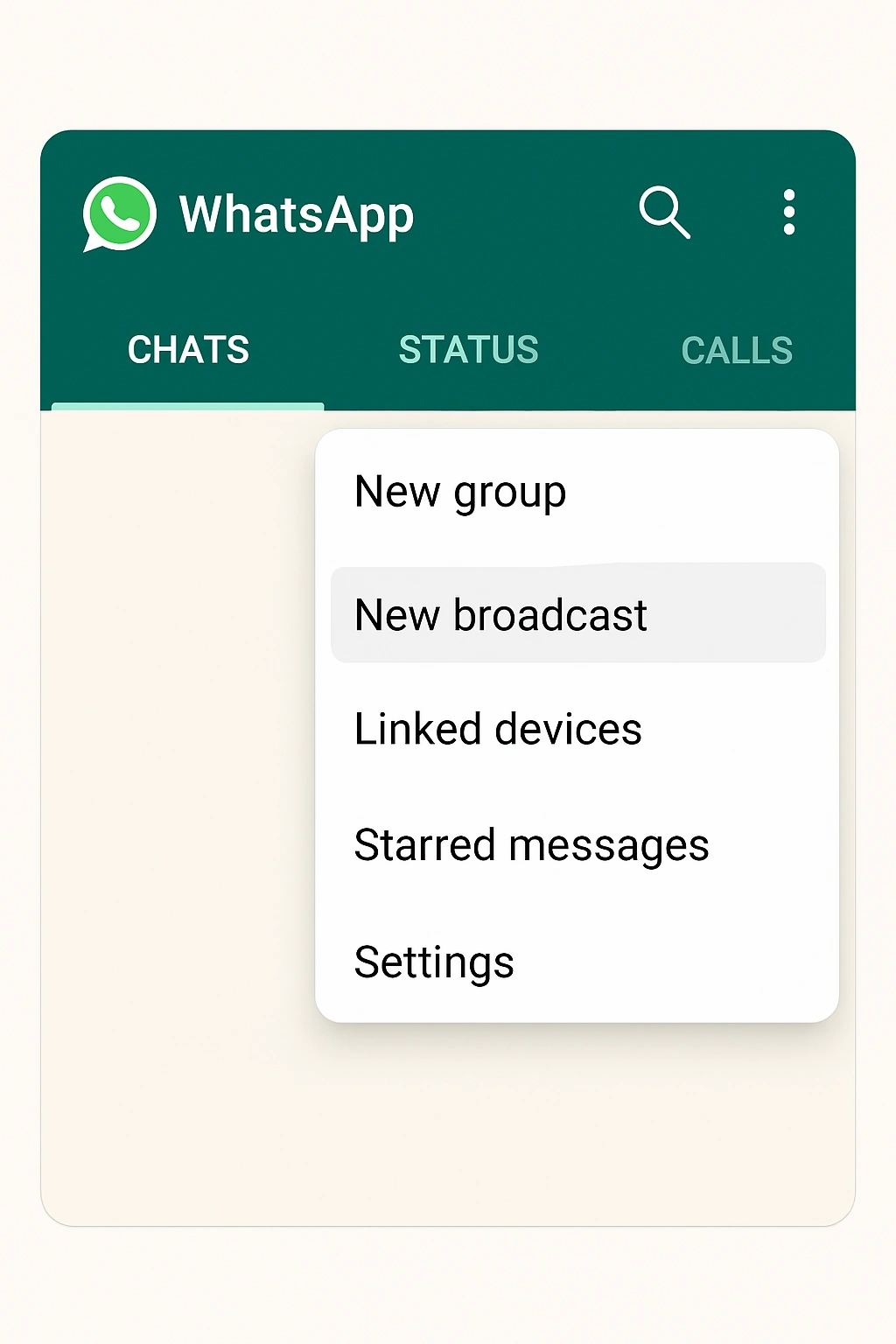
Step 4: Now, click on the “New Broadcast” option.
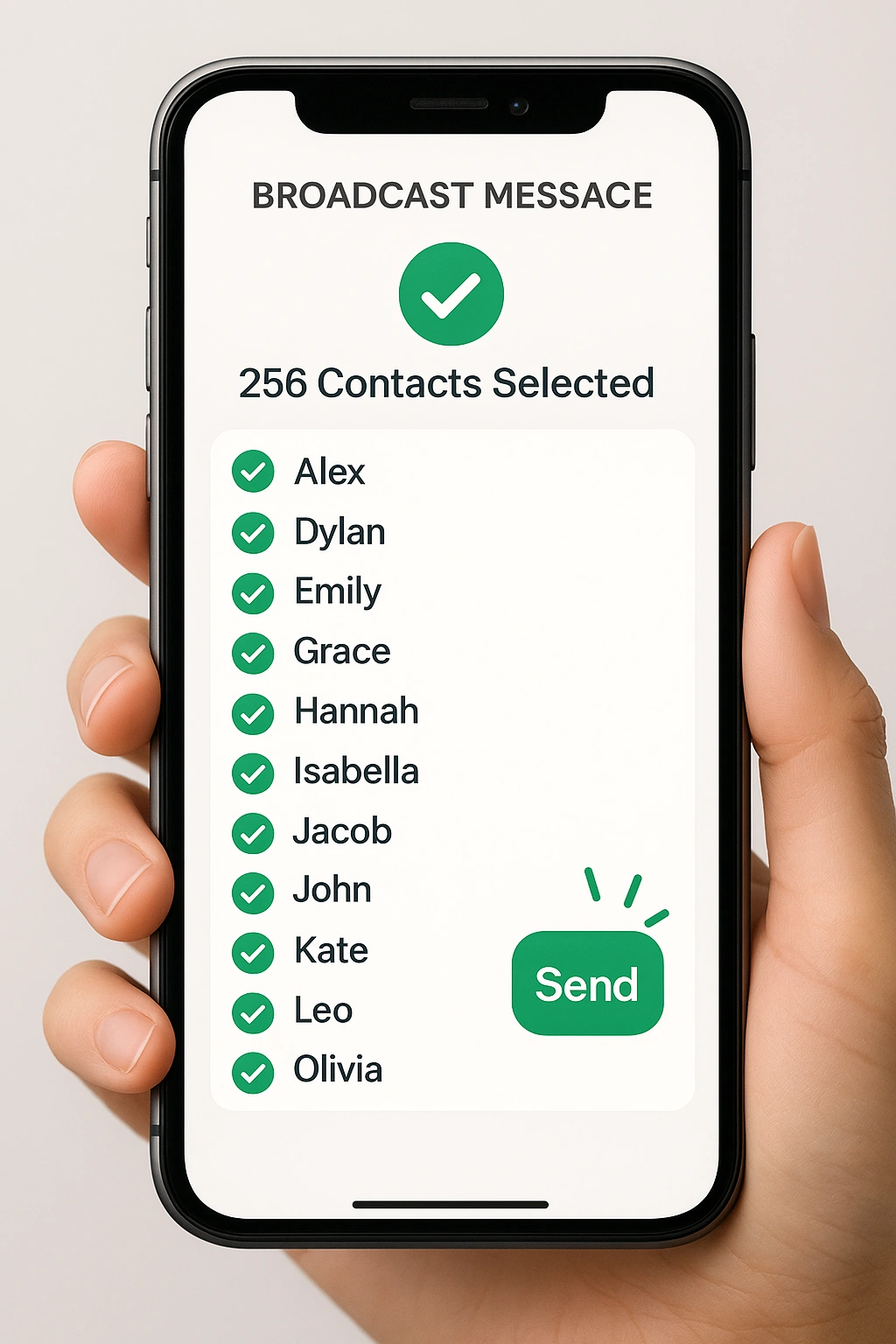
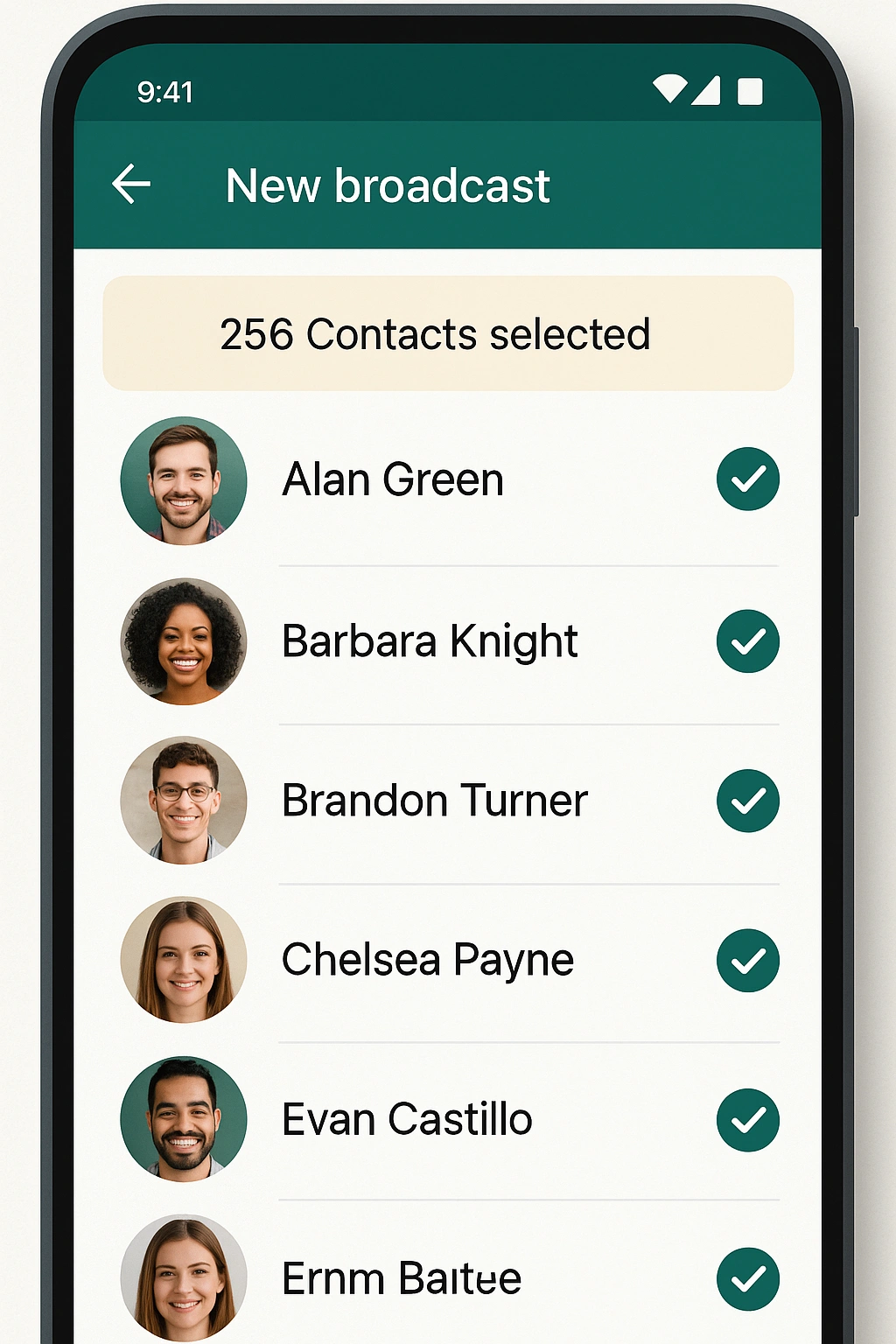
Step 5: Choose the contacts to send a message to. You can select a maximum of 256 contacts only.
Step 6: Write your messages and include the CTA and images to make them more interactive.
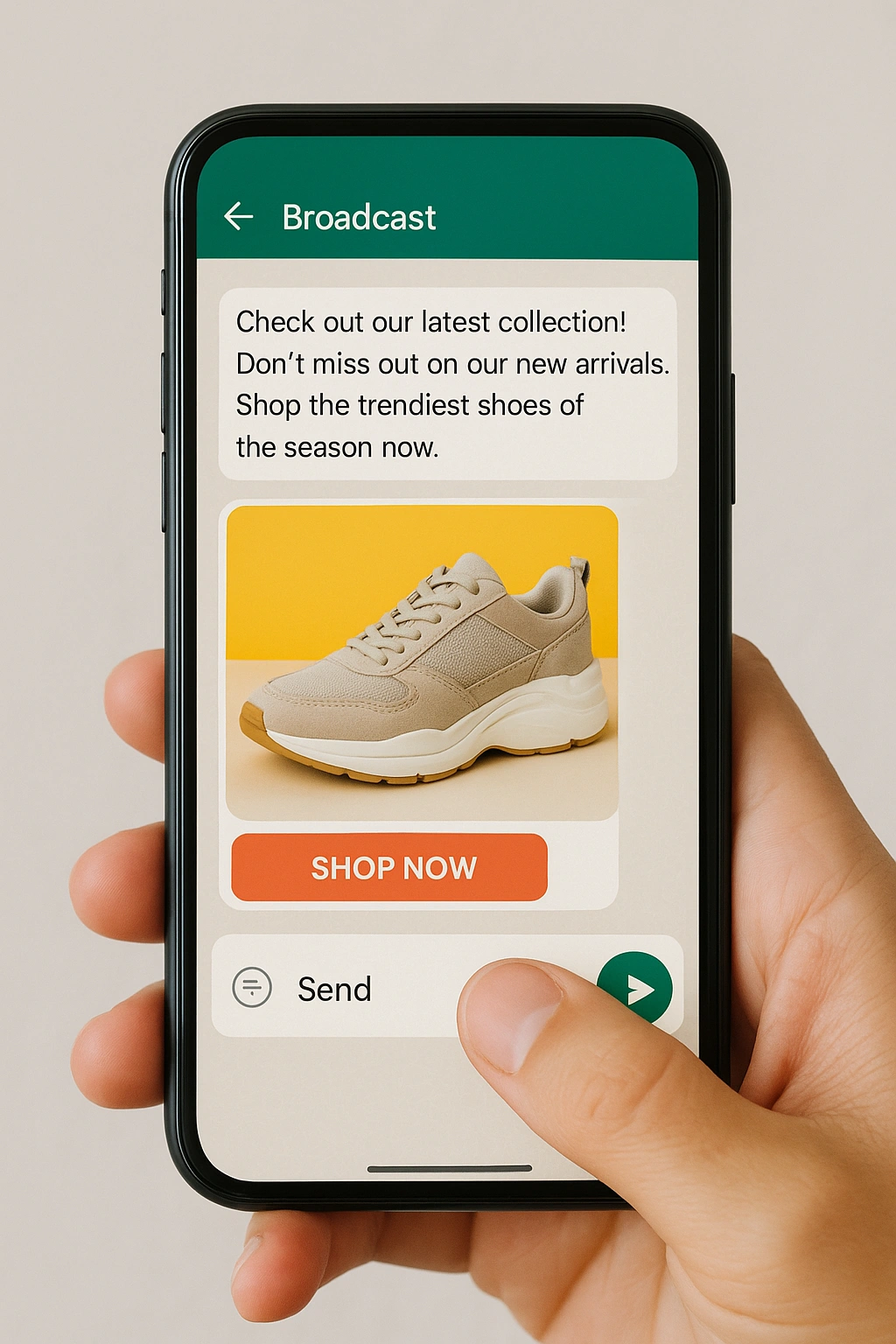
Step 7: Press the send button to send the messages.
Note: You can repeat the process if you wish to send messages to more contacts. It is the most effective way of sending messages to a small group, but it is not scalable if you have thousands of messages.
2. With Third-Party (Unofficial WhatsApp Software)
The third-party tool is suitable for those who want to send messages automatically to 1000+ individuals. Remember, in this case, you must use trusted tools to avoid getting banned. In this, you can send messages in two ways:
a) Scan and Send with Your Own Number
This method directly connects to your WhatsApp using the QR code scanning feature. Below are the steps that you can follow to send bulk messages:
Step 1: Select a bulk WhatsApp sender that permits the QR scanning method for sending mass messages.
Step 2: Now, you need to open the tool and scan the QR code using WhatsApp Web.
Step 3: Enter your number.
Step 4: Upload your contact list.
Step 5: Write the messages and click on the “send” button.
Note: You can even schedule your messages via the QR scan method.
Pros:
- It is very easy to set up; you just need to scan a QR code like WhatsApp Web, and you can start sending messages.
- Ideal for beginners as no technical skills are required.
Cons:
- Lack of two-way communication.
- Risk of getting the number banned.
b) With Virtual Number
There are certain websites that provide you with virtual numbers and enable you to send thousands of messages via their system. Don’t know how, let’s see:
Step 1: To start with, you have to choose a reliable WhatsApp marketing platform like Getgabs.
Step 2: Upload your contact list, generally from your Excel sheet.
Step 3: Create your message and add the elements like images and CTA to make it more personalized.
Step 4: Click on the “Send “ button, and the rest of the thing will be handled by the tool itself.
Pros:
- An affordable solution, as most of the service providers offer these features at a low cost.
- Personalized messaging option to make your text more appealing and engaging.
Cons:
- Sending too many messages in a short duration can get your number banned.
- The tool does not support two-way communication.
3. With the Official WhatsApp Business API: Without Getting Banned
If you are looking for a secure and automated bulk messaging solution, the official WhatsApp Business API is the perfect choice for you. It is appropriate for any size business, particularly medium- to large-sized enterprises. The platform has some great features, such as WhatsApp chatbots, CRM integration, live chat widget, and automation. Cool, isn’t it?
Here are the steps to take:
Step 1: Select a good Official WhatsApp Business API provider such as Getgabs.
Step 2: Next, you must confirm your Facebook Business account.
Step 3: Set up the message templates that WhatsApp approves.
Step 4: Upload your contact list using an Excel file.
Step 5: Write engaging WhatsApp messages using the images, videos, and CTA.
Step 6: Now, schedule and send messages to the large audience within just minutes.
Congratulation! You’re all set to send bulk messages to your audience and grow your business like never before.
WhatsApp Bulk Messaging Guidelines to Avoid Bans
To execute large-scale WhatsApp campaigns efficiently, it is important to safeguard your business by following this complaint framework:
1. Permission-First Communication
Before sending a message, you must obtain opt-in permission from your audience.
- Documentation: Keep a record of where and when consent was given in your CRM.
- Exit Strategy: Provide a simple and frictionless way to allow users to opt out to avoid receiving spam and to maintain a healthy reputation.
2. Types of Messages: Templates and Free-Form
Your message will be sent in a certain way depending on the nature of your message:
- Structured Outreach: Any proactive bulk messages should use a pre-approved template that is either a marketing, utility, or authentication template.
- Dynamize Variables: Don’t “copy-paste” text. Use placeholders to automatically insert the customer’s name or specific order details to add a personal touch.
3. Managing the 24-Hour Service Window
WhatsApp utilizes a certain “Customer Service Window” to encourage timely support.
- Rule: You have 24 hours of free-form text to reply to a message a customer sends the first time.
- Re-engagement: When the window is closed, you should start a conversation again with the help of a pre-approved template.
4. Avoiding Prohibited Outreach
To avoid a permanent account block, it is vital to stay compliant and not:
- Broadcasting through a standard consumer application.
- Automated “bot” senders that bypass official APIs.
- Purchasing or peeling web lists.
5. Scaling with Secure Partner
- To benefit from end-to-end encryption and sophisticated analytics, it is always better to use an official provider such as Getgabs.
- It assists in remaining within compliance and keeping scale efforts at a professional level.
How to Collect WhatsApp Opt-Ins?
Sending a blast message to contacts who never agreed to hear from you is the fastest way to get banned. Here’s the most common way to collect WhatsApp opt-ins:
- Website signup forms: Add a WhatsApp checkbox on your contact, signup, or newsletter form with clear messages like “I agree to receive WhatsApp updates from [Business Name].”
- WhatsApp Chat Widget: Easily capture opt-ins by adding the WhatsApp Chat widget with a pre-filled message to your website.
- QR codes: Place WhatsApp QR code in your store, product packaging, or in print ads so customers can easily opt in by scanning.
- Click-to-WhatsApp ads: Run Ads that click to WhatsApp to open a chat within WhatsApp directly, where the user initiates a conversation.
To find out more expert tips and unique strategies, you can check out our detailed blog on the top ways to collect WhatsApp opt-ins from customers.
Pre-Send Checklist: Before You Hit Send on Your Bulk Campaign
Do not let a small mistake cost your account. Here’s a quick checklist before you run a bulk campaign:
- Segment your audience: Do not just blast your entire contact list every time. Group your contacts based on behaviour, purchase history, and buying patterns.
- Confirm Consent: Make sure every contact on your list has opted in.
- Cap your frequency: Check you when you send the last message. Sending too often can lead to spam or lower your quality rating.
- Select the right template: Make sure your pre-approved template is properly filled, as a broken variable means a broken message.
- Include opt-out: Make sure you offer a simple way for recipients to stop messages.
- Review performance: Analyze engagement, clicks, and conversions. Update your segments and templates based on the data for the next campaigns.
Once everything checks out, schedule your WhatsApp broadcast at the right time to boost engagement.
WhatsApp Templates for Bulk Messaging: What They Are & How to Get Approved
Each bulk message you send via the official WhatsApp Business API must use a pre-approved template. It helps you keep bulk WhatsApp messages compliant and spam-free.
The Three Template Categories:
- Marketing: It entails promotion, such as sales promotion, product promotion, and offers.
- Utility: Transactional messages like order confirmation, payment notices, or shipping updates.
- Authentication: Only one-time verification (OTPs) and verification codes.
How to Submit a Template for Approval
- Sign in to your official Meta partner, such as Getgabs.
- Go to the template manager and create a new template.
- Select an appropriate category, language, and message format.
- Add your message body with a variable like {{1}} for the customer name.
- Submit for Meta approval, which generally takes 24 hours.
What Gets a Template Rejected
- Promotional language inside a utility template
- Including too many salesy emojis.
- Absence of opt-out message in marketing templates.
- Exceeding character limits
3 Ready-to-Use Template Examples
Marketing:
Hello [Customer Name], our biggest sale of the year is on! Save up to 50% on the entire site. Shop now: [Link].
Utility:
Hi [Name], your order [order number] has been shipped and will arrive by [date]. Track your order: [Link].
Authentication:
{{1}} is your verification code for [Business Name]. This code expires in 10 minutes. Do not share it with anyone.
What to Do If Your Bulk WhatsApp Campaign Gets Your Number Banned?
Even after following all the rules, bans can happen. Here’s what to do if your WhatsApp business account gets restricted or banned:
Temporary Ban vs Permanent Ban
In a temporary ban, your account gets restricted for a certain period, like 24 to 72 hours. It generally happens after a huge spike in spam reports or policy violations. Your account gets unlocked automatically.
In a permanent ban, your number is not enabled with a timer. It occurs because of frequent violations, the authorized tools are used, or there are many block reports.
How to Appeal a Ban Inside the App
- Open WhatsApp and tap “Request a Review” on the ban screen
- Submit your appeal with a brief explanation of your business and how you use WhatsApp.
- Wait for a response from Meta’s side. It can take between 24-72 hours.
- In case it is approved, your account is restored with a warning on your quality rating.
Steps to Avoid Getting Banned Again
- Instantly audit your contact list and remove non-opted-in numbers
- Swift to the official WhatsApp Business API in case you were using unofficial tools.
- Lower your daily send volume and warm up your number again from scratch
- Review all active templates and ensure they are correctly categorised
When to Request a New Number
If your appeal is rejected and the ban is permanent, requesting a new number is your only option. But first, ensure that the root of the problem is solved; any other phone number with similar practices will be restricted just as quickly.
Conclusion
Successful bulk messaging via WhatsApp is not only about pushing a button. The key to success lies in finding the balance between high volume, strict compliance, and personalized engagement. If you tick all the boxes on the above-mentioned checklist, you can turn a simple broadcast into a powerful revenue generator. When your messages are relevant and timely, they feel helpful to users instead of spammy and lead to better engagement and conversion.
We have offered you everything that you need, including methods, a compliance checklist, rules, and a recovery plan. Only one thing is left: execution. Use a reliable bulk messaging service like Getgabs to scale your campaigns without any risk. It helps you reach thousands of customers safely via official API access, easy template management, an automation tool, and detailed analytics, all under one roof. Don’t let the broadcast limit hold you back. Launch your first Bulk WhatsApp campaign today with Getgabs.