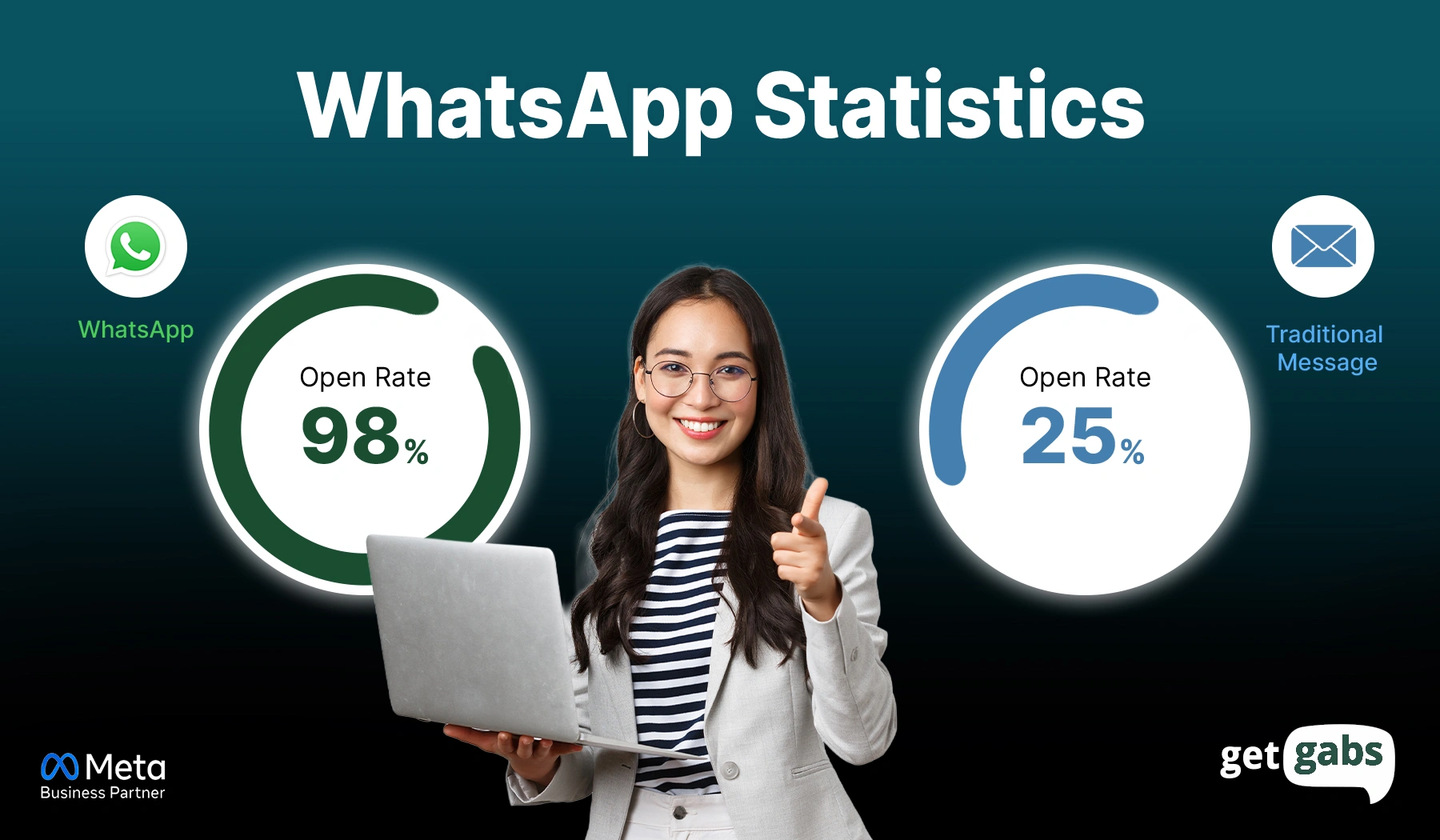
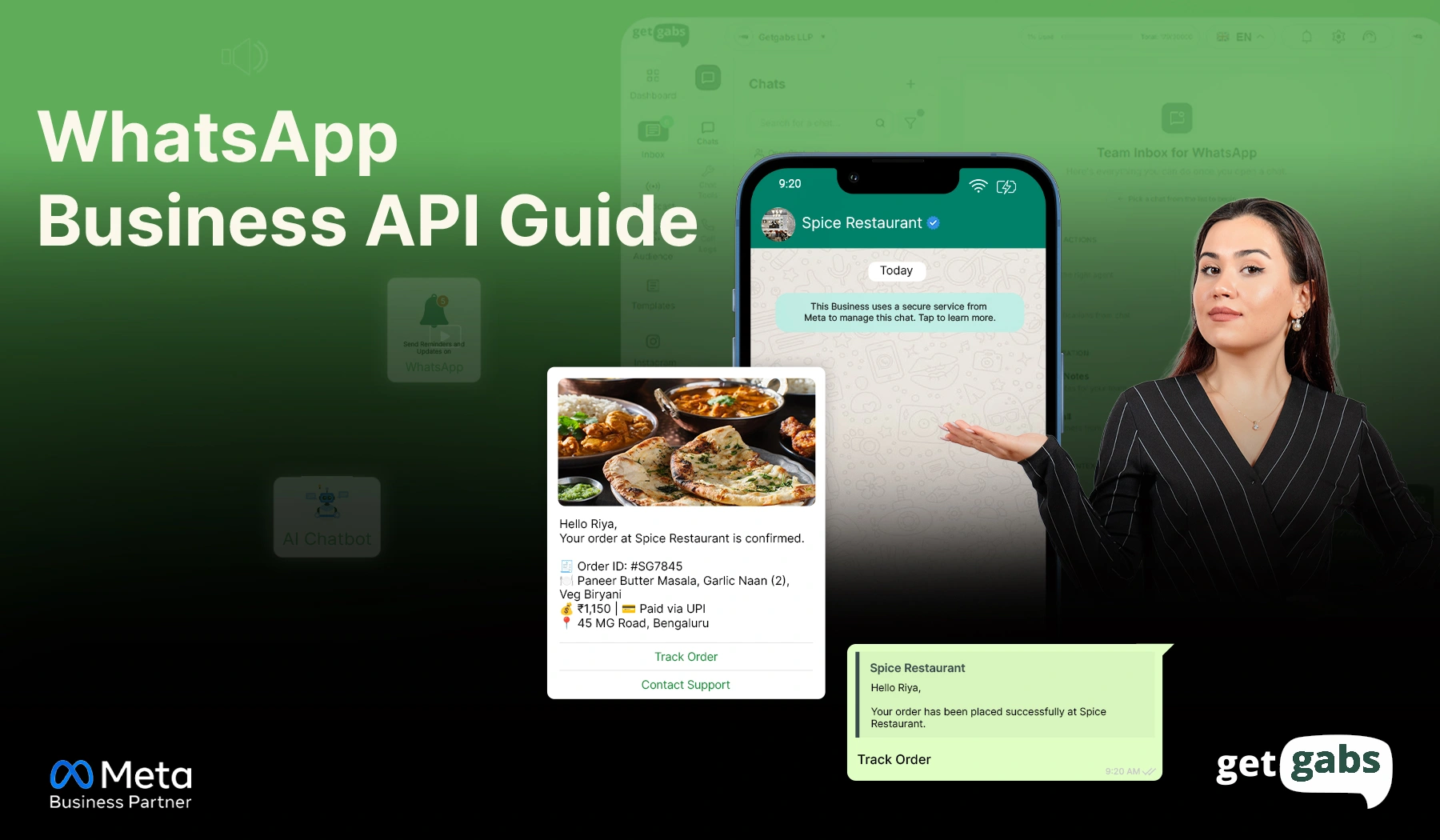



3 billion users open WhatsApp every single day. Their messages get read 98% of the time. When compared to email’s open rate of 21%, the gap becomes almost impossible to ignore.
This is where WhatsApp offers you faster and more direct results. But the main problem: your standard WhatsApp Business App limits you to 256 contacts per broadcast. That’s not a marketing strategy. It is a limitation dressed up as a feature.
To scale, you need a WhatsApp Business API. Meta’s official solution is designed for unlimited broadcasts, automated customer support, and closing deals without switching apps. In 2026, it is not just about simple messaging. It’s the era of “Conversational Commerce”, where customers browse, ask, and complete purchasing within WhatsApp.
This complete WhatsApp Business API guide will cover everything that you need, from feature updates, step-by-step, to pricing models. No fluff. Just answers.
What is WhatsApp Business API?
WhatsApp Business API is a programmable interface launched by Meta (formerly Facebook) in 2018, designed for businesses that need to send and receive messages at scale. Think of it like a “pro” version of WhatsApp. It allows you to send and receive unlimited messages at once and access automation, AI-powered chatbots, and seamless CRM integration.
Not an app. Not a plugin. But a complete business communication engine running behind the scenes. It is the best customer engagement tool available for all types and sizes of businesses.
Okay. But the main question right now is “Do you really need the WhatsApp Business API?” The shortest answer is “Yes, you do.” For a detailed answer, look at where your customer really is and the numbers below:
- WhatsApp has 3 billion monthly active users.
- 45-60% click-through rate when compared to 2-5% for email.
- 98% of WhatsApp messages are opened within 3 minutes of delivery.
- An average user opens WhatsApp 23 times in a day.
- Perfect digital space to offer a personalized customer experience rather than other marketing channels.
If you want to scale and improve your Business marketing and customer support, the WhatsApp Business API solution is the best means to achieve it.
What You Can Do With WhatsApp Business API?
By connecting your WhatsApp Business API account to an official Meta WhatsApp partner like Getgabs, you can unlock capabilities that free apps fail at:
- Broadcast to Unlimited Users: Send promotional broadcasts, offers, and updates to more than a thousand opted-in audiences in a single go. No more 256 contact restrictions holding you back.
- Automate Notifications With Smart Integrations: Link your Shopify store, CRM, WooCommerce shop, or payment gateway to WhatsApp. Your system will automatically send order confirmation, shipping alerts, and abandoned cart reminders.
- Get the Verified Blue Tick: Get the official WhatsApp Blue Tick badge next to your brand name. It brings trust and professionalism, even before a customer reads your message.
- Run Live Chat Support Across Unlimited Devices: Your entire team can work using one single WhatsApp number. It means no more passing phone calls or missed conversations.
- WhatsApp Chatbots for Sales and Support: Have AI-powered chatbots answer questions and filter leads, and finalize simple deals. Only when necessary do human agents come in.
- Retargeting Broadcast Campaigns: Automatically re-target those who have left their carts or have not shopped recently with personalized offers and schedule messages.
- Interactive Message for Better Engagement: Send a WhatsApp interactive message that includes clickable buttons (CTAs) and product carousels to enable customers to book an appointment or browse products without leaving the chat.
- Click-to-WhatsApp Ads: Run ads that click to WhatsApp on Facebook or Instagram to drive customers directly within a WhatsApp chat to qualify leads and close deals faster. You can even capture users’ attention where they are most active by learning how to Run Ads on WhatsApp Status.
WhatsApp Business App vs. WhatsApp Business API: Key Differences
| Feature | WhatsApp Business App | WhatsApp Business API |
| Best For | Small businesses, local shops | Medium to large businesses, growing brands |
| Setup | Simple app download | Requires approval and platform integration |
| Cost | Free | Paid (per message/conversation model) |
| Messaging Type | Manual messaging | Automated and bulk messaging |
| Broadcast Limit | Up to 256 contacts per list | Send messages to thousands at once |
| Automation | Basic auto-replies only | Advanced automation & chatbots |
| CRM Integration | Not available | Full CRM & system integration |
| Multi-User Access | Limited (few devices) | Unlimited team access with roles |
| API Access | Not available | Full API access for developers |
| Customer Support | Manual handling | Automated team-based support |
| Analytics & Tracking | Basic | Advanced analytics & reporting |
| Blue Tick Verification | Limited access | Easier eligibility for the official badge |
| Use Case | One-to-one conversations | Marketing, notifications, automation at scale |
When to Upgrade to the API?
- You need to manage 500+ monthly chats and can’t do it manually.
- You require automation like auto-replies or chatbots.
- You want to connect your website or CRM for a better workflow.
- Your business is growing and requires a scalable communication tool.
How Does WhatsApp Business API Work?
If your WhatsApp Business app is like texting on a personal phone, the WhatsApp API is sort of building a direct data pipeline between your company and the Meta server. To truly take advantage of this, you need to understand how it works:
1. The API Layer: Your Digital Bridge
At its core, an API is a way for two software to connect and share information. Let’s understand it as a:
- One side: WhatsApp
- Other side: your business tools like CRM, Shopify store, or platforms like Getgabs.
This API bridge enables messages, images, or order updates to flow back and forth without touching a phone every single time. It means you no longer have to send messages manually and handle all the chats through the unified dashboard instead of the mobile app.
2. The BSP Model: Why You Need a Partner
You might now be thinking: How to access the API? Should I just go to Meta and grab the API myself? In technical terms, yes (through Cloud API). But for companies, it’s like building an engine from scratch. This is where Business Solution Providers (BSPs) take a stage.
- Why BSPs exist: Meta does not offer a “chat screen” for API. BSPs like Getgabs provide a user-friendly dashboard for everything from sending broadcasts to handling chats.
- Role: They do all the heavy lifting for you, manage your connection to Meta, and ensure your account stays under Meta’s compliance.
3. The 24-Hour Conversation Window
To prevent organizations from spamming users, Meta uses a “Conversation Window.” Now, here conversation is not just a single message but the entire chat in a 24-hour period.
- User-Initiated: If a customer messages you first, a 24-hour window opens. You can instantly reply with any message without approval to solve their queries.
- Business-Initiated: It is when your company reaches out first using pre-approved templates for marketing, utility, or authentication. Here you will be charged per session
4. WhatsApp Message Templates Explained
As you cannot type a certain message to each customer, you use Message Templates. They are highly structured messages that you submit to Meta for review before use.
- Why Meta reviews them: To ensure you aren’t sending spam, offensive content, or high-risk financial scams.
- How much time does it take? WhatsApp templates approval generally takes a few minutes to 24 hours. While many templates are reviewed almost quickly or within an hour via automated systems, complex templates can take up to 48 hours.
WhatsApp API Message Categories You Must Know for Marketing & Support
Not every WhatsApp message is the same, and that difference directly impacts your WhatsApp Business API pricing. Meta splits messages into four different categories based on cost, purpose, and rules. Here are all of them:
| Utility | Authentication | Marketing | Service | |
| Purpose | Transactional updates | Identity verification | Promotions & campaigns | Customer support |
| Examples | Order confirmations, shipping alerts, and payment receipts | OTPs, account verification, and password resets | Discounts, product launches, retargeting | Queries, complaints, product support |
| Cost | Low | Affordable | Higher | Free |
| Who Initiates | Business | Business | Business | Customer messages first |
| Key Requirement | None | None | User opt-in mandatory | 24-hour window applies |
| Best For | E-commerce, logistics | Fintech, SaaS, banking | All businesses | Cost-conscious businesses |
Note: If you want to know the messaging cost country-wise, check here.
How to integrate WhatsApp Business API?
Now it’s time to set up your WhatsApp Business API integration. We highly recommend partnering up with a solution that offers guidance to guide you through the process and get your campaigns live faster.
Here’s how to integrate WhatsApp Business API into your business:
1. Apply for WhatsApp Business API access
Begin by applying for access to the WhatsApp Business API via the official Meta Partner, such as Getgabs. Meta will review your application to ensure your business aligns with policies.
2. Select a Verified Solution Provider (BSP)
WhatsApp needs an official Business Service Provider to work. These official partners will assist you in connecting to the WhatsApp Business API and keep your account within the bounds of WhatsApp guidelines.
3. Set Up Business Profile
Your selected BSP will help you with the setup of your WhatsApp Business Account. You will need to submit important details like official business name, description, and contact information.
4. Secure Your Dedicated Business Number
You will be assigned a dedicated business phone number. This number often features a verified business account.
5. Implement WhatsApp Business API
Your BSP will help you implement the WhatsApp Business API and integrate it into your existing CRM or messaging dashboard. This step ensures your team can send and receive a high volume of messages from a single interface.
6. Request template approval
To prevent spam, WhatsApp wants you to approve any message that starts the conversation. Submit your “message templates” for approval to ensure they meet Meta’s quality and standards.
7. Validate via the API Sandbox
Before you begin interaction with real customers, WhatsApp offers you a sandbox environment to test your integration and message templates. Your team can ensure that everything is working accurately before going live.
8. Test and Review
Perform rigorous testing across distinct types of messages and scenarios, like media delivery, automated replies, or more. It confirms your system is all set to scale.
9. Deploy and Scale Your Campaigns
Once everything is approved, you can launch your personalized marketing campaigns. Use API to engage in two-way conversation, send shipping updates, and or execute promotional broadcasts.
10. Maintain Compliance and Data Integrity
Ensure that the WhatsApp policies and data protection regulations are adhered to in your business. Always provide easy opt-out options, and be open to customers about how they use their data.
What You Need to Apply for WhatsApp Business API?
Here’s the key essential you have to keep ready to ensure your WhatsApp Business API application is approved on the first go:
- Meta Business Manager Account: You must have a verified business account that follows all of WhatsApp’s policies.
- Legal Business Documents: Keep your documents, such as the Business Registration Certificate or the GST certificate, to prove the company’s authenticity.
- A Dedicated Phone Number: You require an active mobile number. It can be a new one or an existing WhatsApp Business Number.
- Professional Website: An official business website that clearly showcases your products or services.
- Active Facebook Business Page: You must have a verified Facebook Business Manager account for brand approval by Meta.
- A Valid Payment Method: A credit card or approved billing method linked to your Meta account to cover “per-conversation” charges.
- An Opt-in Strategy: Before you send your first message to your customer, it is important to obtain permission. Here are the ways to collect WhatsApp Opt-ins to help you grow effectively and legally.
How to Get WhatsApp Business API Access in 2026?
Ready to begin your WhatsApp API journey? Let me tell you, the process is pretty much simple and quick. For this, here are the two different options from which you can pick:
1. The Direct Route: Directly from Meta
Meta now offers businesses direct access to the WhatsApp API using the Meta Cloud API. It is a cloud version of the WhatsApp API that enables businesses or developers to build their own messaging interface and manage the developer backend. But it comes with a few downsides:
- Meta does not offer you a platform to use the WhatsApp Cloud API.
- Limited customer support by Meta.
- It doesn’t allow Indian companies to pay for WhatsApp conversations.
- No dashboard, no interface, no inbox.
2. Via a WhatsApp Business Solution Provider (BSP) like Getgabs
It is the most popular route opted by businesses to integrate the WhatsApp Business API into their system. They offer you a ready-to-use platform. Follow these 6 simple steps to get started:
- Sign up or log in to the Getgabs panel.
- Go to manual onboarding on the left side panel.
- To build an app, a Facebook developer account is used.
- Link a non-WhatsApp or new WhatsApp number to the API setup.
- Upload the required documents, like GST and MSME, to verify your account on Meta.
- Add required details, including app ID, phone number, and display in the Getgabs app.
Once details are added, the account status will be changed to Green.
Congrats, you’re done! Want to walk through with screenshots? Read our step-by-step guide on how to set up WhatsApp Business API.
Key Advantages of Partnering with a WhatsApp API Provider
Raw API access without a platform is similar to getting a car engine without a steering wheel. With the help of the WhatsApp API provider like Getgabs, you will get:
- Instant API Access Without the Technical Headache: No need to write a single line of code. With Getgabs, you can get a live within 24 hours without any delays or technical hassle.
- A Ready-Built Platform to Use the API: The Alone API comes with nothing. Getgabs offers a ready-to-use dashboard, shared team inbox, no-code chatbot builder, and analytics, all under one roof.
- Complete Onboarding & Support: Many business strikes are business verification, template approval, and number configuration. A BSP offers you end-to-end onboarding assistance to make sure everything is configured from the first day.
- Lower Risk of Number Bans: Getting your number flagged or banned is a real risk. Getgabs manages all the complaints for you, covering monitoring message quality, template issues, and keeping your account completely safe.
- AI-Powered Features Without Building Them From Scratch: Why spend hours building automation? WhatsApp Business API provider offers you a ready-to-use chatbot, smart retargeting, automated lead qualification, and analytics, all built in.
Use Cases of WhatsApp Business API by Industry
The use of WhatsApp Business API varies industry by industry. Here’s how major form industries can use it to automate growth and stand out among the competition:
1. E-commerce & D2C
Cart abandonment, delivery stress, and zero post-purchase engagement are the biggest leaks in your e-commerce pipeline. WhatsApp plunges all of them by enabling you to send:
- Abandoned cart recovery reminder with discount offers
- Real-time order and delivery updates
- Restock and Flash sale alert
- Post-delivery review request
Example: “Hey Shalini! Your cart is waiting for you. Complete your order to avail 10% off with code COMEBACK 10.”
Result: D2C brands recover up to 60% of abandoned carts on WhatsApp.
2. EdTech
For the EdTech sector, the biggest hurdles are student drop-off and delayed fees. WhatsApp keeps students engaged where they already spend their time. Here key uses:
- Fee payment reminder with direct payment link.
- Live class alert before the session starts.
- Instant query solution via chatbot
- Course completion nudge
Example: Hi [Name], your digital marketing live session is just about to begin in 15 minutes. Tap the link below to join. [Joining Link]”
Results: Numerous education platforms claim 40% growth in the number of students attending classes and fee payments.
3. Healthcare
The API is used in healthcare platforms to minimize the number of no-shows and provide sensitive information in a fast and secure way. Below are what providers can send:
- Appointment reminders with confirm and reschedule options.
- Deliver digital prescriptions.
- Lab reports in the form of a PDF directly on WhatsApp.
Example: “Hello [Patient Name]! Your appointment with Dr. Mehta is scheduled for tomorrow at 10:00 AM. Reply “Yes” to confirm or “No” to reschedule.
Results: Clinics using WhatsApp reminders see up to 35% fewer missed appointments.
4. Real Estate
Most real estate agents use the API to filter serious buyers from “window shoppers” without spending hours. Here’s the key uses:
- Lead qualification via chatbot
- Virtual property tour of shortlisted properties
- Property booking confirmation
- Follow-up messages with warm regards
Example: “Hey[Name]! Interested in 3BHK in [Location]. Would you like to see a 360° virtual tour right now? [Watch Video Button].
Result: Agencies using WhatsApp bots have reported 50% more qualified site visitors with shorter sales cycles.
Don’t find your industry here? They are just a few examples. Explore more industry-specific use cases to see how WhatsApp Business API works for your business model.
How Each Team Benefits from WhatsApp Business API?
WhatsApp API is not just your marketing tool, but more than that. Each team sitting inside your business room can use it in a different manner and take its advantages:
1. Sales Team
Close deals instantly using WhatsApp for sales CRM. By enabling CRM integration with API, you can handle customer interaction, leads, and sales workflow within WhatsApp.
2. Marketing Team
You can send bulk broadcast messages, seasonal promotions, and abandoned cart recovery reminders to opted-in users at once. The marketing team can use advanced software to monitor delivery rates, open rates, and overall campaign conversions.
3. Support Team
Offer customer support with WhatsApp messaging to enable your support team to offer Live chat support and instant answers to customer queries. AI bots can even handle repetitive questions to enable human agents to focus on complex issues.
Conclusion
WhatsApp Business API for your business is no longer just a “nice-to-have” feature. It is the present and future of business communication. If you are seeking to grow your sales or aiming for strategic automation, the WhatsApp Business API is just for you. From your marketing, sales, and support teams, they help build personalized and automated relationships that boost revenue. The software allows companies to automate daily tasks, track campaign performance, and run broadcast campaigns that standard apps simply don’t.
You now have everything that you need. The definition, the setup, the pricing, the use cases, and the API message categories. No guesswork. No fluff. Just the simple question — when to start the WhatsApp API journey. Ready to get started? Visit Getgabs to access the WhatsApp Business API page to apply and see pricing.