

Too Long? Read This First
- Instagram automated messages are pre-set replies triggered by DMs, comments, story replies, or ad clicks. They help you reply 24/7, capture leads, and cut repetitive support work.
- There are different ways to automated DM that include welcome messages, keyword t triggers in DM, story reply automation, comment-to-DM, and more. All follow the same loop: trigger → flow → reply.
- Stay safe by using tools built on Meta's official API, respecting the 24-hour window, and never sending cold DMs.
- You can either start free with Meta Business Suite that comes with basic automation or use an automation tool for comment-to-DM and keyword flows
- Ready to automate? Getgabs helps you build and manage Instagram workflows without losing the human touch.
Instagram automated messages help businesses respond instantly, capture leads, and turn conversations into sales without manually answering each DM. That matters. You know why?
Because Instagram is no longer a place just to post your picture. With about 3 million active users globally, it now works as a shop window, help desk, and sales counter- everything in a single place.
Your every post, reel, and story brings new comments, replies, product inquiries, and tons of questions in DM. And managing them manually becomes difficult. These slow replies result in lost leads and frustrated customers.
Well, let me tell you that’s exactly where Instagram automated messages come in. It enables brands to respond 24/7, engage with leads instantly, and deliver a better customer experience at scale. In this guide, we will cover what an Instagram automated message is, setup, workflow, and ready-to-use scripts.
What Are Instagram Automated Messages?
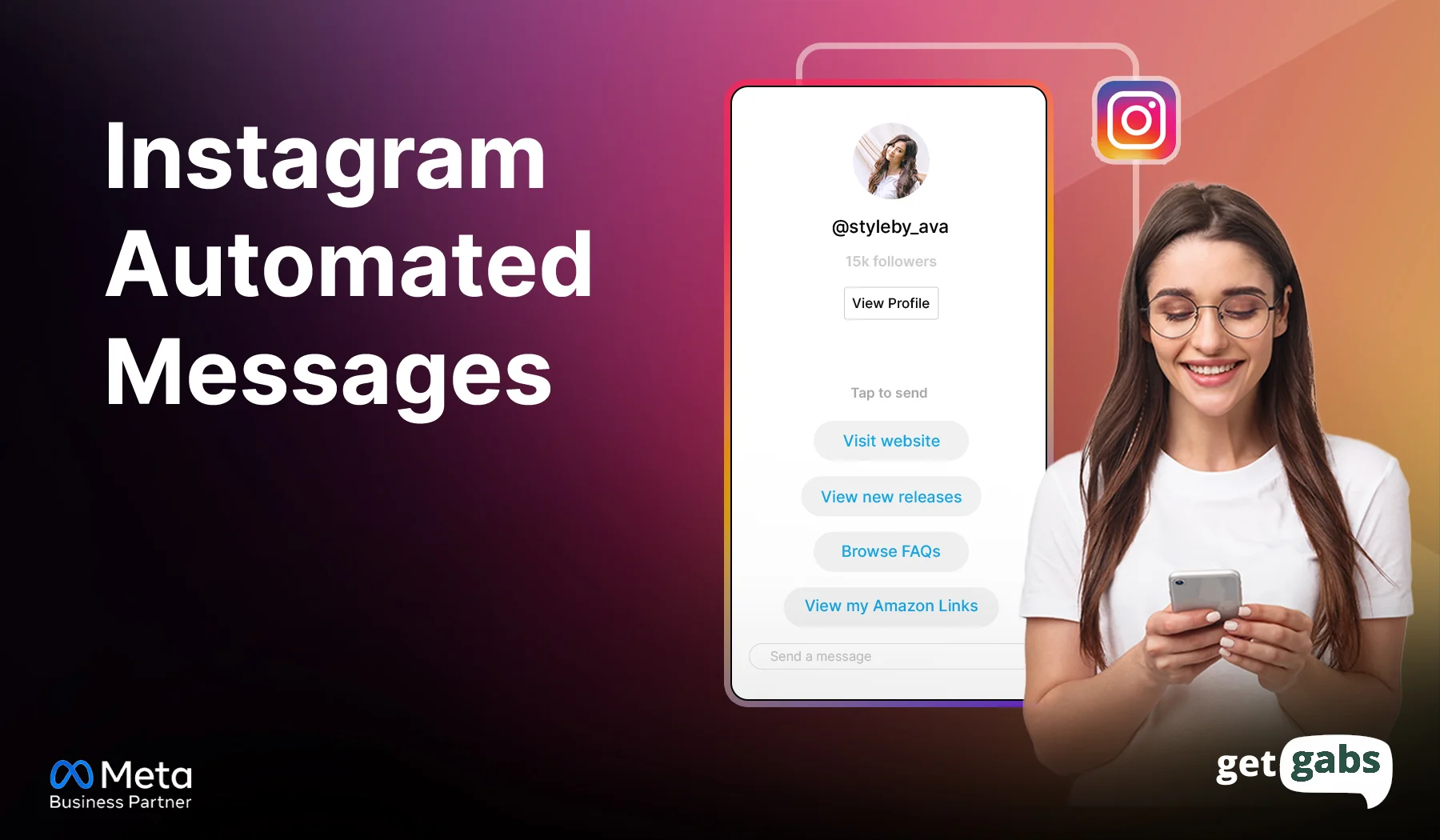
Instagram automated messages are pre-set messages or multi-step conversation flows that automatically send when users perform specific actions. These actions include a user commenting on a post, sending you a DM, clicking an ad that opens a chat, replying to a story, or typing a specific keyword.
None of your team members have to type each of them manually. Once you set it up, businesses can:
- Respond to customers’ queries instantly
- Deliver content around-the-clock
- Share links like PDFs and product pages
- Qualify leads by asking structured questions like name or email
- Route complex queries to a human agent when needed
Most of the automated messages are rule-based. This means replies are triggered based on specific keywords. AI chatbots take it further by understanding customer intent and providing more personalized responses. When compared to manual replies, automated Instagram messages help brands respond quickly, stay available 24/7, and handle conversations at scale.
Why Businesses Are Using Instagram Automated Messages in 2026
Instagram automation can be leveraged to convert public interactions into sales and support that are high-converting. Meta reports that over 1 million people engage with businesses daily through WhatsApp, Instagram, and Messenger, highlighting the importance of business messaging.
Let’s delve deeper into the reasons why businesses should consider leveraging Instagram automated messages:
1. Instant Customer Responses
Today’s customers expect immediate responses. Instagram automation enables businesses to trigger instant replies even outside business hours. It helps brands win more leads and save time while reducing the need for manual typing.
2. Higher Lead Conversion
Speed matters. Instagram DM automation is here to assist brands in responding to customers promptly, giving them product details, sending links, and gathering information while customer interest is high.
3. Lower Support Workload
Opening hours, prices, and shipping time queries come up all day. Automation handles repetitive queries at scale and lets the team focus on more complex conversations.
4. Better Customer Experience
Instagram auto-reply helps brands deliver what customers need without letting them wait. It makes it easier for them to move to the next step and results in better customer satisfaction.
5. Stay Compliant
When done using official Instagram automation tools, businesses can automate messages within Meta’s messaging policies. This reduces the risk of getting the account banned.
Types of Instagram Automated Messages: 12 Ways to Automate DMs
Not every Instagram automation works the same way. Some respond to DMs, while others trigger when a user comments, replies to a story, or clicks an ad.
Here are the types of Instagram automated messages that not only save time but also capture leads and help you get conversations started faster:
| Automation Type | Triggered When | Best Use |
| Welcome Message | Someone sends a first DM | Greet new followers or first-time message sender |
| Instant Reply | A new DM arrives | Answer common questions |
| Away Message | Outside business hours | Set response expectations |
| Keyword Triggers in DM | User sends a specific word | Share offers, links, or information |
| Comment-to-DM triggers | Someone comments on a post | Turn comments into leads |
| Story Reply Automation | User replies to a Story | Start a sales conversation |
| Story Mention Reward | Someone mentions your brand in their story | Thank or engage users |
| Click-to-DM Automation | User clicks an Instagram ad | Qualify and capture leads |
| Automated FAQs | User asks a common question | Answer questions about pricing, hours, location, or services |
| Lead Generation & Qualification | User shows interest | Collect emails, phone numbers, or preferences |
| Cart Abandonment Recovery | User shows product interest but does not purchase | Send a timely reminder or product link |
| Product Recommendations | User asks about a product | Share relevant products, catalogs, or direct links |
Instagram automated messages are all about sending the right messages at the right time.
How Instagram Automated Messages Work
You might be wondering how these automated Instagram messages work. Come to know how this automated workflow works:
Trigger → Flow → Actions
- Triggers: It all starts when a user takes an action like sending a DM, commenting on a post, replying to a story, or taking another supported action.
- Flow: The automation follows the rules set by you. It can answer questions, ask for details, qualify leads, or share a product link.
- Reply: The user receives the automated message instantly based on their actions right inside their DM’s inbox. If the conversation needs more help, the flow can hand it over to a human agent.
Rules to Know Before You Automate Instagram Messages
| Rule | What it means |
| 24-hour window | You can reply freely within 24 hours of the user’s last message |
| Use Meta-approved tools | Always use official Instagram automation tools like Getgabs. Never use unofficial browser bots or third-party apps that ask for your Instagram password |
| Require an Interaction First | User must message you, reply to a story, or comment with a trigger keyword before your bot can reply |
| Comment replies | Comment-based messaging has specific limits and supported use cases |
| Follow-ups | After a private reply, you can send more only if the user answers, and within 24 hours of that answer. |
Please note: Meta’s messaging guidelines shift over time, so make sure to verify the most current Instagram Messaging API documentation ahead of time before publishing or launching an automation workflow for your Instagram account. All of this is safer than depending on fixed limits that are reported by third-party tools.
Are Instagram Automated Messages Safe?
In short, yes. Instagram automated messages are completely safe to use when you use the right automation tool. The safety comes down to several factors. First, your tool must be connected through Meta’s official API rather than logging in as you in a hidden browser window.
Other factors include using a Business or Creator account, never sending cold blasts, respecting the 24-hour messaging window, and avoiding sharing addresses.
If you follow all the above factors and Meta’s messaging policies, your risk of getting banned or spam remains very low. So before you choose your Instagram tool, ask one question: “Does it use Meta’s official API?”
How to Set Up Instagram Auto Reply?
Setting up an Instagram auto reply is a simple process. You either use Meta Business Suite for basic replies or use Instagram automation tools like Getgabs for more advanced flows:
Method 1: Use Meta Business Suite
Meta Business Suite is a good option for businesses that need to set up basic instant replies, away messages, and simple keyword triggers directly from their inbox.
Here’s a step-by-step guide:
Step 1: Switch your Instagram account to a professional account.
Step 2: Connect it to your Facebook Page.
Step 3: Open Meta Business Suite and go to Inbox.
Step 4: Now select “Automations.”
Step 5: Choose a template like Instant Reply, Away Message, or FAQs.
Step 6: Write a message that you want the user to receive automatically and save the automation.
Step 7: Make sure the master toggle for the automation is switched ON.
Best for: Basic replies, FAQs, and customer support.
Limits: It may not offer advanced triggers and multi-step workflows.
Method 2: Use an Instagram Automation Tool
If you need advanced features like multiple keyword-specific triggers, comment-to-DM, or automated conversation, you will need official Instagram tools like Getgabs.
Getgabs auto dm Instagram lets businesses automate comment-to-DM, reel and post replies, story replies and mentions, keyword triggers, lead qualification, ad comment replies, and welcome messages. Plus, your business can even manage Instagram chats using a shared team inbox where they can assign chats and track leads.
Here’s a step-by-step guide:
Step 1: Sign up for an official Meta partner automation software.
Step 2: Log in and connect your professional Instagram account and Facebook page via Facebook login permissions.
Step 3: Choose a trigger event, like a user commenting on a post with a specific keyword.
Step 4: Build a flow and add links, buttons, and follow-up questions.
Step 5: Test the workflow by sending a message or commenting on your Instagram post.
Step 6: After that, publish the automated flow.
Which Method Fits You?
| Your Goal | Best Method |
| Basic auto replies and FAQs | Meta Business Suite |
| Comment-to-DM automation | Instagram automation tool |
| Lead qualification | Instagram automation tool |
| Advanced DM workflows | Instagram automation tool |
Pro tip: Start with one simple workflow, test it with real interactions, and scale your automation.
8 Instagram Automated Message Examples
Your Instagram automated message should not sound like a bot. Here are some Instagram auto-reply message templates:
1. Online Store: Product Inquiry
Trigger: Customer comments “PRICE”
Script: “Hey [Customer name], here’s the price of the product you just asked about. View in detail and tap here to order [Link].”
Goal: Move interested shoppers from comments to purchase.
2. Salon: Appointment Booking
Trigger: Customer DM “Book”
Script: “Hi, want to book an appointment at [Salon name]. Pick your booking slot here: [Link].
Goal: Turn DMs into confirmed bookings.
3. Clinic: Service Inquiry
Trigger: Message outside hours (away message)
Script: “Thanks for reaching out to us. We will get back to you tomorrow during business hours, between 9 AM to 6 PM. Book a visit here [link].”
Goal: Offer support even outside business hours.
4. Real Estate: Property Inquiry
Trigger: Customer comments “INFO”
Script: Hey. Thanks for showing your interest in our 2BHK at [location]. Want the price and available units? Reply “Price”.
Goal: Qualify property leads.
Conclusion
Instagram automated messages help businesses turn everyday DMs, comments, and story replies into qualified leads and sales. Reach brings people in, but auto DM Instagram keep them. It allows brands to send instant DM or replies when a user comments on a post, messages a specific keyword, or comments on stories. This not only saves time but also lets you capture leads and drive sales 24/7 without any manual effort. The key to success is to pick an official Instagram automation tool and follow Meta’s policies.
And don’t have to automate all at once. Begin with a basic flow that addresses some of the most commonly asked questions, shares useful links, collects lead information, and makes bookings easy for customers. Keep your automated message short, clear, and relevant to the action triggered from it. As your conversation grows, so does your business. So are you ready to automate your first Instagram message? Schedule Instagram automation processes with Getgabs while ensuring a personal touch.
Frequently Asked Questions
Yes. Instagram offers businesses two options for automating DM replies. It includes either through Meta Business Suite or official Instagram automation tools like Getgabs.