

Too Long? Read This First
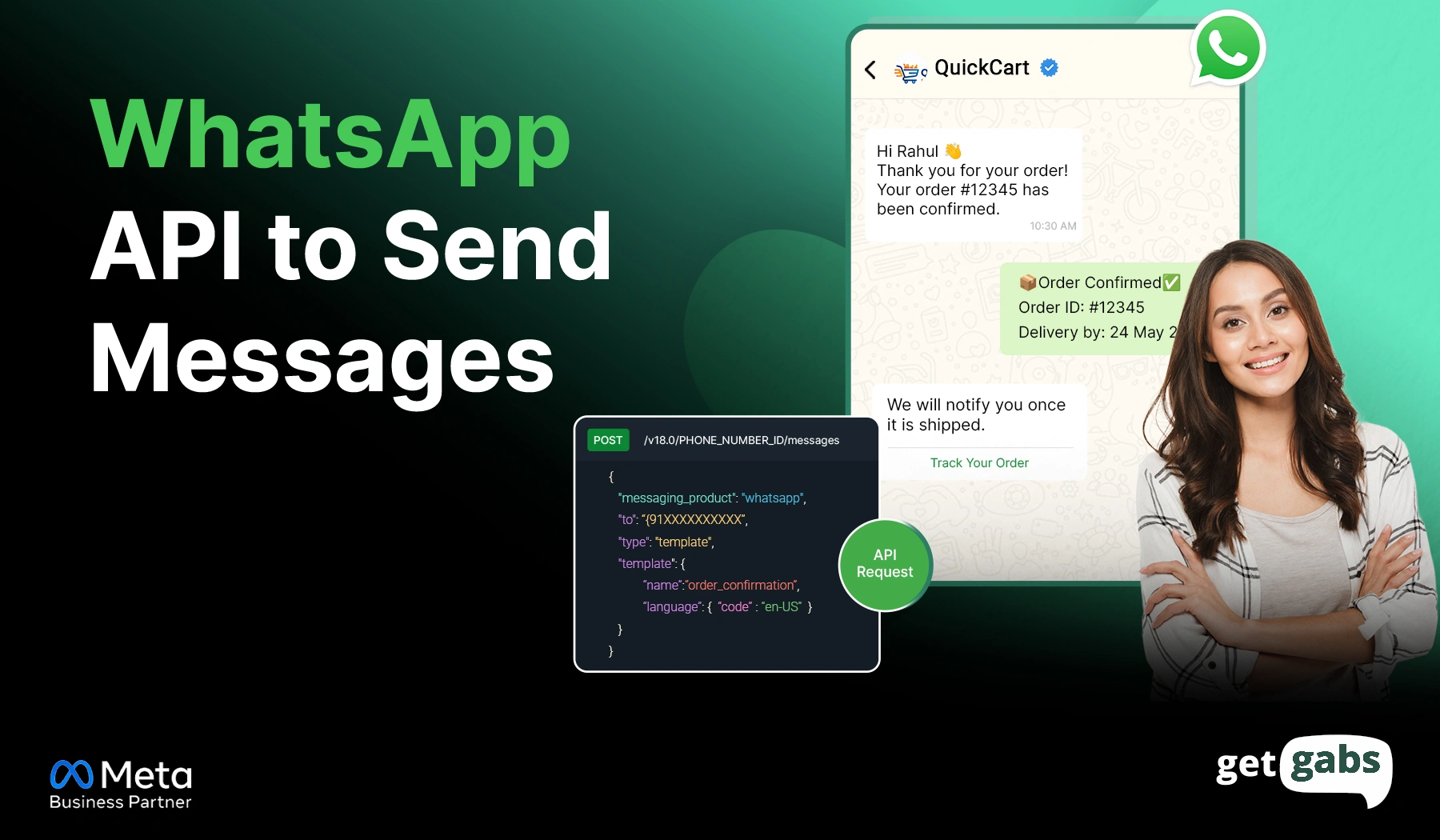
- WhatsApp API to send messages helps businesses send notifications, OTPs, reminders, and marketing campaigns at scale with higher engagement.
- API messages are divided into four categories, including Marketing, Utility, Authentication, and Service. Each of them has its own approval requirements and pricing structure.
- Businesses can send WhatsApp API messages either via Meta’s Cloud API for complete technical control or via a no-code WhatsApp API provider for instant access.
- To start sending WhatsApp API messages, you need a verified Meta Business account, a WhatsApp Business account, a dedicated phone number, and API access.
- Getgabs makes WhatsApp API messaging simple with a ready-to-use dashboard, bulk messaging, AI chatbot, automation, and a shared team inbox to help businesses get started without any technical complexity.
WhatsApp API to send messages is one of the easiest and most effective ways for businesses to reach their customers instantly at scale. With a 98% open rate compared to email’s 21%, WhatsApp is quickly becoming one of the preferred channels for business communication.
But here’s the catch. It’s not enough to know that you need to send a WhatsApp API message; you need to know how. Most brands spend hours manually managing chats, struggle with rejected templates, miss the 24-hour conversation window, or cannot easily recover from “failed messages”.
The reality? Using WhatsApp API to send messages isn’t that complicated once you understand its two pathways. You can integrate directly with Meta’s Cloud API and develop it yourself, or use a no-code solution like Getgabs and send your first message in just a few minutes.
In this article, we will learn how to send messages using WhatsApp Business API, message types, setup requirements, automation strategies, and common mistakes to avoid.
What is WhatsApp Business API Messaging?
WhatsApp Business API messaging lets businesses send messages automatically instead of typing each one manually. It connects WhatsApp with your CRM, AI-powered chatbot, and third-party tools to send personalized order updates, reminders, and promotional messages.
Once you get connected, you can trigger messages by customer action, schedule them in advance, or send them with just a few clicks. Here’s how a message actually gets sent:
- Your business sends a request with the message content to the customer.
- Meta checks certain rules like whether the template is approved and whether the 24-hour window is still open or not.
- Then the message gets delivered, and it sends back a status update to let you know if it is delivered, read, or failed.
The free WhatsApp Business App is good for smaller brands, but has a cap of 256 contacts for broadcast, limited devices, and no automation. With Meta WhatsApp Business API, all these hurdles are eliminated, and bulk messaging, AI chatbot, shared team inbox, and advanced analytics are made possible. That’s what makes it so businesses are choosing to make this change.
WhatsApp API Message Categories and How Meta Charges for Them
Each message sent via WhatsApp Business API falls under one of four categories. Meta uses these categories to decide whether a message needs approval and how much it costs. That’s why it is important to choose the right category to avoid template rejection and surprise bill charges.
| Category | Purpose | Approval Needed | Relative Cost |
| Marketing | Promotions, offers, campaigns | Yes | Highest |
| Utility | Order and account updates | Yes | Low–Moderate |
| Authentication | OTPs and verification codes | Yes | Low |
| Service | Free-form replies in 24-hr window | No | Free |
The cost of an API message depends on the types of messages you choose and the recipient’s country. That’s why you should always check Meta’s rate card before running a large campaign.
Message Formats Supported by WhatsApp Business API
Once you’re aware of which category your message falls into, the next step is to choose a format. WhatsApp API supports various formats that cater to different conversation scenarios.
1. Free Form vs. Template Messages
There are two basic ways to send a message to your customer:
- Free-Form messages: Personalized messages you can send within the 24-hour customer service window that starts when a customer messages or responds to your business. It is ideal for real-time support or follow-ups.
- Template Messages: These are pre-approved messages that you send outside the 24-hour window. It is mainly used for reminders, shipping updates, and promotional messages.
2. Different Types: Text, Media, and Other Formats
WhatsApp API messages are not just limited to text message, it goes far beyond:
- Text Message: For simple, instant updates or personalized responses.
- Media Message: Share images, PDFs, and documents like receipts, product catalogs, or invoices.
- Video Messages: Perfect format for product demos, tutorials, and marketing campaigns.
- Location Messages: Drop a pin to enable customers to easily find your store or office. Ideal for industries like real estate and logistics.
- Contact Messages: Enable business contact cards within the chat.
- Interactive Messages: Improve customer engagement with interactive messages that allow you to add a reply button and list menus, enabling customers to reply with just a tap instead of typing.
Choosing the right format makes the real difference. A shipping update might just need a text, but a product launch requires images or a WhatsApp catalogue to enable customers to browse without leaving the chat.
Prerequisites Before Sending Messages Through WhatsApp Business API
Before you send messages using the WhatsApp Business API, it is important to keep certain things handy.
- A verified Meta Business Account: Create your Meta Business account to enable Meta to verify and manage your business information for API access.
- WhatsApp Business Account and phone number: You need a WhatsApp Business Account linked to a dedicated phone number to send and receive messages via API.
- Permanent Access Token: Generate a permanent system user access token with proper messaging permissions via Meta for Developers to ensure your connection doesn’t expire mid-campaign.
- API access through a BSP or Meta’s Cloud API: Access the API either via Cloud API or partner up with an official WhatsApp API partner like Getgabs to avoid any technical complexity.
How to Send a Message using WhatsApp Business API?
There are two different ways to send messages via WhatsApp API. Here’s how you can do it with two different methods:
1. Using Meta’s Cloud API (Technical Path)
If you have developer support, you can send WhatsApp API messages directly through Meta’s Cloud API. Here are simple steps that you need to follow:
Step 1: Create a Meta Developer Account: Visit the Meta for Developers portal and create your Facebook account if you don’t have one.
Step 2: Select an App: Now tap on “Create a new app” and select “Business” as your app type to access the WhatsApp Cloud API.
Step 3: Enter your basic information: Fill in your basic business information. If you already have a Facebook Business Manager account, pick it from the dropdown menu. Otherwise, select “No Business Manager Account Selected,” and Meta will automatically create one. Tap “Create App”.
Step 4: Add the WhatsApp Product: Now you are signed up in your Meta dashboard successfully. From here, go to the “WhatsApp” icon and tap on the “Set up” button under it.
Step 5: Select a Meta Business Account: Accept the Terms and Conditions. Then, Meta will automatically provide you with a temporary test phone number along with a Phone Number ID and a WhatsApp Business Account ID.
Step 6: Verify a Recipient Number: Navigate to WhatsApp > API Setup and add a phone number that you want to test with. Verify it using the verification code sent to your WhatsApp account.
Step 7: Generate an Access Token: On the same API setup page, tap on Generate access token.
Step 8: Create and Approve Message Templates: If you want to send messages outside the 24-hour window, create a message template and submit it for Meta approval.
Step 9: Send Your First WhatsApp Message: Use Meta’s API endpoint to send a message. Use the pre-approved template and send it via Postman, cURL, or your application.
Step 10: Monitor Message Delivery & Scale with Automation: Track key metrics like message status, delivery reports, and customer engagement from the Meta dashboard. You can even connect the API to your CRM, E-commerce tool, and chatbot to automate support and marketing.
That’s all. But if you want to avoid this tech-heavy process and handle API setup, webhooks, and template management yourself, you can access it through the best WhatsApp API providers.
2. Using a WhatsApp API Provider (No-Code Path)
If you want to avoid dealing with APIs, access tokens, webhooks, and coding, you can send WhatsApp messages via an official WhatsApp API partner like Getgabs.
The WhatsApp automation platform offers a ready-to-use dashboard to send, automate, and manage WhatsApp messages without any technical hassle. Here are the steps that you need to follow:
Step 1: Create your Getgabs account and choose a plan that fits your business needs and use cases.
Step 2: Go to the Dashboard and click on the “Connect Now” button.
Step 3: Now, Click on “Continue with Facebook.”
Step 4: Log in to your Facebook Account and continue to confirm your account with Getgabs.
Step 5: Link your business phone number and complete the WhatsApp Business API setup process.
Step 6: Complete Meta Business verification to unlock WhatsApp Business API features and messaging capabilities.
Step 7: Customize and submit message templates for approval. These templates can be used for marketing campaigns, order updates, reminders, and notifications.
Step 8: Import your customer list using Excel or integrate your CRM to manage contacts and customer conversations from one place.
Step 9: Create a campaign, select your audience, personalize the message, and send it instantly or schedule it for later.
Step 10: Monitor message delivery, read rates, replies, and campaign performance through the Getgabs dashboard.
Why choose Getgabs? Being an official WhatsApp API provider, it enables businesses to send bulk WhatsApp messages, automate customer communication, deploy AI-powered chatbots, and let multiple agents manage chat via a shared team inbox without writing a single line of code.
How to Automate WhatsApp Messages Using an API?
WhatsApp automation helps businesses set up messages that automatically trigger based on keywords, customer actions, or schedule them for later. Here are some of the most common ways businesses use it:
- Welcome Messages: Send the moment any new customer messages your business for the first time. It’s like a greeting message that shoots even outside business hours.
- Lead Qualification: Automated questions via chatbot sort incoming leads by intent or budget before a sales agent gets involved.
- Cart Recovery Messages: Send automated cart recovery messages with a small discount to encourage customers to complete their purchase.
- Appointment Reminder Messages: Send appointment booking reminder messages automatically to cut down no-shows without anyone manually checking a calendar.
- Feedback Collection: After a purchase or support conversation, trigger an automated message asking the customer to rate their experience, eliminating the extra follow-up work.
Follow our complete guide on how to send WhatsApp automated messages to learn the steps in detail.
Using WhatsApp Business API for Bulk Messaging
WhatsApp Broadcast enables brands to send personalized updates, offers, and announcements instantly to thousands of opt-in contacts with just a single tap using WhatsApp Business API. It eliminates the need to send the same message to each contact one by one.
But it comes with rules like opt-ins and use of pre-approved templates to keep your number safe from getting banned. To learn the step-by-step process and compliance checklist, see our guide on how to send bulk messages on WhatsApp without getting banned.
Common WhatsApp API Message Sending Errors and Solutions
Sometimes messages fail to deliver even after setting up everything right. Here are some common reasons behind that:
1. Template Not Approved
You try to send messages, but it fails because Meta rejects your message template.
Common Reasons:
- Category mismatch
- Formatting errors, like variables placed at the start or end of the message
- Violation of WhatsApp policies
- Misleading content
Solution: Check template status in your Meta Business Manager, fix any policy violation, and resubmit the template for approval.
2. Message Failed to Deliver
Sometimes messages are sent but never reach your customer.
Common reasons:
- Invalid phone number
- Recipient blocked the number
- Network or connectivity issue
- Message limit restrictions
Solution: Re-verify the phone number, ensure the customer has not blocked you, and check your API account status.
3. Customer Not Opted-In
Meta requires customer consent before sending any marketing or template messages.
Common reasons:
- Contact added without consent
- No customer permission collected
Solution: Always collect clear WhatsApp opt-ins from customers before sending messages via forms, website checkouts, WhatsApp widgets, or other approved methods.
4. Quality Rating Issues
Meta regularly monitors how customers interact with your messages. Too many blocks or reports lead to lower quality ratings.
Common Reasons:
- Sending irrelevant content
- Poor audience targeting
- Sending too many messages in a short period
Solution: Send personalized messages, segment your audience, and avoid sending too many promotional messages in a short time.
If your messages are still failing to deliver, the issue can be related to API settings, account status, or Meta restrictions. Read our complete guide on WhatsApp message not delivered: errors and solutions to identify and fix the problem quickly.
Conclusion
WhatsApp API to send messages is a powerful way for businesses to reach their customers instantly, personally, and at scale. Be it sending order updates, automated appointment reminders, OTPs, or promotional campaigns, the API helps streamline customer communication while improving engagement and response rate. But getting it right takes more than just sending a message. It requires picking the right method to send an API message, the correct category, respecting opt-ins, and knowing how to fix errors. Just get the basics right, and WhatsApp is among the most reliable channels for business sales, support, and marketing.
If you want a simpler method and want to skip the technical complexity of API integration, webhooks, and template management, connecting with an official WhatsApp Business API provider like Getgabs is the perfect choice. The platform offers a no-code solution with instant access to the API at zero markup, helping brands send bulk messages, automate conversations, deploy AI chatbots, and manage WhatsApp & Instagram chat from a single inbox. Connect with Getgabs today to send your first WhatsApp API message.
Frequently Asked Questions
No. While Meta does not charge any fees to access the API itself or register a number, it charges a per-message delivery fee based on the message category and the recipient’s country.