

Too Long? Read This First
- WhatsApp automated messages are pre-set replies triggered automatically based on customer action.
- Businesses can send automated messages on WhatsApp via the free WhatsApp Business App and WhatsApp Business API.
- Small businesses or those who are just starting can use the free WhatsApp Business App. But growing brands looking for chatbots, unlimited broadcasts, analytics, and CRM integration should go with the WhatsApp API.
- Automation keeps your business available 24/7, improves response times, reduces customer support, and helps nurture leads effectively.
- With a WhatsApp automation platform like Getgabs, you get instant API access at zero markup to make automated messages simple.
Learning how to send WhatsApp automated messages can save your business hours of work every single day. Imagine your customer messages you at midnight asking about your store’s timing. Instead of losing the lead until morning, the WhatsApp bot replies instantly with a relevant answer.
That’s the power of WhatsApp automation. With AI-powered WhatsApp chatbots handling up to 80% of routine customer queries and automated flows generating 57% new leads, businesses can offer 24/7 support and scale without any manual effort.
This is why companies now automate messages on WhatsApp using simple tools instead of typing each reply manually. Whether it’s a welcome message, an order update, or a payment reminder, it keeps your business running around the clock without lifting a finger.
This guide will teach us how to send an automated WhatsApp message using the free WhatsApp Business App and the official WhatsApp Business API.
What Are WhatsApp Automated Messages and How Do They Work?
WhatsApp automated messages are pre-set messages sent automatically to customers without lifting a finger. They are triggered by an action, event, or schedule and delivered instantly while improving response rate and saving time.
Businesses use it to automate WhatsApp business messages like greetings, order updates, reminders, and payment alerts 24/7. No human intervention is needed. Here’s how it works in a flow:
- Trigger: A customer sends you a message or takes any action.
- Filter: The system checks conditions like opt-in status and contact type to send the right message.
- Automated Messages: A pre-set reply automatically triggers with personalized details like customer name or order details.
- Customer Action: The customer reads, responds, clicks a link, or confirms a booking.
- CRM update: The conversation is logged automatically without any manual entry.
This whole loop runs within seconds. You can set them up using the free WhatsApp Business App for basic needs and the Meta WhatsApp API for high-volume and trigger-based automation.
Why Businesses Should Automate WhatsApp Messages: Key Statistics for 2026
WhatsApp automation is not just convenient. It is backed by real numbers that help you better understand why businesses are making the switch in 2026:
| Metric | Data | Website Sources |
| Message Open Rate | 95-98% vs 20–25% for email | WizMessage, 2026 |
| Click-Through Rate | 15%-60% per campaign | WizMessage, 2026 |
| Lead Qualification Boost | 21× faster with a 5-minute response | Uptail, 2026 |
| Business Hours Saved | 7 billion annually by 2026 | JestyCRM, 2026 |
| Daily Business Messages | 2.2 billion sent every day | WizMessage, 2026 |
| Abandoned Cart Recovery | 15-20% recovered with one follow-up | Industry Data, 2026 |
| Customers Buying from the Fastest Responder | 78% | Eazybe, 2026 |
WhatsApp is a channel that your customers already use. On the other hand, automation helps you keep up with their need for instant responses, 24/7 support, and better engagement without adding extra workload.
Simple Methods to Send Automated WhatsApp Messages
There are two different ways to send automated WhatsApp messages. But the right choice depends on your business size, message volume, and automation needs.
Here’s how you can set up an automated message on WhatsApp:
Method 1: Using WhatsApp Business App
Best For: Solo operators, small businesses, and teams handling small volumes of customer requests and needing basic automation.
WhatsApp Business App is the easiest and free way to start sending automated WhatsApp messages. Here’s how to Send Automated Messages on the WhatsApp Business App:
Greeting Messages (Welcome New Customers)
- Open your WhatsApp Business App.
- Click the Menu button (three vertical dots on Android) or Settings (on iPhone).
- Go to Business Tools.
- In the Messaging section, toggle Send Greeting Messages to on.
- Choose who gets the message (All, Everyone not in Contacts, Everyone Except, or Specific contacts)
- Tap Save in the top right corner.
Away Messages (Auto-reply)
These messages reply automatically when you’re offline.
- Open the WhatsApp Business App.
- Click the Menu button (three vertical dots on Android) or Settings (on iPhone).
- Go to Business Tools.
- In the Messaging section, toggle Send away message to on.
- Choose from the schedule options (Always send, Custom schedule, or outside Business hours)
- Tap Save in the top right corner.
Limitation: WhatsApp Business App is great for limited custom queries. But it also comes with certain limitations, like no analytics, no CRM integration, no multi-agent routing, or unlimited WhatsApp broadcasts.
Method 2: Using Getgabs WhatsApp Business API
Best For: E-commerce stores, enterprises, and SMEs handling high-volume repetitive customer queries.
WhatsApp Business API is built for businesses that have outgrown the free app and lets brands send automated messages, deploy AI-powered chatbots and drip campaigns, manage chats using a multi-agent team inbox, and integrate with CRM. To access this, you need an official WhatsApp Business API provider like Getgabs.
Here’s how you can send automated WhatsApp messages using Getgabs WhatsApp API:
Step 1: Go to Keyword Trigger: Sign up or log in to your Getgabs Dashboard and navigate to Keyword Trigger from the left panel.
Step 2: Click Create Keyword Trigger: Click on the Create Keyword Trigger button to start building your auto reply.
Step 3: Choose Your Match Type: Under Trigger Condition, choose how you want to reply to fire. Here you get three options:
A. Contains: The reply triggers when your chosen keyword appears anywhere in the customer’s message. For example, if you set “pricing” as the keyword. Then both “What’s your pricing?” and “can you share pricing details” will trigger the same response you set.
B. Equal To: The reply triggers only when the customer’s message matches the exact keyword. For example, if you set “Hello” as the keyword, the response fires only for this specific keyword.
C. Trigger on Events: The reply in this triggers based on a specific customer action instead of a keyword. Choose from:
- On First Message: Fires only once when a contact messages you for the very first time.
- On Any Message: Fires on any incoming messages from any contact.
- Away Message: Fires when a message arrives outside your configured working hours.
- On WhatsApp Order: Fires when a customer places an order via WhatsApp.
- On Flow/Form Completion: Fires after a contact completes a specific flow or form.
- On Unsupported Message: Fires when a message type can’t be processed (e.g., WABA to WABA template).
Step 4: Add Your Keyword (for Contains or Equal to): Click +Keyword and add a keyword that should trigger your reply. You can add multiple keywords to the same trigger.
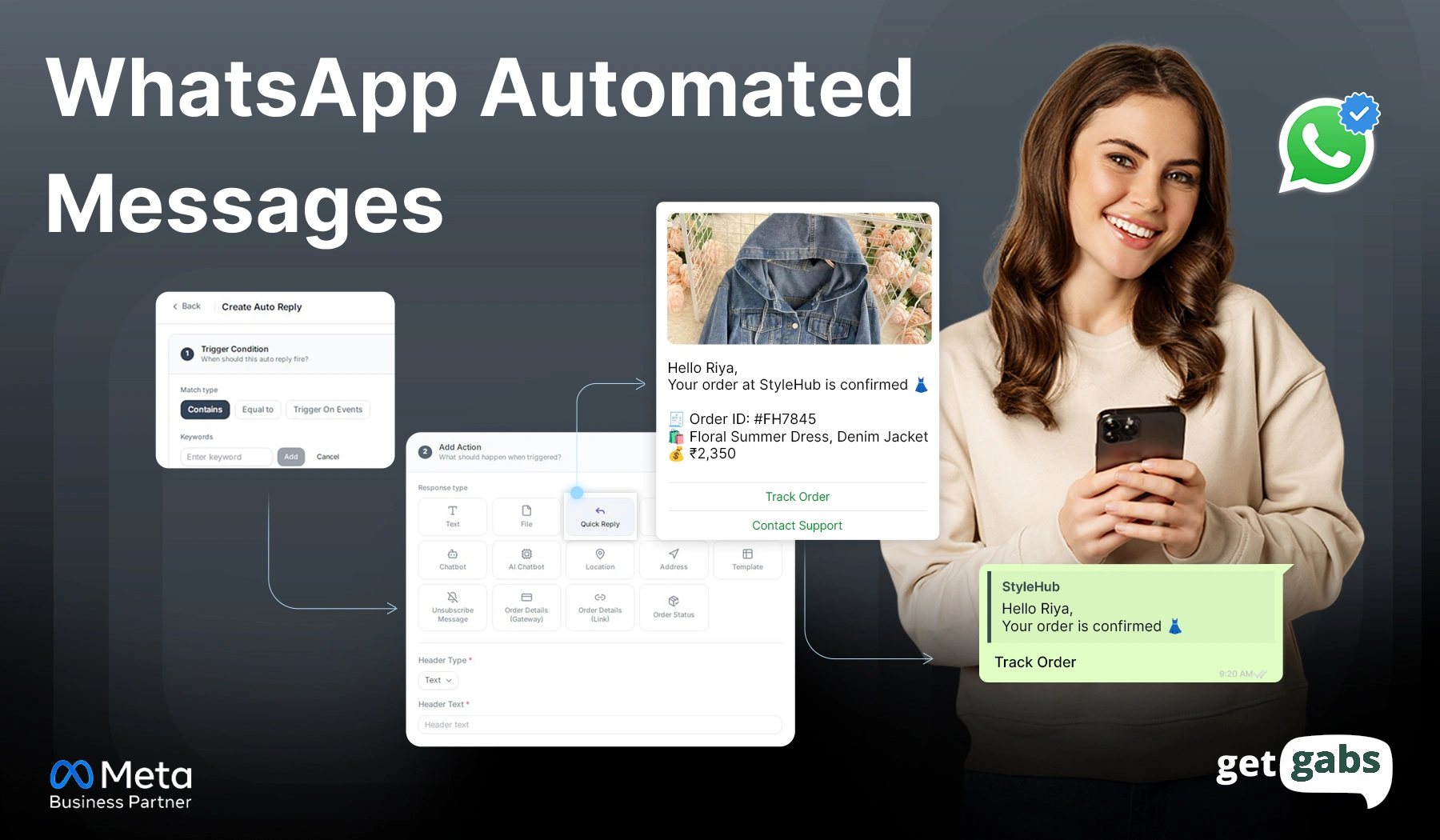
Step 5: Set Up Your Action: Move to the Add Action section and choose a response type based on what you want to send:
- Text: Send a simple written reply.
- File: Share a document, image, or PDF.
- Quick Reply: Add clickable buttons so customers can respond faster.
- CTA URL: Add a button that takes customers to a website.
- Flow/Form: Launch a WhatsApp Flow or form to collect customer details.
- AI Chatbot: Let AI generate a personalized reply automatically.
- Location: Send a location pin, such as your store address on a map.
- Address: Share your business address as text.
- Template: Use a Meta-approved message template for the reply.
- Unsubscribe Message: Send a confirmation when a customer opts out.
- Order Details (Gateway): Share order information along with a payment gateway link so customers can pay directly.
- Order Details (Link): Send order details with a clickable link customers can use to track or view their order.
- Order Status: Automatically send the customer their current order status, such as confirmed, shipped, or delivered.
Step 6: Fill in the Required Details: Once you select your response type, fill in the required fields for that action, like body text, uploaded file, or button link.
Step 7: Publish Your Auto Reply: Once everything looks good, click the Publish Auto Reply button. Your automated WhatsApp messages are now live and ready to respond.
WhatsApp Business App vs API: Which Is Better for Automation?
| Feature | WhatsApp Business App | WhatsApp Business API |
| Cost | Free | Pay per message and BSP fees |
| Users/Devices | Up to 5 linked devices | Unlimited agents and users |
| Automation Level | Basic (greeting, away, and quick replies) | Advanced (chatbots, workflows, triggers, drip campaigns) |
| CRM Integration | No | Yes |
| Bulk Messaging | Up to 256 saved contacts | Unlimited opted-in contacts |
| Analytics | Basic | Advanced (delivery, opens, clicks, conversions) |
| Message Templates | No | Yes (Meta-approved templates) |
| Best For | Solo entrepreneurs and small businesses (less than 50 messages per day) | Growing businesses, ecommerce stores, and enterprises (500+ messages per day) |
Quick rule of thumb:
- If you’re just beginning your automation journey with WhatsApp, continue using the WhatsApp Business App.
- If you require AI chatbots, CRM sync, analytics, or bulk broadcasting, you’ll need to switch to WhatsApp Business API for scaling.
Types of WhatsApp Automated Messages
There are different types of messages that you can automate on WhatsApp. Here are some of them:
1. Greeting Messages (Welcome Messages)
These messages are sent automatically when a customer messages your business for the first time. It creates a good impression and sets the tone of conversations.
Example:
“Hi [Customer Name]! Welcome to [Business Name]. We are glad to have you here. Tell us how we can help you today?”
2. Away Messages
Away messages are sent automatically when your team is not available or out of business hours, such as during Holidays or on the weekends.
Example:
“Hey Roy, we are currently unavailable. We will reach back to you shortly during our business hours between 9 AM and 7 PM from Monday to Saturday.”
3. Quick Replies
Quick replies are pre-set responses to your common custom questions like pricing, location, delivery details, business hours, and more. It reduces the need to type the same messages to the same questions again and again.
4. Transactional Messages
Transactional messages are automated updates sent based on customer action. But they require access to the WhatsApp API via official tools like Getgabs.
Example:
“Hi [Name], your order [Order number] has been confirmed. Expected delivery [date]. Track your order by clicking here [Link]”
5. Drip Campaign Messages
Drip campaigns include a series of automated messages sent over days or weeks. They help brands nurture leads, build trust, and encourage customers to take action.
Example:
- Day 1: “Hey Ria! Welcome. Here’s an instant guide to get started. [Link]”
- Day 3: “Hi Ria, have you explored our features? If not, here’s what you can do [Link].”
- Day 7: “Hey Ria! Need help getting started? Book a free demo today [Link].”
6. Abandoned Cart Recovery Messages
80% of customers add items to their cart and leave without purchasing. Automated WhatsApp abandoned cart reminders help businesses recover 45-60% of lost sales.
Example:
“Hello John! You left a few items in your cart. Complete your purchase today to get a 5% discount. [Link].”
7. Promotional and Marketing Broadcast Messages
Promotional messages are sent to promote offers, new launches, or seasonal campaigns to opt-in customers. These messages require pre-approved message templates and follow Meta’s July 2025 per-messaging pricing for marketing messages.
Example:
“Hey Alex! Our biggest sale of the year is live. Grab up to a 50% discount on your favourite items. Show now [Link]. Reply STOP to opt out.”
Benefits of Using WhatsApp Automation for Businesses
- 24/7 Availability Without Extra Staffing: Your business keeps running even after business hours. Automated responses and chatbots ensure instant customer query resolution at any time of the day without hiring a single extra agent.
- Faster Response Time: Automated messages on WhatsApp are instantly acknowledged and routed to a human agent when needed. It reduces waiting time and frustrated customers dropping off before hearing back.
- More Conversions without any extra effort: Businesses with 24/7 customer support via automation see 40% more customer-initiated conversations. More chats mean a better opportunity to convert, upsell, and retain customers.
- Targeted Bulk Messaging: WhatsApp automation lets you send personalized promotional offers, reminders, updates, and discount codes in a single go to your entire contact list.
- Reduce Support Costs: By automating routine tasks and repetitive queries, it reduces the customer service workload by up to 54% and the need to hire a large support team. It easily handles thousands of conversations at once, even during peak season, without dropping service quality.
- Better Lead Nurturing: Not every customer is all set to buy right away. Automated follow-up messages help companies keep leads engaged, build trust, and encourage them to buy without manual effort.
Best Practices for WhatsApp Message Automation
Automating WhatsApp business messages works great when done in the right manner. Follow these simple 8 practices to make your messages more effective:
- 1. Always Get Opt-In First: Always collect consent before sending automated messages on WhatsApp to your customers. Sending without permission can ban your account.
- Personalized Messages: Try to add the customer’s name or order number to your messages to make them feel more personal instead of robotic.
- Short & Easy-to-Respond Messages: Keep your message within 160 characters to make it easy for readers to read. Use quick-reply buttons and a list menu to minimize typing and respond faster.
- Set Up Human Handoff: Automation should not be the dead end. Always add a simple trigger like “Agent typing” while routing chat to a live support team.
- Respect the 24-Hour Window: Free-form automated replies are only allowed within 24 hours of the user’s last message. After this, you must use a pre-approved template.
- Monitor Performance: Track vital indicators like open rates, read rates, conversion rates, and customer satisfaction scores to monitor the success of your automation.
Why Choose Getgabs for WhatsApp Business Automation?
Getgabs is an AI-based WhatsApp automation platform built on the official WhatsApp Business API. Being an official Meta Business API partner helps businesses automate their marketing, sales, and support using channels that customers are already familiar with.
Here’s why Getgabs is the best choice to send automated WhatsApp messages:
| Feature | Generic BSP | Getgabs |
| Meta Partnership | Varies | Official Meta WhatsApp Business API Partner |
| API Access | Often a complex setup | Ready-to-use dashboard |
| Pricing | Often marked up | Zero markup and transparent pricing |
| Template Approval Support | Self-managed | Dedicated approval support and free AI WhatsApp template generator |
| Onboarding & Setup | Limited or none | Dedicated onboarding guidance and instant setup |
| Chatbot Builder | Basic or none | No code drag-and-drop chatbot builder |
| Tool Integrations | Limited | 50+ integrations support |
With a G2 rating of 4.9/5 and G2 Spring 2026 badges for Best Est. ROI, Getgabs is a highly trusted WhatsApp automation platform for SMEs, e-commerce, healthcare, finance, and education businesses to get started without a credit card required.
Conclusion
Sending WhatsApp automated messages no longer requires hiring a big team or technical skills. With the right tools, businesses of any size can send automated welcome messages, confirm orders, and send reminders without any manual intervention. But for that, you even have two methods.
If you’re just getting started, the free WhatsApp Business App with basic automation is good. But if you want to scale and advance automation with AI-powered chatbots, CRM integration, drip campaigns, and bulk broadcasting, WhatsApp Business API is for you.
With 98% and 24/7 availability, WhatsApp automation ensures instant response, converts more leads, and cuts support costs while reducing workload. Ready to go beyond the basics, Getgabs makes this switch simple for you by offering instant access to the WhatsApp Business API with a ready-to-use dashboard with no markup. Start sending automated WhatsApp messages today without any technical hassle with Getgabs.
Frequently Asked Questions
Yes. As long as you follow Meta’s rules, have customer consent, and use pre-approved templates, sending automated messages on WhatsApp is completely legal.