

Too Long? Read This First
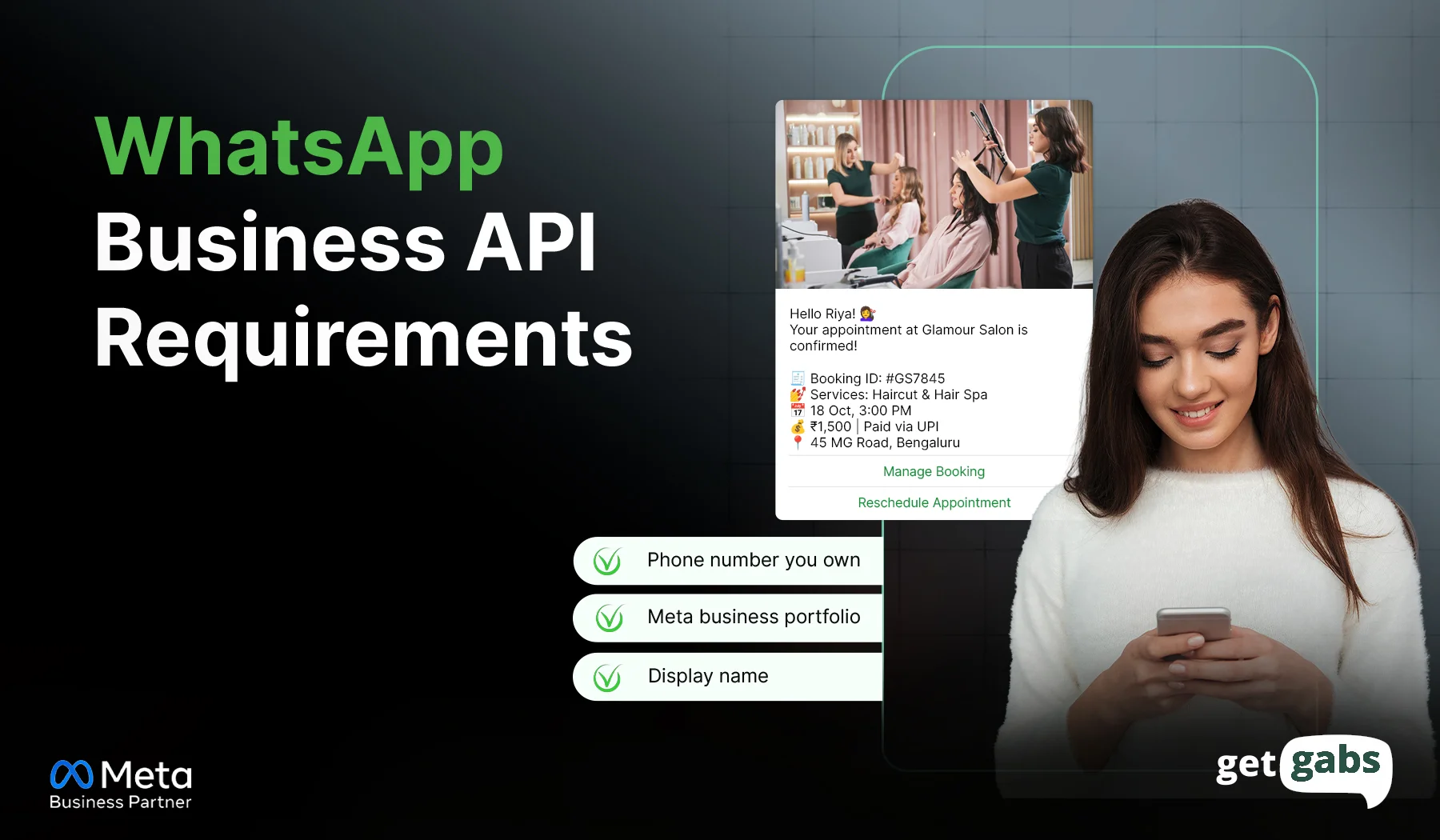
- WhatsApp Business API requirements 2026 include a Meta business portfolio, business verification, a clean phone number, an approved display name, and a payment method. This guide covers each one and why Meta asks for it.
- Follow the messaging rules, like getting clear customer opt-in, using approved templates after the 24-hour chat window, and keeping your quality rating high so your limits don’t drop.
- Your setup route matters as well. Developers set up a Meta app, access token, and webhook themselves. Teams without developers can use a provider instead.
- A mismatched business name or an incomplete document can delay approval, so use the checklist and start with the “Must have” items.
- Want an easier start? Getgabs is an Official Meta Business Partner that helps you with setup, verification, and template approval without writing a single line of code and with zero markup on Meta’s cost.
WhatsApp Business API requirements start with a Meta business account, valid business details, a phone number, and compliance with WhatsApp Messaging policies.
What else? The exact requirements depend on your onboarding route, business verification status, and Meta’s checks. Before you apply, make a checklist and check off each item, including which documents to prepare, whether your existing WhatsApp number is eligible, and how you meet Meta’s rules.
Even if you miss one detail or have wrong information, your account won’t be set up. For those who want a simpler way to apply for WhatsApp Business API, Getgabs is an official Meta API provider that can assist you in setting up the API.
In this guide, we will learn the key requirements of the WhatsApp Business API to help your business avoid delays, save unnecessary setup costs, and prevent compliance penalties.
Quick Checklist: WhatsApp Business API Requirements
1. Prove who you are and set up billing
| Requirement | What it means | Priority |
| Meta business portfolio | Your business’s home inside Meta. You manage WhatsApp access from here. | Must have |
| Business verification | Meta confirms your legal business name and address. It unlocks higher messaging limits. | Depends |
| WhatsApp Business Account (WABA) | The account that holds your phone numbers and message templates. | Must have |
| Business website | Shows Meta your business is real and explains what you sell. | Good to have |
| Payment method | A valid credit or debit card, or a pre-funded billing account, linked to Meta to pay per-message fees. | Must have |
2. Set up your number and name
| Requirement | What it means | Priority |
| Business phone number | A number that can receive an SMS or voice code. It usually can’t be active on a regular WhatsApp account. | Must have |
| Display name approval | The name customers see in the chat. It must match your brand. | Must have |
| Coexistence eligibility | Lets you use the WhatsApp Business app and the API on one number, if you qualify. | Optional |
3. Follow the messaging rules
| Requirement | What it means | Priority |
| Customer opt-in | Get permission before you send the first message. | Must have |
| Approved message templates | Pre-approved messages you use to reach customers after the 24-hour chat window ends. | Depends |
| Policy compliance and quality | Follow WhatsApp’s business policies and your industry rules. Send useful messages and reply fast, because poor quality can lower your limits. | Must have |
4. Technical setup (developer route only)
| Requirement | What it means | Priority |
| Meta developer app and API access | Connect WhatsApp to your CRM, website, or custom software. | Depends |
| Webhook setup | A secure link where Meta sends incoming messages and delivery updates. | Depends |
WhatsApp Business API Requirements Explained
Each requirement answers three questions: what it is, why Meta asks for it, and what you should do.
1. Meta Business Portfolio
- What it is: A Meta Business Portfolio is the place where you manage your business assets, people, permissions, and WhatsApp accounts.
- Why Meta asks: It helps connect your business to Meta’s tools and manage access to the WhatsApp Business Platform.
- What to do: Create a Meta Business Manager account or use an existing one. Make sure you have the necessary admin permissions to set up WhatsApp API access.
2. Business Verification
- What it is: Business verification is Meta’s process that confirms your business identity and details are correct.
- Why Meta asks: It helps Meta authenticate your business as a legal entity within Meta’s system.
- What to do: Go to the Meta Business Suite and submit relevant documents like a business registration certificate or tax records that match your legal business name. For Indian businesses, it can be a certificate of incorporation or a GST certificate
3. WhatsApp Business Account (WABA)
- What it is: A WhatsApp Business Account (WABA) is the account that lets your business manage WhatsApp API phone numbers, message templates, and messaging activity.
- Why Meta asks: It connects your business to the WhatsApp Business Platform and helps manage your WhatsApp messaging setup.
- What to do: Set up an account inside Meta Business Suite or via an official WhatsApp Business API provider like Getgabs. The platform helps you get access to the official Meta API instantly, with no setup fees and strong onboarding support.
4. Business Website
- What it is: A business website is an online platform that showcases your company, products, services, and offers relevant contact details.
- Why Meta asks: It helps meet Meta’s verification requirements, collect customer opt-ins, add a WhatsApp chat widget, integrate CRM and e-commerce tools like Shopify, and automate appointments, WhatsApp abandoned cart recovery messages, and order confirmations.
5. Payment Method
- What it is: A payment method is the billing arrangement used to pay applicable WhatsApp Business Platform messaging charges.
- Why Meta asks: Applicable messaging fees must be paid according to the billing setup for your account and onboarding method.
- What to do: You should add a billing payment method to your Meta Business account. Visa or Mastercard credit/debit cards are accepted. Check which messaging charges are billed by Meta and which are charged separately by your selected provider.
Explore our guide on the best WhatsApp API providers to find the best fit for your business.
6. Business Phone Number
- What it is: A business phone number is the number registered to send and receive messages through the WhatsApp Business Platform.
- Why Meta asks: The number identifies your business on WhatsApp and must complete the required registration and verification process.
- What to do: Use a number you control and can verify through the available method. If it is already connected to WhatsApp Messenger or the WhatsApp Business app, check the migration or Coexistence options available for your account before proceeding.
7. Business Display Name Approval
- What it is: Your display name is your official Business name your customers see when they interact with you.
- Why Meta asks: To verify your business identity, ensure compliance with naming policies, and build customer trust.
- What to do: Submit your display name via Meta Business Suite under your phone number. Make sure it matches your official business branding and avoid misleading words, standalone locations, or promotional slogans.
- Tip: Businesses can even apply for a verified WhatsApp blue tick to build customer trust and prove your account is authentic.
8. WhatsApp Coexistence Eligibility
- What it is: WhatsApp Coexistence is a feature that allows eligible businesses to utilize the WhatsApp Business App and the WhatsApp Business API with the same phone number.
- Why Meta asks: To help businesses retain their existing WhatsApp Business App access and chat history while using API automation, CRM integrations, and customer messaging on the same phone number.
- What to do: If you want to use your existing WhatsApp Business app number, then ask your onboarding provider whether Coexistence is available for your number and region.
9. Customer Opt-In
- What it is: Customer opt-in is a permission that you need from users to agree to receive messages and notifications from a business on WhatsApp.
- Why Meta asks: To keep the platform spam-free and ensure users only receive messages from businesses they want to hear from.
- What to do: Collect consent through suitable methods, such as website forms, checkout pages, or sign-up forms. Explain the types of messages customers will receive and respect opt-out requests.
Learn the top way to collect WhatsApp opt-ins from customers.
10. Approved Message Templates
- What it is: Message templates are pre-approved formats used for certain business-initiated messages, such as order updates, reminders, and promotional offers.
- Why Meta asks: Templates help ensure that applicable messages follow WhatsApp’s messaging rules.
- What to do: Create and submit WhatsApp message templates for Meta approval before using them where required, particularly when messaging customers outside the 24-hour customer service window. Choose the correct template category and keep the content relevant to the customer’s consent.
Not sure how to word one? Try the free WhatsApp AI template generator to draft a message that is ready to submit.
11. Policy Compliance and Message Quality
- What it is: It means following the WhatsApp Business Messaging Policy, applicable rules, and relevant industry requirements.
- What Meta asks: To prevent spam, prohibited activity, and keep each WhatsApp conversation secure and private.
- What to do: Get a clear opt-in before your message, use approved message templates after the 24-hour conversation window, and follow restrictions for your industry. Not following them can block or report your account as spam, which leads to a lower quality rating and limits,
12. Meta Developer App and API Access
- What it is: A Meta developer app provides the technical connection needed to integrate WhatsApp with a CRM, website, or custom business software.
- Why Meta asks: Direct integrations need authorized API access to send messages, receive responses, and connect WhatsApp with other systems.
- What to do: If you opt for the direct developer path, you need to register and configure a Meta developer app, link your WhatsApp account, and configure the necessary access credentials and permissions. If you want to avoid the technical headache, you can set up WhatsApp API with a platform like Getgabs at zero markup on Meta cost.
13. Webhook Setup
- What it does: A Webhook is a secure endpoint where WhatsApp sends current events in real time, like incoming messages, delivery status, read statuses, etc.
- Why Meta wants it: Webhooks enable your linked system to receive events and respond to customer interactions.
- How to do it: If you choose to integrate directly, set up a webhook (public HTTPS endpoint), go through Meta’s verification process, and subscribe to the events you want to receive. If you are using a provider, determine if they take care of webhook configuration for you.
Conclusion
Meeting the WhatsApp Business API preparation requirements is essential to get access to the API without any delays. Create your Meta business profile, verify your business, select a dedicated phone number, and get your display name approved. After that, gather clear opt-in, utilize approved templates, and send messages that people want to read.
Skipping even one step can delay your approval or limit your account. And a simple checklist above will help to avoid all of it. If you want to begin, then start with the “Must have” items and then add the rest based on the route you choose.
But if you want all the technical complexity, you need to connect with an official WhatsApp Business API provider like Getgabs. The platform helps you with setup, including verification, template approval, and applying for the blue tick mark. Ready to go live without paying any markup fees? Connect with Getgabs today.
Frequently Asked Questions
To get started with the WhatsApp API, you need to set up a Meta Business portfolio, create a WhatsApp Business Account, prepare a verifiable phone number, configure billing, and follow WhatsApp’s messaging policies.