

Too Long? Read This First
- WhatsApp abandoned cart recovery for Shopify automatically sends reminders with checkout links to shoppers who leave without buying, so you can win back sales without manual follow-ups.
- WhatsApp abandoned cart recovery for Shopify automatically sends reminders with checkout links to shoppers who leave without buying, so you can win back sales without manual follow-ups.
- Send a three-step sequence: a friendly reminder at 30-60 minutes, a help message at 24 hours, and a final nudge at 48-72 hours.
- Setup is simple: install a WhatsApp app, connect your account, collect opt-in, get your template approved, and test before launch.
- Getgabs makes this easy with a free no-code Shopify app, AI-generated templates, zero markup on Meta charges, and real-time reporting.
WhatsApp abandoned cart recovery for Shopify helps online stores bring back shoppers who left without checking out.
According to the Baymard Institute, around 70% of online carts are abandoned. Each abandoned cart shows a potential sale that your store is missing.
WhatsApp abandoned cart recovery for Shopify helps shoppers reconnect with shoppers by sending an automated recovery message with personalized offers and direct checkout links. It not only reduces lost sales but turns lost sales into complete orders.
With Getgabs, Shopify stores can automate abandoned cart recovery using personalized WhatsApp reminders and direct checkout links to bring shoppers back and recover lost sales.
In this guide, we’ll learn how to set up WhatsApp abandoned cart recovery for Shopify, automate reminders, use effective message templates, and track recovered sales.
What Is WhatsApp Abandoned Cart Recovery for Shopify?
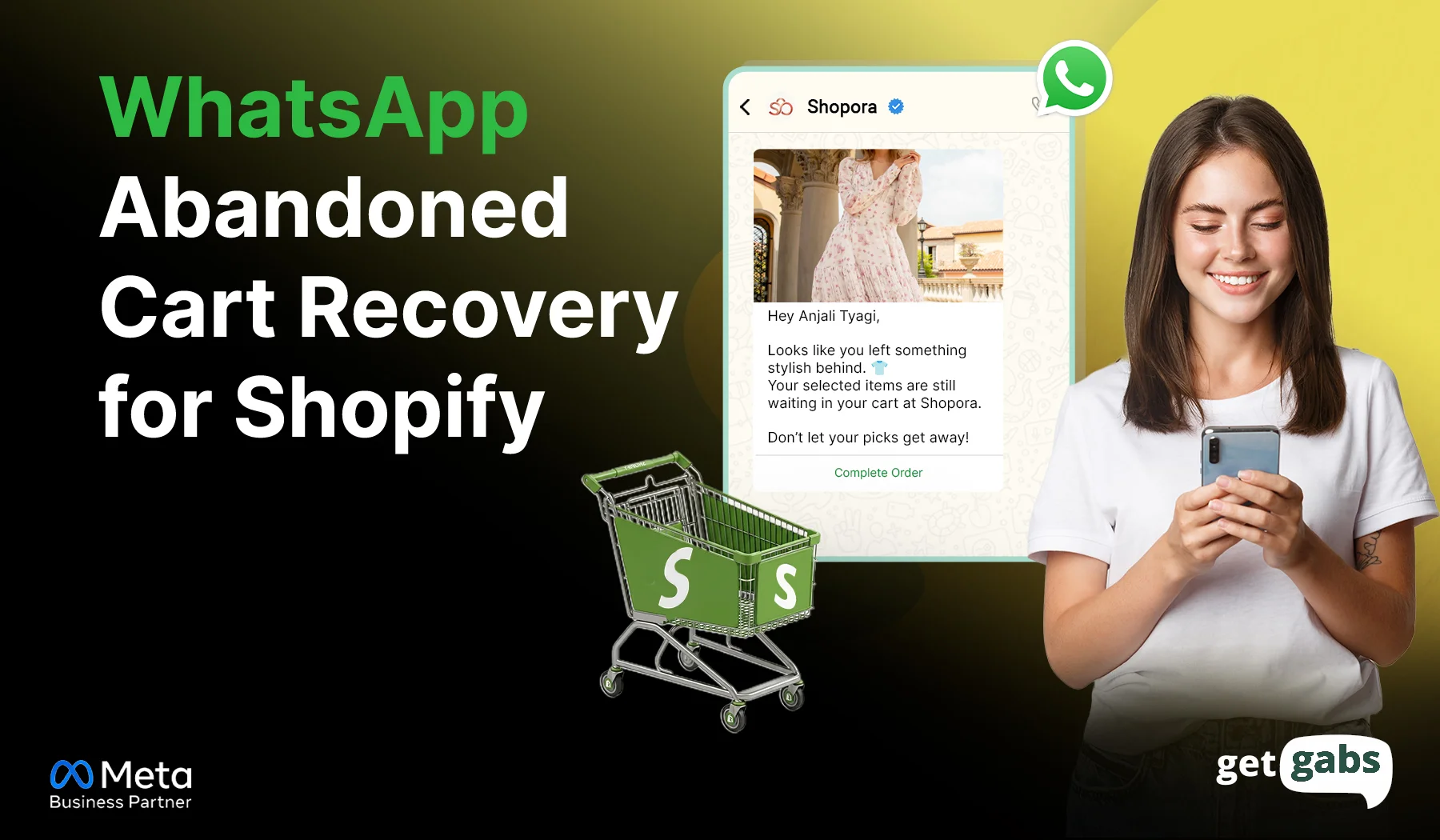
WhatsApp abandoned cart recovery for Shopify is an automated process that sends reminders to shoppers who add products to their cart but leave without completing their purchase. These messages can include product details, personalized offers, and direct checkout links to encourage shoppers to return and place their orders.
How it works:
- Customer abandons cart: A shopper adds products to their cart or starts checkout but doesn’t complete the order.
- Automatic detection: The Shopify app identifies eligible abandoned carts or checkouts.
- WhatsApp reminder: After a configured delay, the app sends an automated abandoned cart recovery message via WhatsApp Business API, including relevant offers and checkout links.
- Customer takes action: The moment the customer taps the link, they directly reach their cart with items already added by them.
- Send follow-ups: If the shopper hasn’t made the purchase, the system can send another reminder or offer a relevant one.
- Stop after purchase: After the order is completed, the system stops the subsequent recovery message.
This allows recovery of potential sales, responds to customer queries about shipping and payments, and minimizes manual follow-ups for Shopify businesses. Getgabs allows Shopify stores to automate WhatsApp abandoned cart reminders and get customers to convert.
Why Do Shopify Customers Abandon Their Carts?
Shopify cart abandonment often happens when shoppers face unexpected costs, a difficult checkout, or unanswered questions. For Shopify stores, understanding these reasons helps identify where customers need a better checkout experience or a timely reminder.
| Why shoppers abandon carts | Relevant statistic | What Shopify stores can do |
| Unexpected costs | 39% abandon checkout because extra costs, such as shipping and taxes, are too high. | Show shipping fees, taxes, and the total order cost as early as possible. |
| Just browsing | 42% say they abandoned a cart because they were browsing or not ready to buy. | Send a timely reminder that lets shoppers return to their saved cart when they are ready. |
| Slow delivery | 20% leave because delivery takes too long. | Display clear delivery estimates and answer shipping questions quickly with a WhatsApp chat widget. |
| Forced account creation | 18% abandon checkout when the site requires an account. | Offer guest checkout where possible and avoid unnecessary signup steps. |
| Complicated checkout | 17% leave because checkout takes too long or is too complicated. | Simplify forms and make checkout easy to complete on mobile. |
| Payment or trust concerns | 19% leave because they do not trust the site with their card information. | Display clear payment options, security information, and return policies. |
A reminder alone will not solve every problem. The best recovery message makes the next step easy or helps the shopper resolve a concern.
Best Timing Strategy for WhatsApp Cart Recovery for Shopify
Timing matters when sending WhatsApp abandoned cart messages. Send them too soon, and customers may feel rushed. Send them too late, and they may buy from another store. A simple follow-up sequence can remind shoppers about their carts without overwhelming them.
| When to send | Message purpose | What to include |
| 30–60 minutes after abandonment | Send a friendly reminder | Remind shoppers about the items they left in their cart and share a direct checkout link. |
| 24 hours later | Answer common concerns | Ask if they need help with product details, shipping, or payment. |
| 48–72 hours later | Give a final nudge | Share a relevant benefit, customer support option, or a discount if your margins allow it. |
You can also set this up as part of a wider WhatsApp marketing automation flow for your store.
How to Set Up WhatsApp Abandoned Cart Recovery for Shopify
Setting up WhatsApp abandoned cart recovery for Shopify helps you bring shoppers back without manually following up with every customer. Once the integration is ready, you can send timely reminders, answer buying questions, and guide shoppers back to checkout.
Follow these six steps to get started.
Step 1: Install a WhatsApp Recovery App
Start by choosing a WhatsApp app that works with Shopify and supports automated abandoned cart messages. Install the Getgabs Shopify app from the Shopify App Store and follow its setup instructions.
Before choosing an app, check for cart recovery automation, message personalization, scheduling, and recovery tracking.
Explore some of the best WhatsApp Shopify apps for your business.
Step 2: Connect Your WhatsApp Business Account
In your Shopify Admin, go to Apps → Messaging → Settings → Connect WhatsApp and follow the on-screen instructions to connect your WhatsApp Business account. Complete any required account setup or verification to enable WhatsApp messaging for your store.
Step 3: Collect Customer Opt-In
Add a WhatsApp consent checkbox at checkout to ensure customers agree to receive updates and reminders. Here’s how you can collect WhatsApp opt-in from customers.
Step 4: Create an Abandoned Cart Message Template
Each automated WhatsApp message needs a pre-approved template. Design a message template for your abandoned cart and submit the template for Meta approval. It generally takes between 24 and 48 hours.
Not sure where to start? Create ready-to-use templates in seconds with Getgabs AI WhatsApp Template Generator.
Step 5: Set Up the Recovery Workflow
Sending too many messages frequently can get your number flagged or blocked. That’s why you create an automated sequence such as:
| Timing | Message goal |
| 30–60 minutes later | Remind shoppers about their abandoned cart. |
| After 24 hours | Address common questions about products, delivery, or payment. |
| After 48–72 hours | Send a final helpful reminder or an eligible offer, if appropriate. |
Step 6: Test and Launch
Before going live, test the entire workflow to make sure your message triggers at the right time and checkout links work accurately.
Step 7: Track and Optimize Performance
Monitor message delivery rate, cart recovery rate, clicks, recovered revenue, and conversions. Now use this data to improve your message and timing for future campaigns.
Best WhatsApp Abandoned Cart Recovery Message Templates
1. The Gentle Reminder (30–60 Minutes After Abandonment)
- Goal: Catch shoppers who got distracted. Do not offer a discount yet.
Template Example: “Hey [Name], you just left your favourite items in your cart. Complete your order now. Checkout Link: [Link].”
Message 2: The Reassurance / Incentive Touch (24 Hours Later)
- Goal: Address hesitation or add a small incentive like free shipping or offers to encourage shoppers to complete the purchase.
Template Example: “Still thinking it over? Complete your order today to grab 10% off your order. Use code SAVE10. Shop now to grab the offers [Checkout link].”
Message 3: The Final Urgency Nudge (48 Hours Later)
- Goal: Create a gentle sense of urgency (e.g., expiring discount or low stock) without making misleading claims about stock or availability.
Template Example: “Hey [Customer Name]. Your cart is still waiting for you. Complete the order today. Your 30% discount is expiring tonight at midnight. Don’t miss out. [Checkout link] [Reply STOP to opt out].”
Best Practices for WhatsApp Abandoned Cart Recovery for Shopify
To get shoppers coming back to your Shopify store and recover more abandoned carts, here are some best practices to follow:
- Send Timely Reminders: The first reminder is sent 30-60 minutes after the cart has been abandoned. Try various time periods to determine which works best for your customers.
- Personalize Your Messages: Use the customer’s name, product details, and store name to make reminders more relevant and engaging.
- Add a Direct Checkout Link: Include a working checkout link so customers can return to their carts and complete their purchases easily.
- Limit Follow-Up Messages: Start with one reminder and one or two follow-ups. Stop sending messages once the customer completes the order.
- Follow WhatsApp Messaging Rules: Collect the required customer consent, use approved templates where needed, and honor opt-out requests.
- Track Campaign Performance: Monitor clicks, recovered orders, recovered revenue, and opt-outs to make improvements in your recovery strategy.
- Include a Clear Call-to-Action: A clear CTA button or checkout link will allow shoppers to easily return to their cart with one tap.
Why Choose Getgabs for Shopify Abandoned Cart Recovery?
Shopify Abandoned Cart Recovery is not just about sending reminders. It is about reaching customers with the right messages. Here’s what makes Getgabs a preferred choice for WhatsApp Abandoned Cart for Shopify:
- Official Meta Business Partner: Getgabs is an official Meta WhatsApp Business API provider that offers businesses instant access to the API and features like AI chatbots, broadcasting, a shared team inbox, and helps businesses run click-to-WhatsApp ad campaigns.
- No-code Shopify app: Install the Getgabs WhatsApp API for Shopify app for free and use the Getgabs Shopify integration to connect your store and set up cart recovery in minutes, without technical hassle.
- Automated Sequence: You can set up automated abandoned cart recovery messages to send in a certain sequence to drive sales.
- Works with your platform: Not just with Shopify, the platform also helps businesses sell on WooCommerce, Magento, or custom-built in-store by offering seamless integration with major e-commerce platforms. Read more in our WhatsApp abandoned cart recovery guide.
- Zero markup & instant onboarding: The platform has zero markup on Meta charges, no setup fees, and onboarding support to get started with the WhatsApp API without any hassle or coding skills.
- Real-time reporting: Monitor delivery, conversion, and open rate from a single dashboard to have real-time visibility of what works and what doesn’t.
Conclusion
WhatsApp abandoned cart recovery for Shopify enables online stores to re-engage shoppers, provide answers to their queries, and convert more carts to sales. Timely reminders, customized messages, and direct checkout links can make it easier for customers to complete their purchases.
You can get those sales back, but don’t overburden shoppers with messages. Getgabs helps you seamlessly integrate your Shopify store with WhatsApp and delve into the world of automated messaging, AI-powered chatbots, and customer engagement tools. Visit the Getgabs Shopify app to see which is best for your store and begin creating a smarter cart recovery strategy.
Frequently Asked Questions
Yes, Shopify can send automatic abandoned checkout emails, but it doesn’t send WhatsApp reminders on its own. To recover carts on WhatsApp, you need a WhatsApp app connected to your store.