

Too Long? Read This First
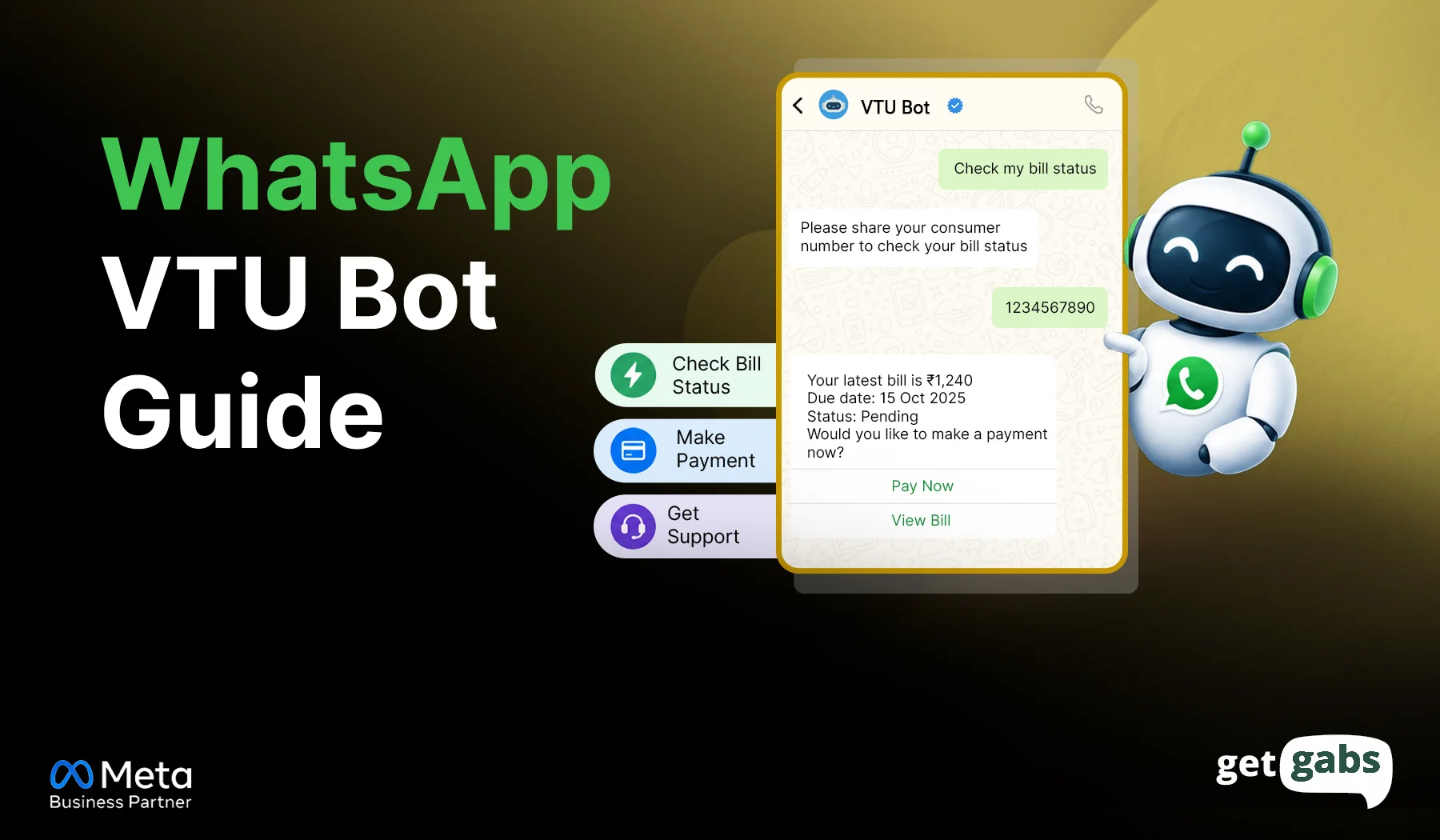
- A WhatsApp VTU bot is an automated chatbot that enables customers to buy airtime, mobile data, and other digital services via WhatsApp. They pick a plan, pay, and get a receipt with no app or website.
- The bot takes the order in chat, your backend checks the wallet and pays your VTU provider, and the customer gets a receipt on WhatsApp.
- Before you start, get a verified business account, a dedicated number, an API provider, a VTU provider, a wallet method, and a human support path.
- Then pick between the three methods to set up a WhatsApp VTU bot: a ready-made platform, a custom build via WhatsApp Business API, or a no-code builder.
- Use a PIN, a confirmation step, and unique order IDs. Show “Processing” for pending orders and always offer human help.
- Ready to build your WhatsApp VTU bot? Start with Getgabs to get your official WhatsApp Business API number and set up your AI chatbot to start selling.
A WhatsApp VTU Bot helps automate the sale and delivery of mobile airtime, internet data bundles, and utility bills directly inside WhatsApp.
Presently, most VTU businesses face three main issues. Manual bank transfers and screenshot checks slow down each order, and customers still enquire about wallet balances, failed recharges, and refunds. Doing it all manually is overwhelming.
That’s where the WhatsApp VTU bot comes in to fix all of this. The bot connects with your backend and payment system to automate recharge requests, verify payments, and send instant transaction updates. It eliminates the manual workload and handles more orders without adding any operational overhead or extra staff.
VTU businesses can use the WhatsApp Business API via a Business Solution Provider like Getgabs to set up a bot to automate airtime, data selling, or bill payments.
What is a WhatsApp VTU bot?
A WhatsApp VTU bot is an automated chatbot that enables customers to buy airtime, mobile data, and other digital services via WhatsApp. VTU stands for Virtual Top-Up. Rather than visiting a shop or opening a separate recharge app, customers can instantly chat with it, select the service, enter the details, make a payment, and receive instant confirmation all within WhatsApp.
In short, it makes buying easier by guiding the customer at each step without any human agent involvement until needed. A WhatsApp VTU bot can help businesses:
- Show available services: Let customers choose their mobile network, airtime amount, or data plan.
- Greet customers: Welcome customers automatically and guide them through the available services
- Collect order details: Ask for the customer’s phone number and selected plan.
- Verify payments: Check the payment or wallet balance before processing an order.
- Send updates: Share order confirmations, transaction status, and receipts.
- Provide support: Direct customers to a support agent when an order fails or needs attention.
With an automated WhatsApp chatbot flow, VTU businesses can manage routine requests instantly and deliver a smoother buying experience.
How Does a WhatsApp VTU Bot Work?
A WhatsApp VTU bot connects customer chats with a backend system, payment gateway, and VTU provider to automate airtime and data purchases. Here is how the process works:
| Step | Process | How It Works |
| 1 | Customer sends a message | The customer selects Mobile Recharge, Buy Data, or another available service. |
| 2 | Chatbot collects details | The bot asks for the phone number, network operator, recharge amount, or data plan. |
| 3 | Backend validates the request | The system checks the order details, price, and customer wallet balance. |
| 4 | Payment verification | The payment gateway verifies the payment, or the system checks and deducts the wallet balance. |
| 5 | VTU API processes the order | The API sends the recharge request to the service provider and receives its response. |
| 6 | System records the result | The backend saves the transaction details and updates the status to successful, failed, or pending. |
| 7 | Bot sends confirmation | The customer receives the transaction status and reference number on WhatsApp. |
How the system connects: The WhatsApp bot handles customer conversations, while the backend manages the order. The WhatsApp connection can be set up using the WhatsApp Business API to support automated conversations and customer updates
Example: How a WhatsApp VTU Bot Processes a Data Order
A customer buys a ₦300 MTN data plan through WhatsApp. The bot guides them through these steps:
- Displays available services: The bot shows options such as mobile recharge and data bundles.
- Selects the network: The customer chooses their mobile network operator.
- Shows data plans: The bot displays available plans and prices.
- Collects the phone number: The customer enters the recipient’s mobile number.
- Confirms the order: The bot displays the order details and verifies the customer’s PIN, if required.
- Processes the transaction: The system checks the wallet balance and sends the request to the VTU provider.
- Sends confirmation: The bot shares the transaction status and remaining wallet balance with the customer.
Behind the scenes, the system checks the wallet, processes the request through the VTU API, and records the transaction.
Key takeaway: One order can involve multiple bot replies, so plan your conversation flow carefully to control messaging costs and provide a smooth customer experience.
What You Need Before You Start a WhatsApp VTU Bot
Before you start a WhatsApp VTU bot, get these six things ready. It saves time and stops costly rework later.
| Item | Why it matters | Easy option |
| Meta-verified business account | Meta must confirm your business before the bot can go live | Your API provider can guide you through verification |
| Dedicated phone number | Keeps bot chats apart from personal chats | Use a new number that is not already on personal WhatsApp |
| API provider | Connects your bot to WhatsApp the official way | Pick a WhatsApp Business API provider, such as Getgabs |
| VTU provider or platform | Delivers the airtime and data | Choose one with good uptime and clear guides |
| Payment and wallet method | Lets customers fund their balance safely | Bank transfers that credit the wallet automatically |
| Human support path | Customers need help when an order fails | A shared team inbox for quick handover |
Wondering why the normal app will not work? Read our guide on WhatsApp API vs WhatsApp Business App.
Three Ways to Get a WhatsApp VTU Bot
To set up a VTU WhatsApp Bot for your business, you have three options. The right option depends on your budget, business goals, and technical skills:
1. Use a Ready-Made VTU Platform with Integrated Bot
A pre-built VTU reseller platform includes features like a native WhatsApp bot, payment tools, and order management. You can set up your account, connect your phone number, configure markup prices, and start selling airtime and data.
Best For: Small resellers and beginners looking for a plug-and-play solution with simple setup.
Tip: Check whether the platform supports your mobile networks, payment methods, and WhatsApp needs.
2. Build a Custom WhatsApp VTU Bot via WhatsApp Business API
You can build a custom bot by using the WhatsApp Business API via an official WhatsApp Business API provider like Getgabs. The provider gives you the official WhatsApp connection, paired with a custom server (Node.js, Python/Laravel) linked to your VTU provider’s API and a database like PostgreSQL.
Best for: Businesses that want full control of the chat flow, custom wallet ledgers, and high-volume operations.
Keep in mind: The free WhatsApp Business app can’t offer you WhatsApp chatbot features. Here’s where you can explore our guide on the best WhatsApp Business API providers.
3. Use a No-Code Chatbot Builder
You can also go with no-code chatbot builder platforms like Getgabs to design the conversation flow without writing a single line of code. Getgabs AI WhatsApp Chatbot helps businesses automate the entire conversation.
Best for: Answering FAQ questions or handling manual order requests, though general builders need custom webhooks to safely execute live VTU transactions.
For more options, you can explore our guide on the best WhatsApp Chatbot for businesses in 2026.
How to Set Up a WhatsApp VTU Bot Step by Step
Once you choose your setup method, follow these steps to get your bot ready.
Step 1: Choose Your VTU Setup
First, decide whether you want a ready-made VTU platform, a custom-built bot, or a no-code chatbot connected to your VTU provider. Your choice determines the setup process, development cost, and level of control you have over transactions.
Step 2: Connect Your WhatsApp Business Account
Connect your business number through the official WhatsApp Business Platform like Getgabs. Configure your business profile, connect your number, and set up the messaging capabilities required for customer interactions.
Step 3: Integrate Your VTU Provider’s API
Connect your bot to a VTU provider that supports airtime and data purchases. Link the backend to your payment gateway or wallet system so it can check funds before processing an order.
Make sure the system records each transaction and handles successful, failed, and pending requests. Never confirm a recharge as successful until the provider returns a confirmed success status. For more details, read our WhatsApp Business API integration guide.
Step 4: Build the Chatbot Flow
Create a simple menu for mobile recharge, data plans, wallet balance, transaction status, and customer support. Ask for one detail at a time to make the process easy.
Follow our no-code WhatsApp chatbot guide to learn how to create an automated chat flow.
Step 5: Set Up Payments and Wallet Management
Integrate a suitable payment gateway or prepaid wallet system. If you operate a reseller business, configure wallet funding, transaction deductions, and your selling prices.
Your system should verify payments on the server rather than relying only on a customer’s payment screenshot or message. It should also prevent duplicate deductions when a transaction is retried.
Step 5: Test and Launch Your Bot
Before launching, test the bot with different situations:
- Successful airtime and data purchases
- Incorrect mobile numbers
- Insufficient wallet balance
- Failed or pending transactions
- Duplicate order requests
Check that customers receive the right updates and transaction reference numbers. Once everything works correctly, launch the bot and review transaction records and customer feedback regularly.
WhatsApp VTU Bot Safety Rules and Common Mistakes
A bot handles real money, so small mistakes get costly fast. Here are the five most common risks and how to fix each one.
| Risk | Fix |
| Double orders (a customer taps twice) | Give every order a unique ID so the same request is never processed twice. |
| Pending orders shown as failed | Show “Processing” until the provider confirms, then send the final result. |
| No PIN | Ask for a transaction PIN before every purchase, so a lost phone can’t drain a wallet. |
| Personal number used for automation | Use a WhatsApp Business API number instead. Running a bot on a personal number risks losing it. |
| No human support | Let customers type HELP to reach a real person. |
When a customer messages you, a 24-hour reply window opens. After it closes, you can only send pre-approved template messages. So let your bot reply only to customers who message first, and never message people who didn’t ask.
Conclusion
A WhatsApp VTU bot enables enterprises to automate airtime sales, data buying, and bill payments. It keeps you from having to do each of your orders by hand and makes it easier for your customers to purchase. It enables customers to chat, select their plan, and obtain a receipt within minutes, even during off-hours.
All this means there are fewer repeat queries, fewer screenshot checks, and more orders without additional staff. However, speed is not the only thing. The best bots are concise, which means fewer responses to each order and reduced costs in running the order. They also secure each order with a PIN, a transparent confirmation step, and a “Processing” message if a provider takes too long.
The trick to a trustworthy bot is to pick the right method to set up, construct a simple chat flow, and test each transaction prior to the launch. Ensure customer wallets are always protected, that no duplicate orders are made, and that there is always human support for failed or pending transactions.
All these steps contribute to the development of trust with your customers and the smooth running of your business with VTU. Ready to set up your first VTU bot? Getgabs AI WhatsApp Chatbot helps you set up a WhatsApp VTU bot to automate chat flows, answer common questions, and manage customer interactions.
Frequently Asked Questions
The cost depends on your chatbot platform, VTU API, payment gateway, and custom development needs. A no-code setup may cost less than a fully custom bot with wallet management and transaction tracking.