

Too Long? Read This First
- The WhatsApp Group API is an official Meta feature that enables eligible businesses to create, manage, and send messages to small groups using the WhatsApp Business API.
- You'll need Official Business Account (OBA) status and a working Cloud API setup to unlock it.
- Each group can hold up to 8 people, and each business number can make groups up to 10,000. You get messaging, webhooks, and CRM syncing, but no group calling or disappearing messages.
- Getting set up means working through Meta Business Manager and Cloud API credentials, and what you pay depends on your provider's plan plus Meta's per-message rate.
- If all that setup sounds like a headache, Getgabs offers support for OBA approval, Cloud API connection with zero-markup pricing on Meta's rates, and a dashboard so you never have to touch raw API code.
You might have seen the term WhatsApp Group API popping up everywhere lately. As Meta gradually expands access to authorized businesses in 2025, companies are now seeking ways to use it to create and manage group conversations via WhatsApp Business Platforms.
On October 6, 2025, Meta officially enabled Group API access to all eligible Official Business Accounts (OBAs) to manage group communication at scale. But is it similar to the regular version of WhatsApp groups? No, not exactly.
When compared to a regular WhatsApp group, the API version gives better control over group creation, invites, messages, and member activity. This brings new opportunities for customer onboarding, VIP customer communities, project coordination, and small-group support.
However, the API also comes with certain eligibility requirements, participant limits, and usage rules. In this blog, we learn everything about the WhatsApp Group API while covering its workings, who can use it, features, limits, and the setup process.
What Is WhatsApp Group API?
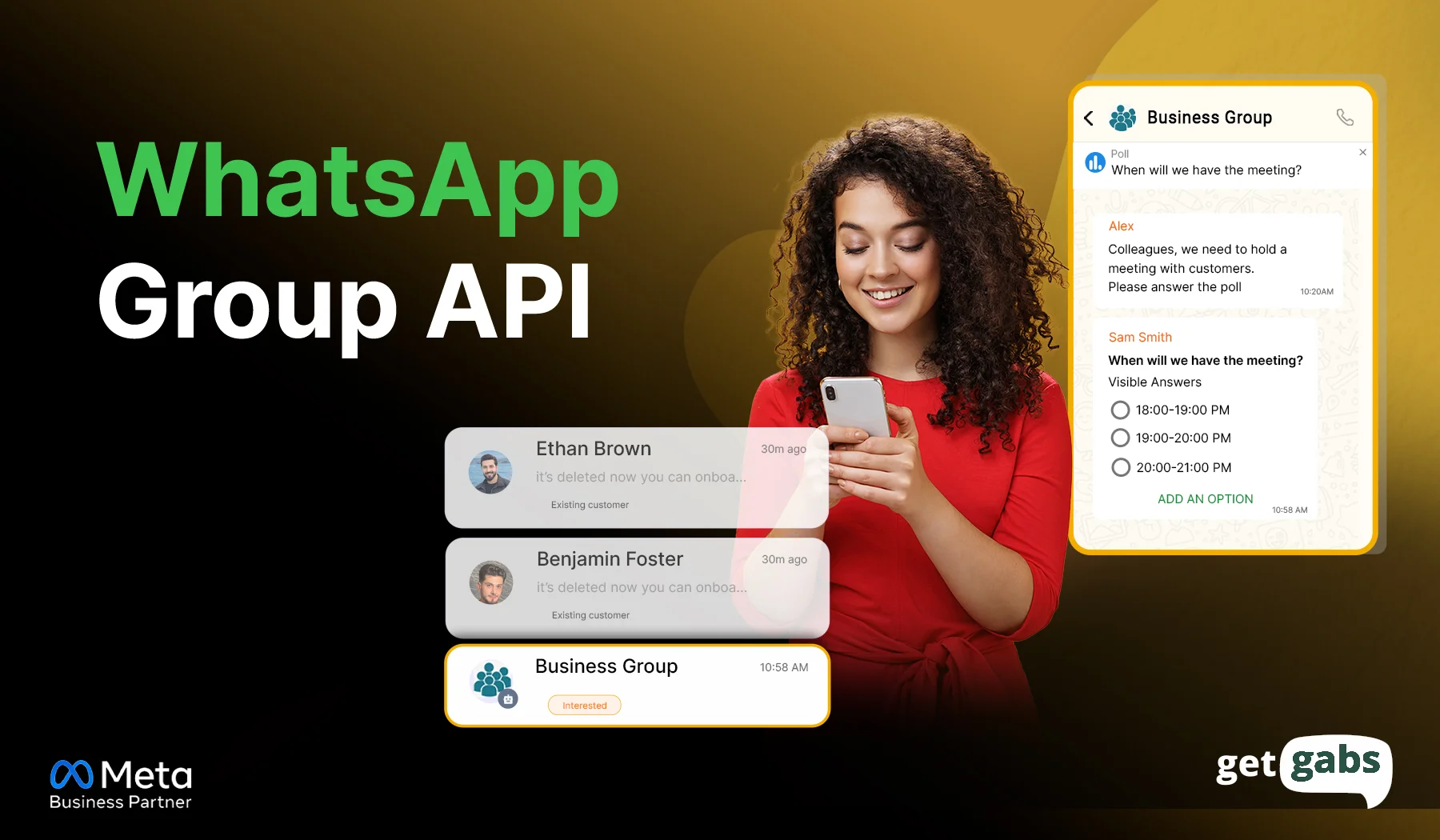
The WhatsApp Group API is an official Meta feature that enables eligible businesses to create, manage, and send messages to small groups using the WhatsApp Business API. It is built for more controlled and organized conversations instead of one giant broadcast list.
With WhatsApp Group API, businesses can:
- Create groups automatically
- Add or remove members as your audience changes
- Send messages to everyone in the group at once
- Manage admins by promoting or demoting members
- Set the group name, image, and description to match your brand
But these groups are invite-only. It means no one gets added directly. A person joins only after they tap or accept the group invite link you send them. This not only keeps group information secure but also lets people control who they are talking to. It is ideal for high-volume and small -scale collaboration like VIP customer support, tailored after-sales service, and project delivery.
WhatsApp Group API Eligibility Requirements
Not every user or business can turn on the WhatsApp Group API. Meta requires businesses to meet certain account and API criteria before creating and managing groups. Let’s explore what exactly you need to access the Group API.
| Requirement | What It Means |
| Official Business Account (OBA) | Your account must have this exact status |
| WhatsApp Cloud API number | Your number must be connected with the WhatsApp Business API |
| WhatsApp Business Account (WABA) | Set up and verified with Meta |
| Required API permissions | Your app needs group access approved |
| Active Cloud API setup | Your business number and API integration must be properly connected and active |
| Compatible business number | Numbers shared or split across multiple Business Solution Providers (BSPs) are excluded |
| Correct Meta business setup | Your profile must meet Meta’s current rules |
Can You Use WhatsApp Group API Without OBA?
No. To use the Groups API, Meta requires an OBA (blue tick) status on the phone number before granting access to create and manage invite-only groups. Here’s how to get a verified blue tick badge on your WhatsApp account.
Not sure where your account stands? Start with how to apply for WhatsApp Business API to check your setup first.
Do You Need 100,000 Conversations to Qualify?
No. You don’t. It is a common myth about WhatsApp Business API. Many old guides say you need 1,00, 000 business-initiated conversations in a 24-hour period. That number is nowhere mentioned in Meta documents. In short, conversation volume has nothing to do with Group API access.
Limitations of the WhatsApp Group API You Need to Know Before You Start
Before you start creating API groups, it is important to know the clear limits on group size, group creation, and how many people can join. Here are certain WhatsApp Group API limits:
| WhatsApp Group API Limit | Current Limit |
| Participants per group | Up to 8 |
| Business participants | 1 business number |
| Customer slots | Up to 7 people |
| Groups per business number | Up to 10,000 |
| Adding participants directly | Not supported |
| How people join | Invite link |
| Pinned messages | Up to 3 |
| Cloud API businesses per group | 1 |
| Group calling | Not supported |
A few of these are worth calling out:
- 8 participants is a hard cap. It includes your own business number, which means you get 7 customer or team seats per group.
- You can’t merge multiple Cloud API business accounts into a single group.
- The WhatsApp Business Calling API won’t work inside a group API. This means you can’t initiate or receive group calls.
- Certain advanced features like disappearing messages and view-once media are not allowed in the Group API. Plus, Authentication templates are strictly prohibited.
If you’re budgeting for group messaging alongside your regular campaigns, it’s worth checking this against your bulk WhatsApp messaging compliance setup so your pricing and consent tracking stay in sync.
Key Capabilities of WhatsApp Group API
The WhatsApp Group API is not just about creating a group. Here’s what you can actually do using it:
- Create and Manage WhatsApp Groups: Businesses can create WhatsApp groups via the API and manage them from their business system. Each group can be created for a specific customer, project, support case, or need.
- Invite Participants With Group Links: Each group comes with its own invite link. Businesses can generate and share unique links with their customers to join the group instead of adding users without telling them. It protects user privacy and consent.
- Send Messages to Group Members: Once you set up the group, you can send and receive messages from everyone in it at the same time. It supports text, media, and supported message templates, and brands can use it to send updates, support, or other group communication.
- Real-Time Webhooks: Webhooks automatically send real-time updates the moment something happens in the group, like new members joining or someone leaving a group.
- CRM and System Integration: You can seamlessly integrate WhatsApp group activity with your CRM and other business systems to track conversations and automate workflows.
- Update Group Details: Brands can change the group name, description, and image right via the API. It keeps the group looking branded and eliminates the need to edit it manually.
How to Set Up WhatsApp Group API for your Business?
To set up the WhatsApp Group API, you need to follow these simple steps mentioned below:
Step 1: Get access to WhatsApp Business API
Access the WhatsApp API via an official WhatsApp Business API provider like Getgabs for instant setup and onboarding support.
Step 2: Complete Business Verification
Link your WhatsApp number and submit your business details and documents through Meta Business Manager to get Meta’s approval.
Step 3: Get OBA Status
Your account must have the verified blue badge OBA status, as standard or unverified numbers cannot access group endpoints. Remember, business verification and OBA status are different things.
Step 4: Configure Cloud API Credentials
Generate your access token, WhatsApp account ID, and app credentials via your Meta Developer App dashboard to let your app talk to Meta’s server securely.
Step 5: Create a Group Through the API
Once everything is connected, you can now create your new group using your connected CRM/BSP platform dashboard or API call:
{
“name”: “VIP Customer Support”,
“description”: “Priority support for VIP customers”
}
Step 7: Generate the Group Invite Link
Now request its invite link via the API. This link is where people tap to join the group.
Step 8: Invite Customers & Handle Join Request
Share the invite link with people you want to add to the group. Some groups might need approval before joining, so check the pending request and approve or decline as needed.
Step 9: Send Group Messages
Now you can send and receive messages from the whole group at once. Use the send-message endpoint and point it at your group ID instead of an individual contact.
Step 10: Connect Webhooks
Set up your webhook to enable your system to get notified the moment someone joins or leaves the group. It keeps your app in sync without manual checking.
WhatsApp Group API Endpoints
The Group API includes several endpoints that help businesses create groups, manage participants, handle join requests, and send messages. If you’re looking to build a custom integration, here are the main endpoints that you should know:
| Endpoint | Purpose |
| Create Group | Creates a new WhatsApp group |
| Get Groups | Lists all available groups |
| Get Group | Retrieves group information |
| Update Group | Updates group details |
| Delete Group | Deletes a group |
| Get Invite Link | Retrieves the current group invite link |
| Reset Invite Link | Generates a new invite link |
| Get Join Requests | Lists pending join requests |
| Approve Join Request | Approves a participant request |
| Reject Join Request | Rejects a participant request |
| Remove Participant | Removes a participant from the group |
| Send Message | Sends a message to the group |
These endpoints give brands full control over the group lifecycle. For example, you can create a group and generate an invite link, approve customer join requests, send messages, and remove participants when you want.
Many brands use these endpoints together with webhooks to automate group management and keep customer data synced with their CRM and support platform.
How Much Does WhatsApp Group API Cost?
WhatsApp Group API pricing does not have one fixed cost for every business. Your total cost can depend on the WhatsApp API provider you use, your setup, and Meta’s messaging charges.
Before you get started with Group API messaging, it is important to know what you are paying for. The cost mainly depends on the following factors.
Firstly, it depends on Meta’s messaging rate, which varies by the type of message you choose to send and the recipient’s country.
Secondly, there are subscription charges you pay for your chosen WhatsApp Business API provider and plan, based on the features you require.
Since Meta keeps updating its per-message rates over time, it is important to check the current Meta rate card. To avoid paying extra, always look for the WhatsApp Business platform that offers API access at 0% markup on Meta’s cost. If you are looking for anyone like that, Getgabs is the one that lets brands create and manage Group API via the official WhatsApp API with a zero-markup guarantee while offering advanced features.
WhatsApp Group API vs Broadcast Lists vs Regular WhatsApp Messaging
Confused between WhatsApp Group API, WhatsApp Broadcast, and regular messaging? The right option depends on your business goals and whether you want shared conversations, one-to-many updates, or one-to-one support. Let’s make your choice easier:
| WhatsApp Option | Best For | How It Works | Customer Interaction |
| WhatsApp Group API | Small customer communities, VIP support, onboarding, and project coordination | Customers join an invite-only group where the business can communicate with multiple members | Members can interact within the group |
| WhatsApp Broadcast Lists | Sending updates, offers, reminders, or announcements to multiple customers | The same message is delivered separately to each recipient | Customers reply privately to the business |
| Regular WhatsApp Messaging | Personal support, sales conversations, and individual follow-ups | The business communicates directly with one customer | One-to-one conversation |
Which WhatsApp Option Should You Use?
- Choose WhatsApp Group API when you need to connect or receive updates in a shared group.
- Choose Broadcast Lists in case you want to send the same message to thousands of customers at once without creating a shared conversation.
- Select Regular WhatsApp Messaging when you want the conversation to stay private and between you and your customer.
The key difference is simple: Groups are built for shared conversations, broadcasts are built for one-to-many updates, and regular messaging is built for one-to-one communication.
Conclusion
WhatsApp Groups API offers businesses a more structured way to manage small group conversations on WhatsApp. Rather than relying on broadcasts or one-to-one messaging, brands can generate unique invite links, invite people, share updates, and manage participants. But like any other feature, the Groups API also comes with specific requirements, participant limits, message template restrictions, and invitation rules. So before you set it up for your business, make sure you have access to the official WhatsApp Business API and your account meets Meta’s requirements.
Not just that. You should also get your Official Business Account status, link your number with the Cloud API, and choose the right endpoints that save you from rebuilding things later. If you want to avoid all this chaos, connect with Getgabs today. As an official WhatsApp Business API provider, it helps businesses with setup, connects accounts correctly, and offers you an easy-to-use dashboard to create and manage the WhatsApp Groups API without touching raw API code.
Frequently Asked Questions
No. As of now, WhatsApp Group API requires businesses to have an official Business Account (OBA) status and meet Meta’s other eligibility requirements