

Too Long? Read This First
- WhatsApp marketing automation for Shopify is a system that connects your Shopify store with WhatsApp Business API to trigger real-time messages automatically.
- It works by turning customer actions like cart abandonment or purchases, or inquiries into automated WhatsApp messages that help recover sales and save time.
- Setup takes a day or two. Get API access, connect your Shopify app, collect opt-ins, and launch your first flow.
- Getgabs is an all-in-one WhatsApp marketing automation tool for Shopify that helps you recover abandoned carts, run marketing campaigns, and automate customer support from a single dashboard.
- To get the best results, collect customer opt-ins, personalize messages, offer human support when needed, and regularly track campaign performance.
WhatsApp marketing automation for Shopify turns your store’s biggest problem into your biggest win. Many Shopify merchants struggle with abandoned carts, low email engagement, and missed follow-ups.
Every missed interaction means lost revenue and fewer opportunities to grow. In fact, 70% of online shoppers leave without completing the purchase. And most of them never return.
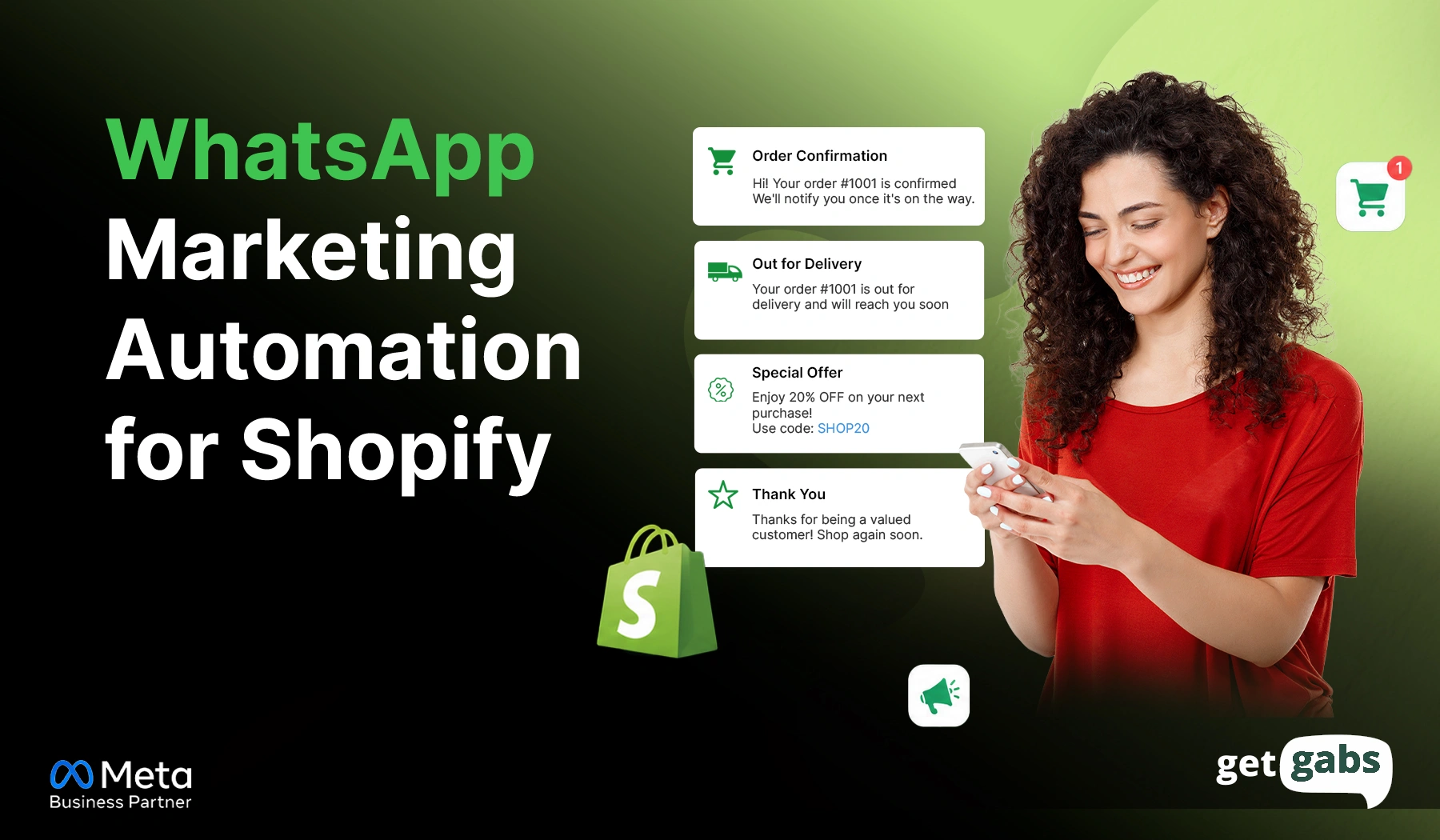
That’s why more Shopify store owners are shifting towards WhatsApp marketing automation. By connecting your Shopify store with WhatsApp Business API, you can send automated cart reminders, order updates, product recommendations, and loyalty rewards.
Stores using WhatsApp for cart recovery report 40-60% higher recovery rates than email alone. That’s not just another marketing channel. That’s a system built to convert.
In this guide, we will learn how WhatsApp marketing automation for Shopify works, its key benefits, setup steps, and common mistakes to avoid.
What Is WhatsApp Marketing Automation for Shopify?
WhatsApp marketing automation for Shopify is a system that connects your Shopify store with WhatsApp Business API to trigger real-time messages automatically. No need to manually follow up with each customer.
These messages are triggered automatically when a customer performs certain actions, like adding a product to the cart or placing an order. With WhatsApp marketing automation, you can:
- Recover abandoned carts with timely reminders
- Send order confirmations and delivery updates
- Share personalized offers and discounts
- Recommend products based on customer interests
- Collect reviews after a purchase
- Reward loyal customers with exclusive perks
That’s the real difference in sending WhatsApp broadcasts and running a true Shopify WhatsApp automation. In short, Shopify WhatsApp integration helps you automate customer conversations that result in a better customer experience and turn more visitors into paying customers.
How Does WhatsApp Marketing Automation for Shopify Work?
WhatsApp Marketing automation for Shopify follows a simple process. Here’s what actually runs behind the scenes that makes automation work:
- Customer Takes an Action: A customer sends a message or takes an action like adding to cart, checking out, or abandoning checkout. Such an action triggers your automation.
- Condition Check: Shopify checks the action against the set rules and activates a predefined workflow. It decides what happens next.
- Message is delivered: Based on that check, the system automatically chooses a pre-approved template to send a message. Plus, it personalizes messages by adding the customer’s name, order number, and tracking link.
- The customer replies: If you reply to a customer message within 24 hours, you don’t need a pre-approved template. This is called the customer service window.
No coding is required when you use the right WhatsApp automation tool with a drag-and-drop flow builder. Once it is set up, everything runs on its own.
Where Does WhatsApp Marketing Automation Fit in Your Shopify Customer Journey?
Most Shopify stores think WhatsApp is just for cart recovery. While it can recover lost sales, it is one part of the customer journey. Many successful brands use a WhatsApp automation platform at various stages, such as:
| Customer Journey Stage | WhatsApp Automation Examples | Goal |
| Awareness | Welcome messages, subscriber greetings, brand introductions | Build trust and introduce your brand |
| Consideration | Product recommendations, best-seller suggestions, limited-time offers | Help customers explore products and make decisions |
| Conversion | Cart reminders, checkout reminders, COD verification messages | Increase completed purchases and reduce drop-offs |
| Retention | Order updates, review requests, loyalty rewards, reorder reminders | Encourage repeat purchases and customer loyalty |
| Advocacy | Referral rewards, VIP offers, affiliate invitations | Turn happy customers into brand advocates |
By automating each stage of the customer journey, Shopify stores can deliver a smoother customer experience, increase customer lifetime value, and drive sales.
WhatsApp Automation Workflows for Shopify Stores Worth Building
Below are the essential workflows every Shopify store should implement:
1. Welcome Journey
The welcome message is the first automated conversation your customer receives from your online store. When someone places a first order or opts in via click-to-WhatsApp ads, an automated welcome message creates a strong first impression and sets the stage for future engagement.
Trigger: First order placed, or WhatsApp opt-in through signup.
Workflow: Customer Subscribes → Welcome Message → Brand Introduction → First-Purchase Offer
Template Example: “Thank you for shopping with [Brand Name]. We hope you love our product. Here’s an exclusive 25% off on your next order. Use code: [Code].”
2. Abandoned Cart Recovery
It is the highest-ROI automation for most stores. A customer adds items to the cart and leaves without checking out, which may be due to unexpected extra cost, or they’re comparing prices. A WhatsApp reminder with small incentives helps catch them while the interest is still fresh.
Trigger: Checkout started, then left incomplete.
Workflow: cart abandoned → wait 30–60 minutes → send a reminder → send one follow-up → stop automatically once they buy.
Template Example: “Hey [Customer Name], you left [Product name] in your cart. Grab it now before they get sold out. [Checkout link].”
Stick to one or two reminders. Too many of them can feel pushy. Wanna know more? Check out our guide on WhatsApp abandoned cart recovery.
3. COD Order Confirmation
Cash on delivery (COD) is still a popular payment option for Shopify stores. But it can also lead to fake orders, cancelled deliveries, and higher return-to-origin (RTO) costs. A simple confirmation message at the right time can fix that.
Trigger: A COD order is placed.
Workflow: COD Order Placed → WhatsApp Confirmation Sent → Customer Confirms → Order Shipped
Template Example: “Hi [Customer Name], your COD order #[Order Number] from [Brand Name] is ready to dispatch. Please confirm your order so we can dispatch it today. CTA: [Confirm Order] [Cancel Order].”
4. Order and Shipping Updates
Once a customer places an order, they want to know where their order is. WhatsApp automation helps an online store send real-time delivery updates automatically to keep customers informed at every stage.
Trigger: Order status changes (confirmed, packed, shipped, out for delivery, delivered).
Workflow: Order Confirmed → Order Packed → Order Shipped → Out for Delivery → Delivered
5. Post-Purchase Follow-Up
The sale is not a finish line. In fact, post-purchase is a great opportunity for a Shopify store to build loyalty and drive repetitive purchases. Send automated WhatsApp messages for a thank-you note, review request, or personalized product recommendations.
Trigger: Order marked as delivered.
Workflow: Order Delivered → Thank-You Message → Review Request → Product Recommendation
Template Example: “Hey {Customer Name}, we hope you love our [Product name]. We love to hear your experience. It will help us improve. Share your review here [Review Link].”
6. Win-Back Campaigns
Not every customer comes back on their own. Running an automated win-back campaign helps re-engage these customers and bring them back to your store. It’s one piece of a bigger WhatsApp remarketing strategy.
Trigger: No purchase in 30, 60, or 90+ days.
Workflow: No Purchase for 30+ Days → Personalized Offer → Return Purchase
Template Message: “Hi John, we missed you. Did you miss us? Here’s your exclusive 15% off discount on your next purchase. Use the GET15 promo code.”
You can send loyalty rewards, exclusive offers, and personalized product recommendations to increase repeat sales and customer retention.
7. Back-in-Stock Alerts
Out-of-stock products can lead to missed sales. Using WhatsApp automation, Shopify stores can notify interested buyers the moment a product is back in stock. It helps increase conversion and recover lost leads.
Trigger: A product customers opted into comes back in stock.
Workflow: Product Out of Stock → Customer Subscribes → Product Restocked → WhatsApp Alert Sent
Template Example: “Hey Sam, Good news! Your favourite [Product name] is back in stock. You’ve been eyeing it for a long time. Buy it now before it gets sold out again. Shop now: [Product link].”
How to Set Up WhatsApp Marketing Automation on Shopify (Step-by-Step)
Setting up WhatsApp marketing automation for Shopify is a simple process. Below are the steps to follow:
Step 1: Get access to a WhatsApp Business AP: Connect with an official WhatsApp API provider like Getgabs to access the API. This gets you:
- A verified Meta Business Manager account
- A dedicated WhatsApp number, never used on the regular app
- A verified business profile
Here’s how to apply for WhatsApp Business API.
Step 2: Connect the App to Your Shopify Store: Go to the Shopify App Store and install the Getgabs Shopify app. It will automatically sync your products, customer details, and order data to trigger automated messages.
Step 3: Collect Customer Opt-ins: Before sending marketing messages, ensure your customers have agreed to hear from your brand. Collect customer opt-ins via an opt-in checkbox or by embedding a WhatsApp chat widget on your Shopify website.
Step 4: Create Your Message Templates: Go to the template section in your app dashboard. Select a pre-approved template for a specific event like order confirmation, shipping updates, cart reminder, or more. Create and submit a WhatsApp template for Meta approval if the app doesn’t include default templates.
Step 5: Map Triggers: It’s time to map approved templates to their corresponding Shopify event. For example, map the cart recovery template to the abandoned checkout event. You can set up your preferred time delay for automated sequences.
Step 6: Test & Go Live: Do a small test on your own personal phone number first to make sure that the automation triggers correctly before going live.
Once you set up everything, your whole system will run on autopilot without anyone in your team lifting a finger.
How to Choose a WhatsApp Marketing Platform for Shopify?
Not every WhatsApp marketing automation tool does the same job. So before you pick one for your online store, here are the key factors to look for:
| Feature | Why It Matters |
| Official WhatsApp Business API | Workaround tools risk getting your number banned |
| Shopify-specific automation | Cart recovery and COD confirmation shouldn’t need custom-building from zero |
| Broadcast and segmentation | Let you divide your contact list based on past purchase or location to send relevant messages instead of random broadcasts. |
| No-code chatbot builder | Let brands deploy an AI chatbot to handle FAQs and 24/7 customer support without writing a single line of code |
| Shared team inbox | Enable multiple team members to manage customer conversations via a unified team inbox |
| Analytics and revenue attribution | Shows what’s actually converting, not just what’s sent |
| Integrations | Enable you to integrate WhatsApp with your existing platform to automate conversations |
| Transparent pricing | No markup charges on Meta’s messaging cost and a transparent pricing plan |
A purpose-built WhatsApp Shopify app beats the most generic API and offers all this within one platform.
| Platform | Meta Partner Status | Shopify-Specific Automation | Pricing Model |
| Getgabs | Official Meta Business Partner | Native Shopify triggers: cart recovery, COD confirmation, order updates, catalog sync, chatbot, segmentation | 0% markup on Meta’s rate |
| Other generic WhatsApp API tools | Varies | Often needs custom setup for Shopify triggers | Varies, often higher markup |
Getgabs ticks all the boxes on that above list. From automated marketing, abandoned cart recovery, bulk broadcast messaging, to live customer support by setting up AI chatbots, it is a complete WhatsApp Shopify app for your store. Getgabs WhatsApp API Shopify App is built for stores looking for high-volume WhatsApp marketing without any technical hurdles.
Want to compare more options side by side? This roundup of WhatsApp apps for Shopify breaks down pricing and features across the top tools.
Common Mistakes to Avoid with Shopify WhatsApp Automation
WhatsApp marketing automation for Shopify can help boost sales and improve customer engagement when used correctly. Here are some common mistakes you should avoid:
- Skipping Customer Opt-Ins: Always collect customer opt-ins to send promotional messages on WhatsApp. Ignoring this can get your number reported as spam and lower your message quality rating.
- Treating every customer the same: Not all customers have the same interests or buying behaviour. Segment your contact list based on past purchases, interest, and activity to send relevant messages and boost engagement.
- 3. Failing to Provide a Human Handoff: Automation works great, but some queries require a real person to talk. Always offer an easy way to connect with a human agent when needed.
- Not Tracking Performance: Monitor key metrics like click-through rate, conversion rate, and revenue to understand what’s working for your Shopify store and what needs to be improved.
Conclusion
WhatsApp marketing automation for Shopify is no longer just a nice add-on feature for your store. It is one of the most effective channels, with a 98% open rate to recover abandoned carts, improve customer engagement, and increase repeat purchases. From the first welcome message, cart recovery, order updates, and win-back campaigns, WhatsApp automation helps Shopify stores stay connected with customers at each stage of their journey. The key to its success is quite simple.
Choose the right automation flow, send relevant messages using pre- approved templates, get customer consent, and work with the Official WhatsApp automation tool. When done the right way, it not only saves time but also improves customer experience and generates better revenue without adding extra work to your team. If you’re looking for a complete WhatsApp marketing automation tool for Shopify, Getgans is built for it. Being a Meta WhatsApp Business API partner, it is built for Shopify stores that want to turn WhatsApp into a powerful growth channel.
Frequently Asked Questions
Setting up WhatsApp marketing automation for Shopify takes between 15 minutes and 48 hours of active configuration based on whether your Meta Business account is already verified.