

Too Long? Read This First
- Automated invoice sending via WhatsApp is the process that automatically delivers invoices with payment links to customers using the WhatsApp Business API.
- Connect your billing software to the WhatsApp Business API to automatically send invoices, payment confirmations, and reminders without manual effort.
- WhatsApp invoice automation helps businesses get paid faster, reduce manual work, automate reminders, and scale billing operations with fewer errors.
- To get started, you need WhatsApp Business API access, a connected billing tool, and an approved invoice template.
- Getgabs brings it all together with Meta-verified API access, zero markup pricing, Shopify integration, and in-chat payment links, so you can automate sending invoices without any technical hassle.
Automate invoice sending via WhatsApp to instantly fix one of the most annoying parts of running a business: waiting to get paid. Imagine this: an order closes, and before the customer even puts down their phone, the bill is already sitting in their WhatsApp chat.
No stress of forgotten emails, manual typing, attaching PDFs, or support tickets asking where my invoice went. Yet most businesses still send invoices manually. And there is nothing wrong with it until your invoice volume grows. After that, the process becomes slow, difficult to track, and prone to errors.
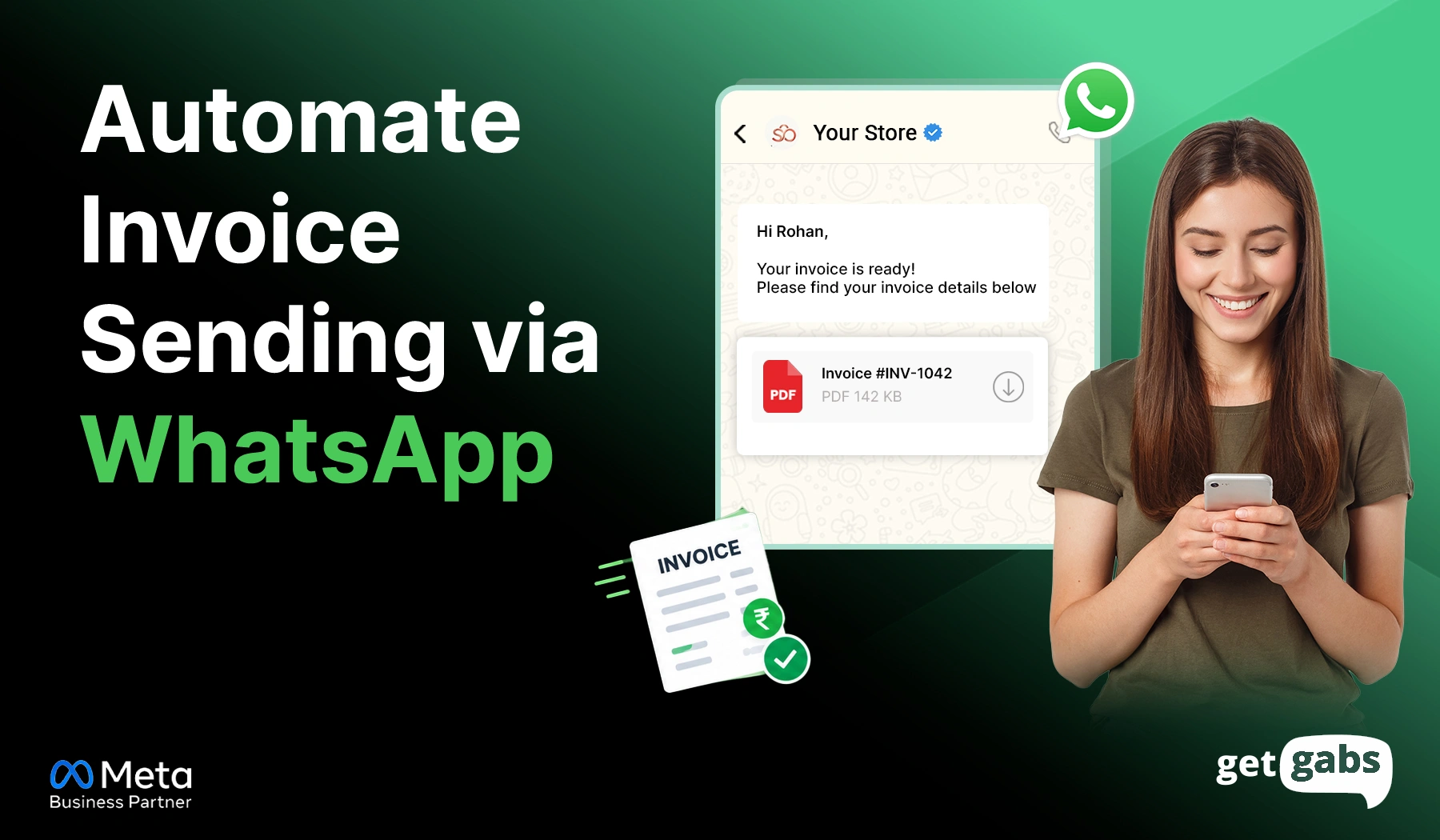
WhatsApp automation flips the entire script. Instead of sending manually, WhatsApp automates invoice sending to instantly deliver invoice PDFs, payment links, or receipts directly to the customer’s WhatsApp. It not only saves time but also speeds up payment collection.
In this guide, we will learn how to automate invoice sending via WhatsApp to set up smart billing workflows, reduce billing delays, and create a seamless customer experience.
What Is Automated Invoice Sending via WhatsApp?
Automated invoice sending via WhatsApp is the process that automatically delivers invoices, digital bills, or payment links to customers using the WhatsApp API. It happens the moment a sale, order, or service is completed.
Rather than creating or sending invoices manually, it connects WhatsApp with your billing software or CRM to automatically generate and deliver invoices along with payment links. The invoice can include:
- Invoice PDF attachments
- Payment links
- Order details
- Due date reminders
- Payment confirmation receipts
WhatsApp API automation for business streamlines invoice delivery by eliminating manual effort, reducing missed invoices, accelerating payment collections, and offering a more convenient billing experience.
How Automated WhatsApp Invoicing Works
Automated WhatsApp invoicing requires connecting your billing system, CRM, ERP, or online store with the WhatsApp Business API. Once integrated, you can send invoices automatically.
Here’s how it works behind the scenes:
- Trigger Event: The whole automation process begins when a customer places an order, completes a payment, books a service, or a subscription is renewed.
- An invoice is generated instantly: The system automatically pulls out details like customer details and order information, products or services purchased, taxes, and the amount due. It instantly creates an invoice PDF.
- Instant Invoice Delivery: Using pre-approved templates, the system instantly delivers an invoice PDF with payment links to customers’ WhatsApp chat.
- Customers Receive Invoice and Pay with a Tap: Now customers receive the invoice on WhatsApp with an invoice PDF, total amount, due dates, and a payment link, and UPI options included in the invoice with just a tap.
- Payment Confirmation Is Sent Automatically: When the customer pays, WhatsApp automatically sends a payment confirmation message in the chat. It lets the customer know that the payment was successful and provides a more seamless payment process.
- Automated Reminder for Unpaid Invoices: Send an automated friendly reminder to the customer before and after the due date if the invoice is not paid. It enhances payment collection rates and minimizes manual follow-ups.
For example: A customer orders from your Shopify store.
Your system detects the order → creates or retrieves the invoice → sends a WhatsApp message with the invoice → the customer receives it.
Why Are Businesses Automating Invoice Sending via WhatsApp?
Automating invoice sending via WhatsApp does much more than delivering bills. Here are the key benefits of automating invoices via WhatsApp:
1. Faster Payment Collection
Combining digital bills with integrated payment methods like UPI or secure links enables customers to pay directly from WhatsApp chat. It eliminates extra steps and speeds up payment collection.
2. Reduced Manual Work
The system automatically generates invoices, sends them to customers, tracks payment status, and follows up with reminders. It reduces repetitive tasks and allows the support team to focus on more complex queries.
3. Higher Invoice Visibility
With an open rate of 98%, invoices or payment reminders sent via WhatsApp are more likely to be opened by customers. It lowers payment delays and missed payments.
4. Fewer “Where’s My Invoice?” Support Requests
As invoices are delivered directly to WhatsApp in digital format, customers can access them any time they need. It reduces support tickets related to missing invoices and lets the team focus on more important customer issues.
5. Fewer Billing and Reconciliation Errors
Because invoice data is pulled directly from your billing, POS, ERP, or accounting software, there is very little chance of errors. Automatic synchronization keeps the financial records accurate and up to date.
6. Automated Payment Confirmation & Reminders
You can send automated WhatsApp messages for payment reminders or confirmation once it’s done rather than typing manually. It improves payment collection, keeps customers informed, and reduces follow-up efforts.
7. Better Record Keeping and Compliance
Each invoice, payment update, and customer interaction gets automatically logged and time-stamped. It simplifies audits, accounting, refunds, and maintains a clear transaction history.
8. Scales With Business Growth
Whether you send 100 or 1,00,000 per month, WhatsApp automation scales with your business needs and handles large volumes without adding any operational cost or workload.
What Do You Need Before You Automate Invoices on WhatsApp?
So before I take you to the step-by-step guide to automate invoices on WhatsApp, let’s quickly see the things to keep ready to avoid any last-minute hassle:
1. WhatsApp Business API
For scalable automation, businesses need to apply for the WhatsApp Business API. To get access, you will need:
- A verified business profile on Meta
- A dedicated phone number that isn’t already linked to a personal WhatsApp account.
- A Meta WhatsApp Business API partner like Getgabs for instant API setup without any technical friction.
Explore our comparison of the Best WhatsApp API Providers to see how Getgabs compares with other solutions.
2. An Invoicing or E-Commerce Tool to Connect
Your invoice needs a data source. It can be
- An e-commerce platform like Shopify or WooCommerce.
- Accounting software like Zoho Invoice, QuickBooks, or Wave.
- A simple spreadsheet setup using Google Sheets, if you’re a small business without dedicated software.
3. An Approved Message Template
Meta doesn’t allow businesses to send free-form messages outside the 24-hour conversation window. Each automated invoice requires a pre-approved message template to avoid delivery failure.
New to this part? Read how to create and apply for WhatsApp message templates before you automate your first invoice flow. It will save you from template rejections later.
How to Automate Invoice Sending via WhatsApp: Step-by-Step
Here’s a step-by-step guide to automate invoice sending on WhatsApp that you need to follow:
Step 1: Set Up Your WhatsApp Business API Account
Register via an official WhatsApp Business solution provider like Getgabs and verify your profile. Most businesses skip Meta’s raw setup and work with a Meta-verified partner to access a ready-to-use dashboard without any coding skills needed.
Step 2: Connect Your Billing or Accounting Software
Link your order or billing software to your WhatsApp automation tool to generate and deliver invoices on their own. Once connected, the system will automatically pull out the customer name, order ID, total amount, or due date directly.
If you sell on Shopify, this connection is usually the fastest to set up. Getgabs’ Shopify integration syncs order and customer data in real time, so an invoice can go out instantly.
Step 3: Build a Compliant Invoice Template
Your invoice needs to follow Meta’s approved template format. Create and submit templates for invoices or payment reminders for Meta approval to send automated WhatsApp messages.
Example Template:
Hello {{Customer Name}},
Your invoice #{{Invoice Number}} for ₹{{Amount}} is ready.
Download Invoice: {{Invoice Link}}
Pay Now: {{Payment Link}}
Keep the wording clear and the layout predictable. Templates like this tend to clear Meta’s review faster too.
Step 4: Set Your Trigger Event
Choose which trigger you want to use to send automated invoices to your customers. Common triggers include:
- Order marked as “paid” or “confirmed.”
- A new invoice created in your accounting software.
- A booking or service marked as “completed.”
- Subscription renewal
Step 5: Add a Payment Link
A simple invoice tells someone what they need to pay, but a good invoice lets them act on it instantly. Add UPI, card, net banking, or payment gateway links in your invoices to enable customers to pay directly on WhatsApp.
Getgabs supports interactive buttons inside message templates to turn an invoice into a paid bill instead of a waiting one.
Step 6: Test Before You Go Live
Test your invoices by sending them to your own number. Check that the amount, order ID, and payment links are all correct and working in the right manner.
Step 7: Automate Follow-Ups for Unpaid Invoices
Don’t just stop at the first message. Set up an automated message to send a gentle reminder for invoices that stay unpaid after 2-3 days to eliminate missed payments.
Who Can Use WhatsApp Invoice Automation?
Invoice automation isn’t just for online stores. Any business that bills customers again and again can use it.
- Ecommerce Businesses: Send an invoice the moment an order is placed. An e-commerce brand can even automate messages like order confirmation or shipping updates. If you also run a Shopify store, here are some of the best WhatsApp apps for Shopify to help you choose the right one for your brand.
- B2B Businesses: Wholesalers, distributors, agencies, and SaaS companies bill often. They can send each invoice the moment it’s created, with no manual work.
- Service Businesses: Consultants, repair companies, and other service providers can send an invoice right after a job is done. No need to draft one by hand later.
- Education: Universities, schools, or training institutes can also automate fee invoices, reminders, and receipts via WhatsApp. No longer that awkward chasing parents or students for fees.
- Healthcare: Clinics and healthcare brands can also share bills and payment documents automatically on WhatsApp. It lowers administrative workload and boosts payment collection.
- Subscription Businesses: Automate the entire billing cycle by connecting your billing software or CRM directly to WhatsApp to send recurring bills automatically.
Why Getgabs Is the Right Choice for WhatsApp Invoice Automation?
Picking the right WhatsApp automation tool is equally important as automating your invoices. That’s where a platform like Getgabs emerges to help businesses automate invoices, speed up payments, and create a seamless customer experience.
Here’s what Getgabs brings to the table:
- Meta-verified WhatsApp Business API solution: Getgabs is an official WhatsApp API provider, offering instant access to the API to start sending automated invoices without complex setup.
- Zero Markup & Setup Fees: Enjoy unbeatable transparent pricing with no setup charges or hidden markups on Meta conversation fees.
- WhatsApp template approval support: The platform offers guidance to create compliance-ready templates to send invoices without worrying about delivery failures. Getgabs even offers a free AI WhatsApp template generator.
- Easy Integration with Your Existing Systems: Connect your WhatsApp with your sales CRM, ERP, accounting system, billing software, and Shopify to automate invoice generation and delivery.
- AI-Powered Chatbot for Invoice Support: Deploy an AI chatbot using a no-code drag-and-drop builder to answer FAQs or invoice-related queries 24/7.
- Support Interactive buttons and Payment links: Add call-to-action buttons like “Pay Now” and share payment links right inside your invoice to make it easier for customers to pay with just a tap.
Connect with Getgabs today to automate your invoice sending on WhatsApp to reduce payment delays, improve cash flow, and offer a better billing experience.
Conclusion
Automating invoice sending via WhatsApp closes the gap between finishing a sale and actually getting paid for it. By generating and delivering invoices automatically, it eliminates the need for manual typing, attaching PDFs one by one, and chasing “did you get my invoice” replies. Plus, no more invoices buried under spam. Just one simple invoice message with a payment link straight to your customer’s WhatsApp chat. Once you set it up, the whole process runs on its own quietly in the background based on the triggers you want to send automated invoices.
It not only saves your time but also helps you stay organized, improve cash flow, reduce administrative work, and deliver a more convenient payment experience. If you also want to automate sending invoices via WhatsApp API, connect with Getgabs today. From WhatsApp Business API, AI chatbots, automated invoice delivery to seamless integration, you get everything under a single dashboard. With Getgabs, you can turn simple WhatsApp into a complete billing and payment collection channel to get paid faster and grow.
Frequently Asked Questions
Yes. Businesses can send GST- and tax-compliant invoices on WhatsApp as PDF documents, provided the document itself contains all mandatory fields.