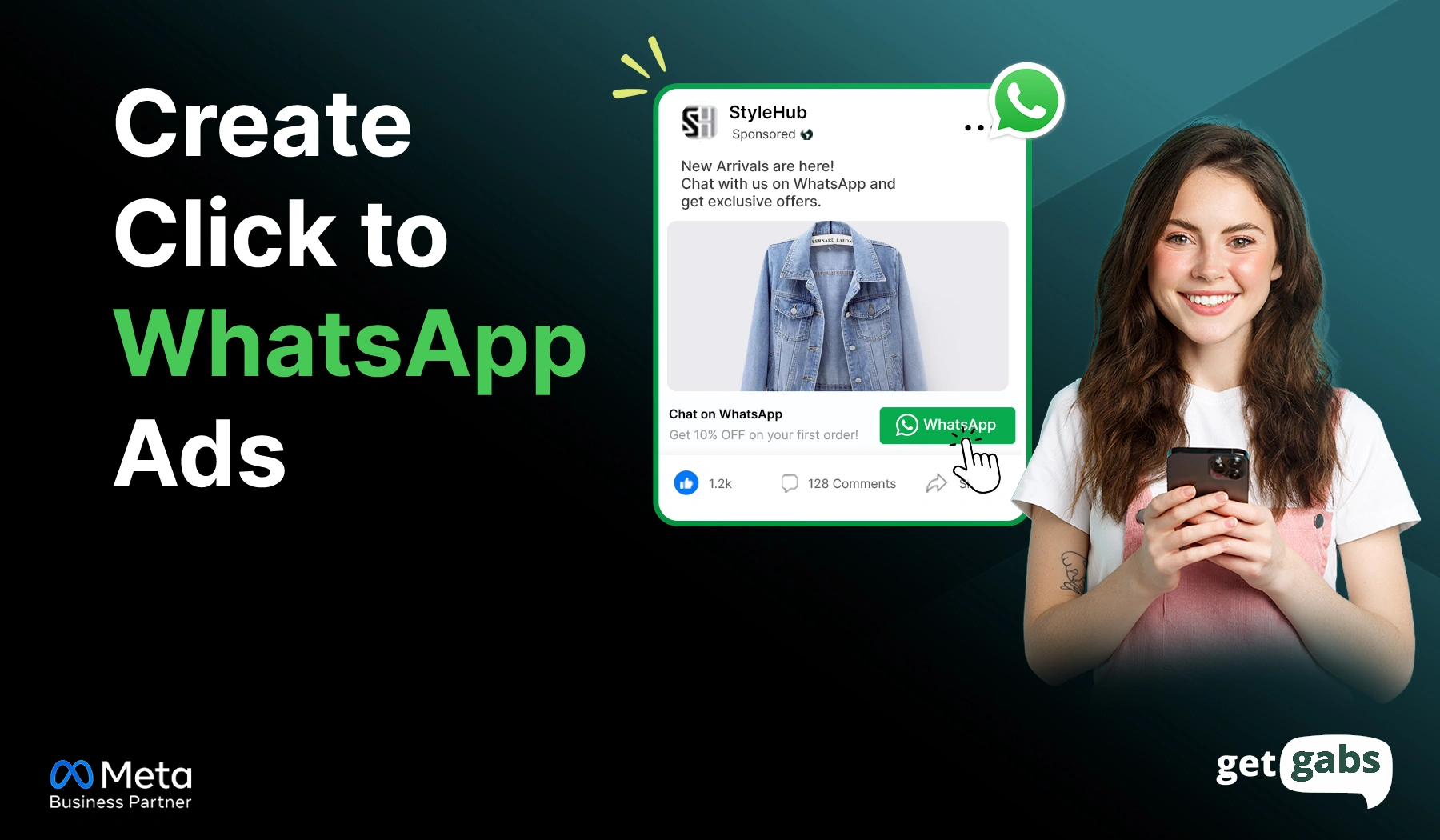


Too Long? Read This First
- Click-to-WhatsApp Ads turn a Facebook or Instagram click into a live WhatsApp chat instead of a slow landing page, cutting drop-offs and speeding up lead response.
- Before you start, you need a connected Meta Business Manager, admin access to your Facebook Page, and a verified WhatsApp Business Account.
- To create click-to-WhatsApp Ads, connect WhatsApp to your Facebook Page → Choose objective → Select WhatsApp as the messaging destination → Define your audience and budget → Create your ad and welcome message → Publish.
- Click-to-WhatsApp Ads open a free 72-hour messaging window, allowing businesses to engage leads instantly.
- Getgabs helps businesses create, manage, and convert Click-to-WhatsApp via the official WhatsApp API along with AI chatbots, shared team inbox, and automated follow-ups.
How to create Click-to-WhatsApp Ads is the question every business or marketer asks once landing pages stop converting. Traditional ads get clicks but force visitors to land on slow pages, fill out long forms, and wait for a reply. It leads to massive drop-offs and lost leads.
That’s where ads that click-to-WhatsApp come in. Instead of sending visitors to slow landing pages, these ads bring them directly to the WhatsApp chat window with just a tap. It lets customers ask questions instantly, request pricing, book an appointment, or place an order without leaving the app.
Here’s a number that shows its results. According to a Meta and Retailers Association of India (RAI) whitepaper, businesses using click-to-WhatsApp ads have seen up to a 62% increase in lead generation, a 61% improvement in return on ad spend, and 22% higher order values. But the main question is how to create them.
In this guide, we will learn how to create Click-to-WhatsApp ads to generate more leads and drive sales by converting more conversations into customers.
What are Click-to-WhatsApp Ads?
Click-to-WhatsApp Ads are online ads that run on Facebook and Instagram. They allow users to start a real-time conversation by simply tapping on the “Send Message” or “Chat on WhatsApp” button.
Instead of sending customers to a website, these ads take them straight to chat where they can ask their questions, request pricing, or place orders. Ads that click-to-WhatsApp help businesses:
- Generate leads faster
- Reduce website drop-offs
- Make customer communication easier
- Remove an extra step from the customer journey
- Increase conversions and sales
A wa.me link waits for people to find your website or profile before starting a chat. CTWA actively reaches new customers on Facebook, Instagram, and even WhatsApp Status. Meta now even allows businesses to run ads on WhatsApp Status. This makes it one of the most effective ad formats for lead generation and customer acquisition.
How Do Click-to-WhatsApp Ads Outperform Traditional Ads?
Traditional ads often send users to landing pages where they leave without taking any action. Click-to-WhatsApp Ads remove the extra steps and allow visitors to have real-time conversations with businesses.
| Factor | Traditional Ads (Website/Landing Page) | Click-to-WhatsApp Ads |
| Where users go after clicking | Website or landing page | Direct WhatsApp chat |
| How customers contact you | Fill out a form or search for contact details | Send a message instantly |
| Response time | Often delayed | Instant with live chat or automation |
| Customer effort | Multiple steps | One-tap conversation |
| Drop-off risk | Higher due to forms and page exits | Lower because the chat opens immediately |
| Lead quality | Can attract low-intent visitors | Higher intent as users start a conversation |
| Personalization | Same experience for everyone | Real-time, personalized interactions |
| Follow-up opportunities | Requires separate tools and tracking | Continue conversations directly on WhatsApp |
| Best use case | Brand awareness and website traffic | Lead generation, sales, and customer support |
Since customers can connect with your business instantly, they often generate faster responses, better-quality leads, and higher conversion rates.
What Do You Need Before You Start Creating Click-to-WhatsApp Ads?
Before you create a Click-to-WhatsApp Ad, make sure you have certain things ready. It will help you create and run CTWA ads without any issues. Here’s a quick checklist:
- Active Meta Ad Account: Set up Meta Ads Manager with a working payment method, correct user permissions, and no account restrictions.
- WhatsApp Business Account: Use the free WhatsApp Business app for basic needs. But if you plan to scale and automate, you will need the Meta WhatsApp API.
- Verified Phone Number: Your number should be active and available to connect with your WhatsApp Business account.
- Facebook Business Page: A Facebook business page connected to your verified WhatsApp phone number with admin access.
Note: If you handle a large number of leads, the API helps you automate
Note: If you select the WhatsApp Business API, you need an official partner like Getgabs. It gives you instant API access along with features like broadcasting, drip campaigns, an AI chatbot, and a shared team inbox to manage leads from both WhatsApp and Instagram, no coding needed.
How to Create Click-to-WhatsApp Ads in Meta Ads Manager
Creating a Click-to-WhatsApp Ad requires following simple steps. Once your Facebook Page and WhatsApp Business account are connected, you can create Click-to-WhatsApp ads in just a few minutes:
Step 1: Open Meta Ads Manager
Log in to Meta Ads Manager and tap the green Create button to begin a new campaign.
Step 2: Choose Your Campaign Objective
Select between “Engagement” and “Leads” objectives that work best for your Click-to-WhatsApp campaign. Tap Continue.
- Lead: To generate inquiries and customer details
- Engagement: To increase WhatsApp conversations
Step 3: Select Your Messaging Destination
Go to the Ad Set level and select Messaging Apps as your conversion location. Now choose WhatsApp.
This tells Meta to send people directly to a WhatsApp conversation instead of a landing page.
Step 4: Connect Your Number
Now select your linked Facebook Page and choose your WhatsApp number from the drop-down menu, or click Connect another number.
Note: Businesses running high-volume Click-to-WhatsApp campaigns often use the WhatsApp Business API to automate responses and manage leads more efficiently. If you’re not sure which platform to choose, explore our comparison of the best WhatsApp API providers.
Step 5: Define Your Audience
Target the right people based on location, age, gender, interests, behaviours, custom audiences, and lookalike audiences.
Step 6: Set Your Budget and Schedule
Define your daily or lifetime budget and decide when your ads should start and stop.
Step 7: Create Your Ad
Upload your image, video, or carousel with a strong Call-to-action button like Send Message, Chat on WhatsApp, or Message Us.
Step 8: Add a Welcome Message
It’s time to add a pre-filled message that will appear the moment users enter the chat window as a warm welcome.
You can also set up an automated greeting or automated replies to answer queries instantly, even outside business hours, with tools like Getgab’s AI Chatbot.
Step 8: Review and Publish
Double-check your campaign settings, targeted audience, message destination, and placements. Once everything looks right, tap Publish to launch your click-to-chat ad.
Tip: Don’t stop after getting a click. Combine Click-to-WhatsApp Ads with WhatsApp API automation, chatbots, and follow-up campaigns to turn more conversations into customers.
If you’re new to Meta advertising, you can also check out our detailed guide on WhatsApp ads to learn about different ad formats and use them to generate leads and sales.
What Happens After Someone Clicks? Understanding WhatsApp’s Free Messaging Window
Getting the click is just the beginning. Here’s what happens after someone taps your ads:
The 72-hour free window: When someone clicks your Click-to-WhatsApp Ad and sends a message, Meta opens a free 72-hour window. It means your business can reply within this window without any extra cost for message delivery.
The 24-hour customer service window: Once the chat starts, a second timer begins. It is called the 24-hour customer service window that resets each time the customer sends a new message. In this window, your team and chatbot can send free-form replies.
Until now, these replies cost nothing. That’s about to change.
What Changes on October 1, 2026
According to Meta’s own developer documentation, Meta will start charging for service messages sent inside the 24-hour window from October 1, 2026. Here’s what you need to know:
- Service messages get billed per message at the same rate as utility and authentication templates for each market.
- Utility messages sent inside the window also lose their free status.
- It only affects the Meta WhatsApp API, not the free WhatsApp Business App.
- The good news is the 72-hour free window on Click-to-WhatsApp ads remains the same. Message delivery within this window remains free.
- Meta plans to publish the exact rate by country on September 1, 2024. So check out your market’s current rate before getting started.
Each message reply inside the 24-hour window will carry a cost. This is where automation helps you out. With AI-based WhatsApp automation tools like Getgabs, you can qualify leads faster and cut down on back-and-forth messages.
Common Click-to-WhatsApp Ad Errors and How to Fix Them
Even after setting up everything correctly, a few common issues can stop your CTWA before they go live. Here are common errors and their fixes:
1. WhatsApp Number Not Showing Up in the Dropdown
- Why it happens: Maybe because your Facebook Page is not linked to your WhatsApp Business account.
- How to fix: Go to your page settings and check your WhatsApp connection in your linked accounts. Try reconnecting if needed.
2. Ad Gets Rejected
- Why it happens: Unclear creative, missing business details, or policy violation.
- How to fix: Review your ad copy and images. Ensure it matches Meta’s advertising policies and then resubmit.
3. Welcome Message or Automated Reply Not Sending
- Why it happens: Message templates require Meta’s approval before they can trigger.
- How to fix it: Ensure your template is approved, enable the automation flow, and test the message before launching your campaign.
4. Poor Ad Engagement or Irrelevant Chats
- Why it happens: Your ad promise does not match the WhatsApp conversation, or maybe users are not sure about what happens next after tapping.
- How to fix: Make sure your ad copy, creative, and welcome message deliver the same message or offer. Ask qualifying questions early and keep the conversation relevant.
How Getgabs Helps You Create & Manage Click-to-WhatsApp Leads
As CTWA campaigns start generating more leads, businesses often struggle with managing conversations, offering instant responses, tracking leads, and following up with prospects. That’s where platforms like Getgabs come to rescue you.
As an official WhatsApp Business API provider, Getgabs helps businesses turn more WhatsApp conversations into qualified leads and customers without increasing manual work. With Getgabs, you can:
- Send instant welcome messages and auto-replies
- Offer 24/7 support and qualify leads via AI Chatbots
- Manage all customer chats from a shared inbox
- Identify and tag leads from Facebook, Instagram, and other channels
- Run automated follow-ups and drip campaigns to nurture leads
- Track and manage leads more effectively from a single dashboard.
- Connect WhatsApp with your CRM, Shopify store, and other business tools for a smoother workflow.
As your campaign grows, Getgabs helps you turn conversations into a sale, offering everything you need. Want to learn more? Explore our guides on WhatsApp Advertising Campaigns and how to create Click-to-chat-ads to build a stronger WhatsApp marketing strategy.
Conclusion
How to create Click-to-WhatsApp Ads is no longer just a marketing tactic. It is one of the fastest ways to turn clicks into real conversations and qualify leads. Rather than sending visitors to those slow landing pages or long forms, businesses can connect with customers on a platform they already use every day. With the right setup process, targeting the right audience, creating compelling ad creatives, and instant response, brands can generate better-quality leads and improve conversion rates.
As your campaign grows, managing conversations efficiently is equally important as getting clicks on the ads. That’s where platforms like Getgabs help you. With instant access to the API at 0% markup, AI chatbots, a shared team inbox, and analytics and reporting, it makes it easy to create, manage, and convert Click-to-WhatsApp Ads. Connect with Getgabs today and drive more sales from every conversation.
Frequently Asked Questions
There is no fixed cost for Click-to-WhatsApp ads. It mainly depends on your ad quality, target audience, and industry. You generally pay for Meta ad spend and per-conversation charges.